C
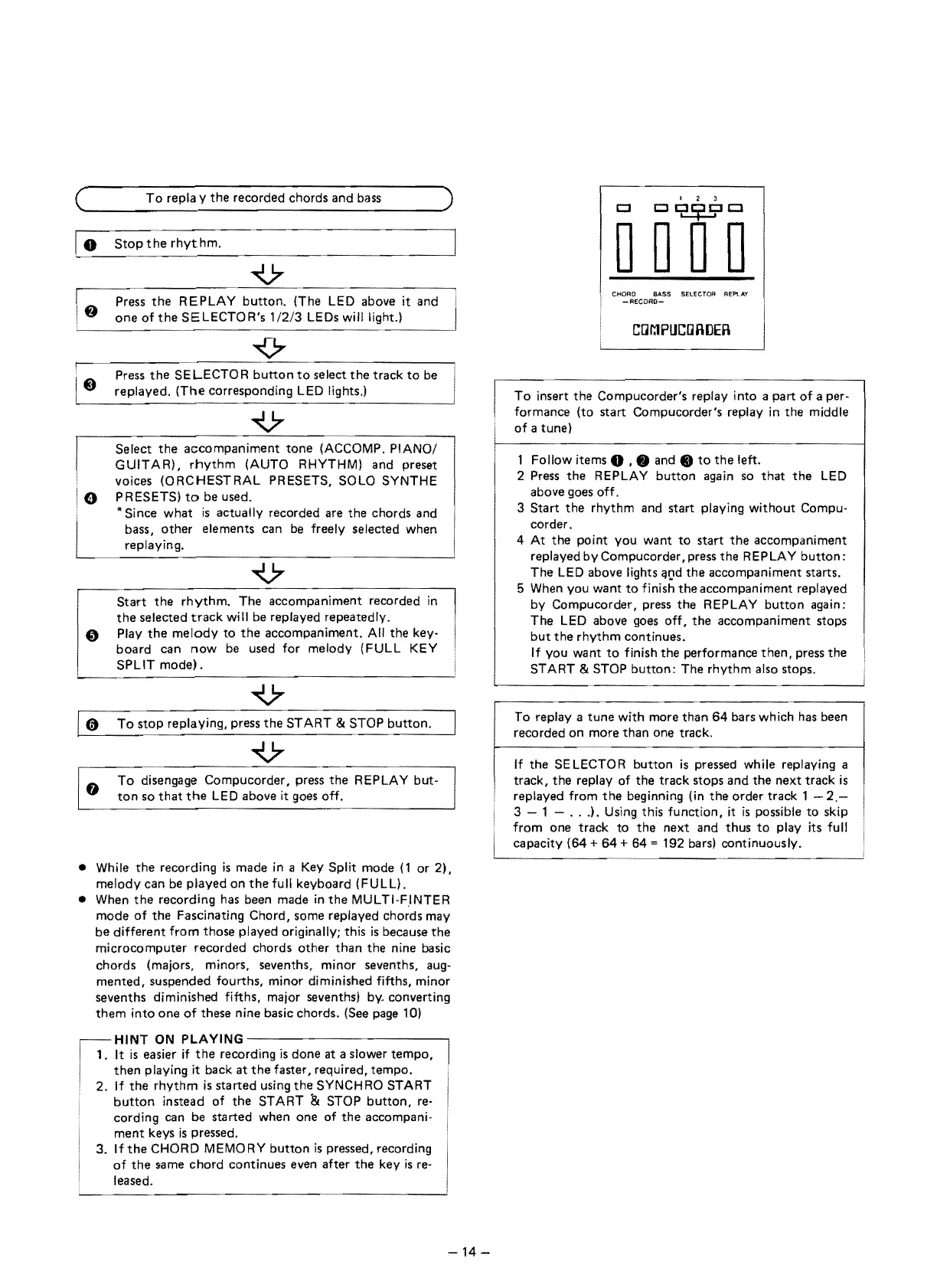
To
repla y
the
recorded chords and bass )
~--------------------
rhythm.
Press
the
REPLAY
button.
(The
LED
above it and
one
of
the
SE
LECTO R's
1/2/3
LEDs will light.)
Press
the
SE LECTO R
button
to
select
the
track
to
be
replayed.
(The
corresponding
LED
lights.)
Select
the
accompaniment
tone
(ACCOMP. PIANO/
GUITAR),
rhythm
(AUTO RHYTHM) and preset
voices (ORCHESTRAL PRESETS, SOLO SYNTHE
PRESETS)
to
be used.
"Since
what
is
actually recorded are
the
chords and
bass,
other
elements can
be
freely selected when
replaying.
V
r---------------
Start
the
rhythm.
The accompaniment recorded
in
the
selected
track
will be replayed repeatedly.
.,
Play
the
melody
to
the
accompailiment.
All
the
key-
board
can
now
be used for melody (FULL
KEY
SPLIT
mode).
To
stop
replaying, press
the
START & STOP
button.
To
disengage Compucorder, press
the
REPLAY but-
ton
so
that
the
LED
above it goes off.
• While
the
recording
is
made
in
a Key Split mode
(1
or
21.
melody
can
be
pJayed on
the
full keyboard (FULL) .
• When
the
recording has been made
in
the
MULTI-F,INTER
mode
of
the
Fascinating Chord, some replayed chords may
be
different
from
those played originally; this
is
because
the
microcomputer recorded chords
other
than
the
nine basic
chords (majors, minors, sevenths, minor sevenths, aug-
mented, suspended fourths, minor diminished fifths, minor
sevenths diminished fifths, major seventhsl
by.
converting
them
into one
of
these nine basic chords. (See page 10)
HINT
ON
PLAYING
-------------,
. It
is
easier
if
the
recording
is
done
at
a slower
tempo,
then
playing it back
at
the
faster, required, tempo.
[:-
,
2.
If
the
rhythm
is
started using
the
SYNCHRO START
,
button
instead of
the
START & STOP
button,
re-
cording can be started when one of
the
accompani-
ment
keys
is
pressed.
3. If
the
CHORD MEMORY
button
is
pressed, recording
of
the
same chord continues even after
the
key
is
re-
leased.
I 2 3
c::::I
c::::I
~c:::J
000
0
CHORD BASS SELECTOR
REF'LAY
-AECORO-
,
Cl]I':1PUC~
To
insert
the
Compucorder's replay into
apart
of
aper-
I
formance (to start Compucorder's replay
in
the
middle
of
a tune)
1 Follow items
0 , • and •
to
the
left.
2 Press
the
REPLAY
button
again so
that
the
LED
above goes off.
3
Start
the
rhythm and start playing without Compu-
corder.
4 At
the
point you want
to
start
the
accompaniment
replayed by Compucorder, press
the
REP
LA
Y
button:
The
LED
above lights qtld
the
accompaniment starts.
5 When you want
to
finish
theaccompaniment
replayed
by Compucorder, press
the
REPLAY
button
again:
The
LED
above goes
off,
the
accompaniment stops
but
the
rhythm
continues.
If you want
to
finish
the
performance
then,
press
the
START & STOP
button:
The rhythm also
To replay a
tune
with more
than
64
bars which has been
recorded
on
more
than
one track.
If
the
SE
LECTO R
button
is
pressed while replaying a
track,
the
replay
of
the
track stops and
the
next track
is
replayed from
the
beginning (in
the
order track 1 -
2.-
3 1 -
..
.). Using this function, it
is
possible
to
skip
+
64
from one track
to
the
next
and
thus
to
play its full
192 bars) continuously .
14 -
I


 To Next Page