KEY SPLIT .
The 61-key
keyboard
of
the
KB-700 can be divided
in
two
ways
into
lett and right sections, each
of
wh
ich can have different tones.
With
the
right hand
playing
the
melody and
the
left
the
accompaniment, this allows
the
KB-700
to
be used as a two-keyboard
spinet-type electron
ic
organ.
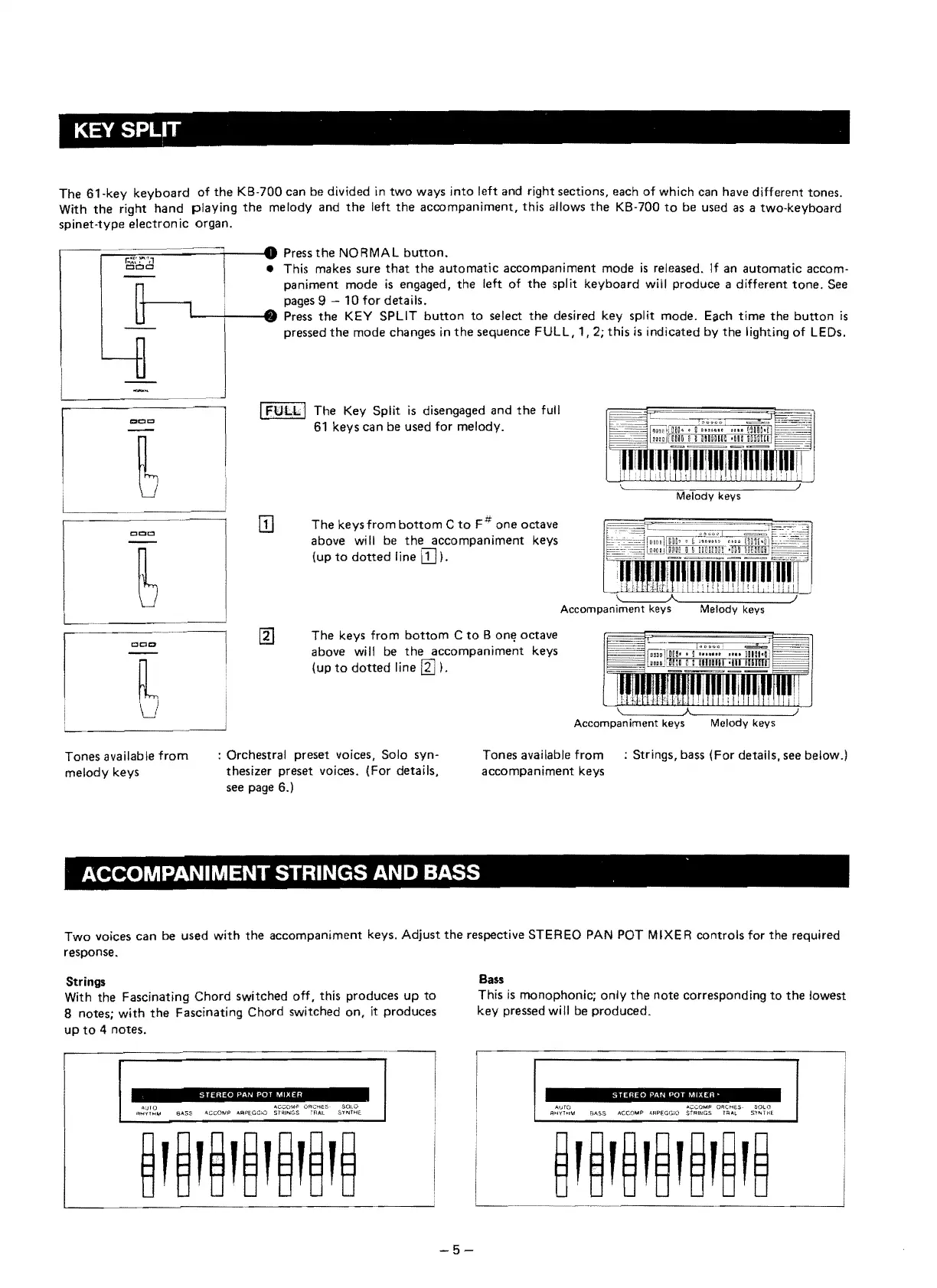
Press
the
NORMAL button_
• This makes sure
that
the
automatie
accompaniment mode
is
released.
If
an automatie accom-
paniment mode
is
engaged,
the
left
of
the
split keyboard will produce a different
tone.
See
f-----.
pages 9
10
for details.
1.--+i---48111
Press
the
KEY
SPLIT
button
to
select
the
desired key split mode. Each
time
the
button
is
~
J
p""ed
th,
mOd"h",
..
in
th,
"qu'noe
F
UL
L,
" 2;
thi,
i,
indi''''d
by
th,
",hting
0'
LE D"
I
rULLI
The Key Split
is
disengaged and
the
full
61
keys can be used for melody.
m
The
keysfrom
bottom
C
to
F#
one octave
above
wi
11
be
the
accompaniment keys
(up
to
dotted
line
[TI).
\.~-~
::::::~~~~~'j-"
Accompaniment
keys
Melody
keys
The keys from
bottom
C
to
8 onll octave
cce>
above will be
the
accompaniment keys
(up
to
dotted
line
~).
Accompaniment
keys
Tones available
from
: Orchestral preset voices, Solo syn-
Tones available
from
: Strings, bass (For details, see below.)
melody keys
thesizer preset voices. (For details,
accompaniment keys
see page
6.1
ACCOMPANIMENT STRINGS AND BASS
Two voices can be used
with
the
accompaniment keys. Adjust
the
respective STEREO
PAN
POT MIXER controls for
the
required
response.
Strings
Bass
With the Fascinating Chord switched off, this produces
up
to
This
is
monophonie; only
the
note eorresponding
to
the
lowest
8 notes;
with
the
Fascinating Chord switehed
on,
it produees
key pressed will be produced.
up
to
4 notes.
STEREO
PAN POT
MIXER
"'·"·"'0'4"13,,'"
1l;;fO
.o.CCOIAP
ORC>-tES
$01.0
AUTO "';::COM1"
DReHES
SOLO
qo.jl'!H~
SASS
AceO,",p
ARPEGG)O
ST"lINGS
"AAL
Sl'''ITHE.
RH'(T>l\A
SASS
AeCOM?
"'APEGGlO
S"tAINGS
Ha_L
S'l'''-THf.
-5


 To Next Page