EasyManua.ls Logo

JVC KD-21 - Page 8

JVC KD-21
29 pages
Print Icon
To Next Page IconTo Next Page
To Previous Page IconTo Previous Page
Loading...
<—
mc
/3$/U
Main
Adjustments
{!]
Equipment
and
measuring
instruments
used
for
adjustment.
1.
Electrical
adjustment
1)
V.T.V.M.
(measuring
AC
in
millivolt)
2)
Audio
frequency
oscillator
(range;50~20kHz
and
output
OdB
with
impedance
6002)
3)
Attenuator
4)
Reference
tapes
for
REC/PB
TS-1
(OQP-12,
C521V)
normal
tape
TS-2
(TP-18,
C401R)
chrome
tape
5)
Reference
tapes
for
playback
(JVC
Test
Tape)
VTT-658
(for
head
azimuth
adj.)
VTT-656
(for
motor
speed,
wow
flutter
adj.)
VTT-664
(for
Reference
level
1kHz)
VTT-675N
(for
playback
frequency
responce)
6)
Resistors
100Q
(for
measurement
of
the
bias
current)
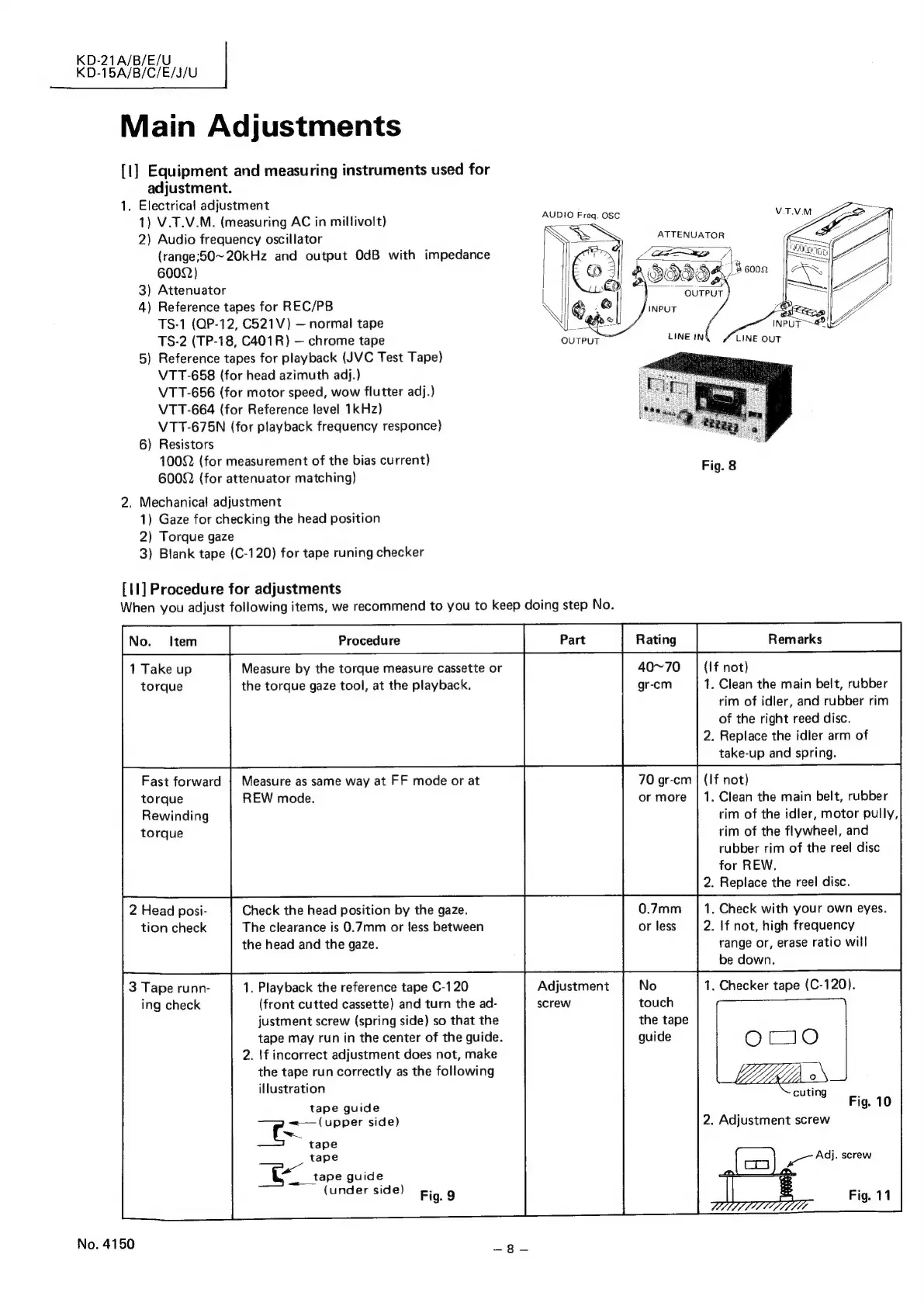
Fig.
8
6002
(for
attenuator
matching)
;
AUDIO
Freq.
OSC
V.T.VM
ATTENUATOR
0058,
t0"
OUTPUT
=|
OUTPUT
2.
Mechanical
adjustment
1)
Gaze
for
checking
the
head
position
2)
Torque
gaze
3)
Blank
tape
(C-120)
for
tape
runing
checker
[11]
Procedure
for
adjustments
When
you
adjust
following
items,
we
recommend
to
you
to
keep
doing
step
No.
1
Take
up
Measure
by
the
torque
measure
cassette
or
torque
the
torque
gaze
tool,
at
the
playback.
(If
not)
1.
Clean
the
main
belt,
rubber
rim
of
idler,
and
rubber
rim
of
the
right
reed
disc.
2.
Replace
the
idler
arm
of
take-up
and
spring.
Fast
forward
|
Measure
as
same
way
at
FF
mode
or
at
70
gr-cm
|
(If
not)
torque
REW
mode.
or
more
|
1.
Clean
the
main
belt,
rubber
Rewinding
rim
of
the
idler,
motor
pully,
torque
rim
of
the
flywheel,
and
rubber
rim
of
the
reel
disc
for
REW.
.
Replace
the
reel
disc.
0.7mm
or
less
.
Check
with
your
own
eyes.
2.
If
not,
high
frequency
range
or,
erase
ratio
will
be
down.
.
Checker
tape
(C-120).
Check
the
head
position
by
the
gaze.
The
clearance
is
0.7mm
or
less
between
the
head
and
the
gaze.
2
Head
posi-
tion
check
No
touch
the
tape
guide
Adjustment
screw
1.
Playback
the
reference
tape
C-120
(front
cutted
cassette)
and
turn
the
ad-
justment
screw
(spring
side)
so
that
the
tape
may
run
in
the
center
of
the
guide.
2.
\f
incorrect
adjustment
does
not,
make
the
tape
run
correctly
as
the
following
illustration
tape
guide
~<—
(upper
side)
3
Tape
runn-
ing
check
O70
°
cuting
Fig.
10
2.
Adjustment
screw
tape
tape
ill
tape
guide
(under
side)
Fig.
9
ee
Adj.
screw
Fig.
11
No.
4150
Zs
gee

Related product manuals