30
ENGLISH
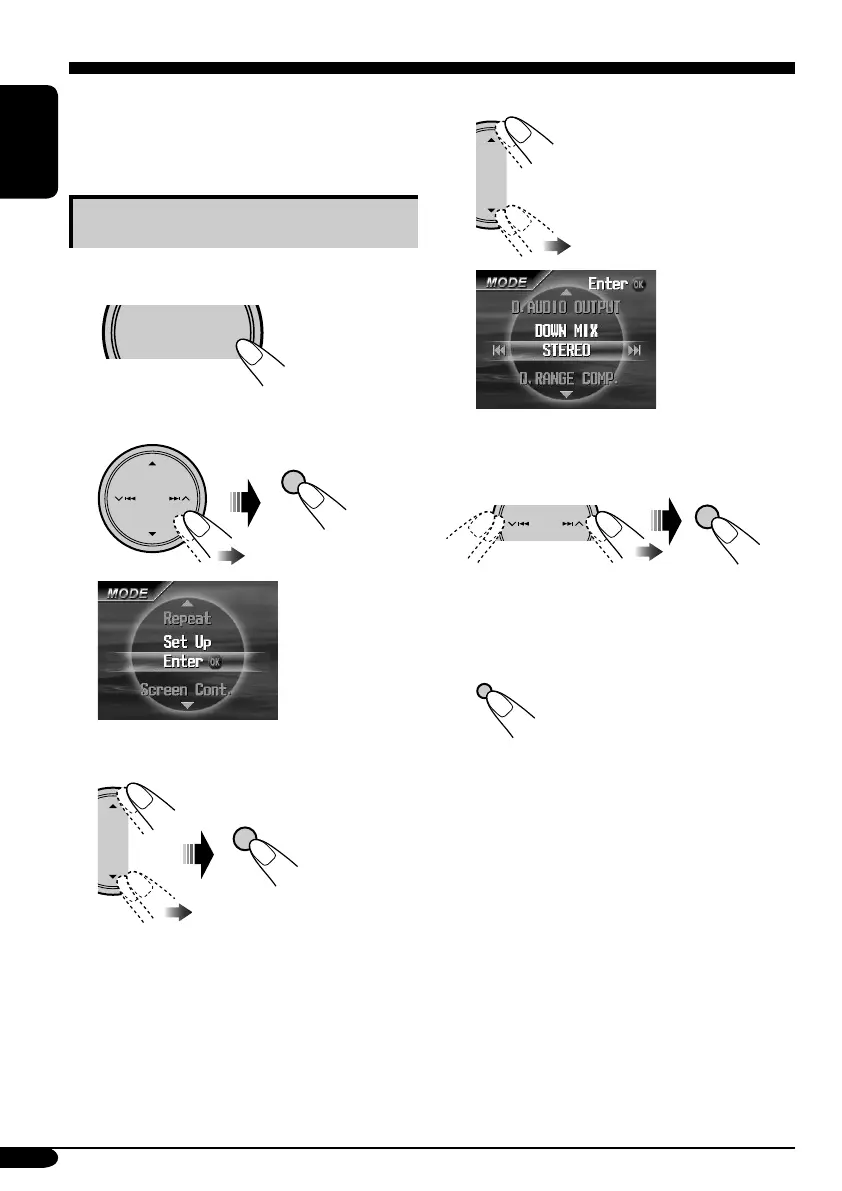
4 Select an item you want to set up.
Ex.: When selecting “DOWN MIX”
5 Select an option.
To set other items, repeat steps 4 and 5.
6 Finish the procedure.
You can store the initial disc playback status.
• While playing, no change can be made on the
setup menu.
Basic setting procedure
While stop....
1
2 Select “MODE” menu.
3 Select “Set Up”.
AV setup menu
SOURCE
MENU
OK
OK
MODE menu
when a DVD is
loaded
OK
DISP
D



 To Next Page