To Next Page

M
marshalldylanSep 2, 2025
How to improve DAB reception on JVC Car Receiver?
- BBlake KirbySep 2, 2025
If you are experiencing poor DAB reception on your JVC Car Receiver, make sure [ON] is selected for [DAB ANT POWER].

How to improve DAB reception on JVC Car Receiver?
If you are experiencing poor DAB reception on your JVC Car Receiver, make sure [ON] is selected for [DAB ANT POWER].
Why can't I select a source on my JVC KD-DB902BT?
If you are unable to select a source on your JVC Car Receiver, check the [SOURCE SELECT] setting.
How to fix 'H/W ERROR' on JVC KD-DB902BT Car Receiver?
If “H/W ERROR” appears on your JVC Car Receiver, reset the unit and try the operation again.
What to do if 'CHK ANTENNA' appears on JVC Car Receiver?
If the message “CHK ANTENNA” appears on your JVC Car Receiver, check the DAB antenna. If you are using a passive antenna (without a booster), set [DAB ANT POWER] to [OFF].
How to eject a disc from JVC KD-DB902BT?
If a disc cannot be ejected from your JVC Car Receiver, press and hold to forcibly eject the disc.
What to do if I can't pair my device with JVC KD-DB902BT Car Receiver?
If you're having trouble pairing your device with the JVC Car Receiver, ensure you've entered the same PIN code on both devices. If the problem continues, delete the pairing information from both the unit and your Bluetooth device, and then try pairing again.
Why is my JVC KD-DB902BT Car Receiver not detecting Bluetooth?
If your JVC Car Receiver is not detecting any Bluetooth devices, try searching for the device again from the Bluetooth device itself. If that doesn't work, reset the unit.
 General
| Type | Car Receiver |
|---|---|
| Brand | JVC |
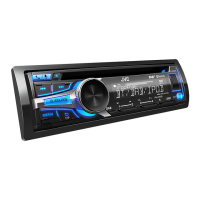
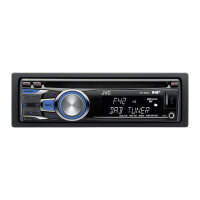
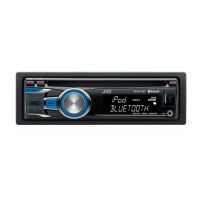
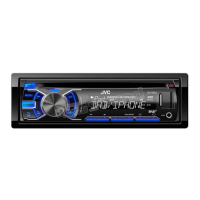
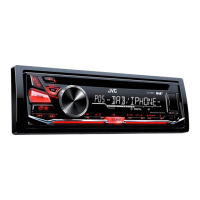
| Model | KD-DB902BT |
| DIN Size | 1 DIN |
| Detachable Face Plate | Yes |
| Bluetooth | Yes |
| USB Port | Yes |
| Max Power Output | 50W x 4 |
| RMS Power Output | 22W x 4 |
| Display | LCD |
| Equalizer | 13-Band Graphic EQ |
| Preamp Voltage | 2.5V |
| Button Illumination | Variable Color |
| HD Radio | No |
| Satellite Radio Ready | No |
| USB Input | Yes |
| AUX Input | Yes |
| Memory Card Slot | No |
| Subwoofer Preamp Output | Yes |
| DAB+ | Yes |
| AM/FM Tuner | Yes |
| MP3 Playback | Yes |
| WMA Playback | Yes |
| AAC Playback | Yes |
| Remote Control | Yes |
| Built-in Microphone | Yes |
| Steering Wheel Control | Yes |
| Tuner | FM/AM |
| Peak Output | 50W |
| EQ Settings | 13-band |