11
ENGLISH
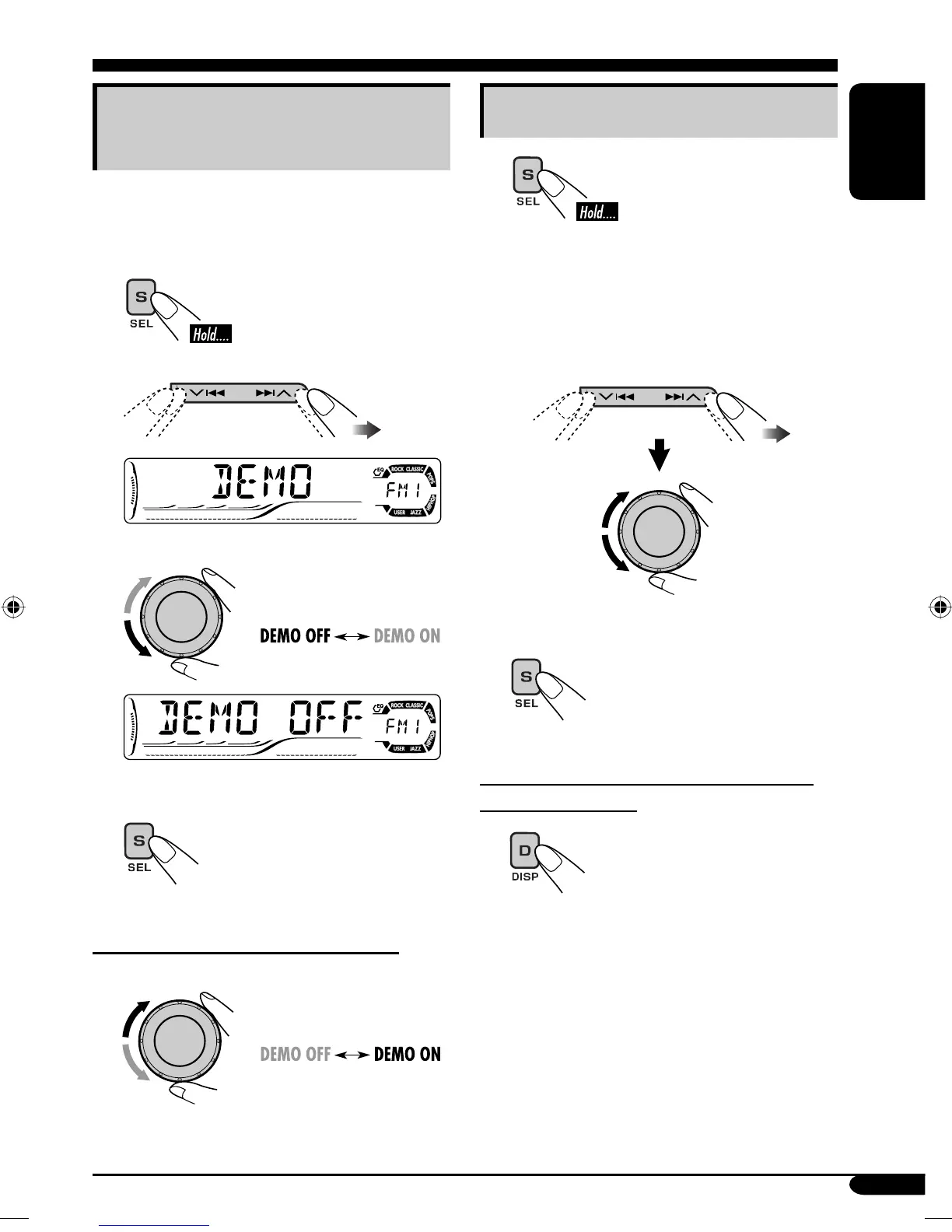
Canceling the display
demonstrations
If no operations are done for about 20 seconds,
display demonstration starts.
[Initial: DEMO ON]—see page 35.
1
2
3
4
Finish the procedure.
To activate the display demonstration
In step 3 above...
Setting the clock
1
2
Set the hour and minute.
1 Select “CLOCK H” (hour), then
adjust the hour.
2 Select “CLOCK M” (minute),
then adjust the minute.
3 Finish the procedure.
To check the current clock time when the
power is turned off
EN08-15_KD-ADV6160[J]f.indd 11EN08-15_KD-ADV6160[J]f.indd 11 12/14/04 2:25:32 PM12/14/04 2:25:32 PM


 To Next Page
 Loading...