39SETTINGS
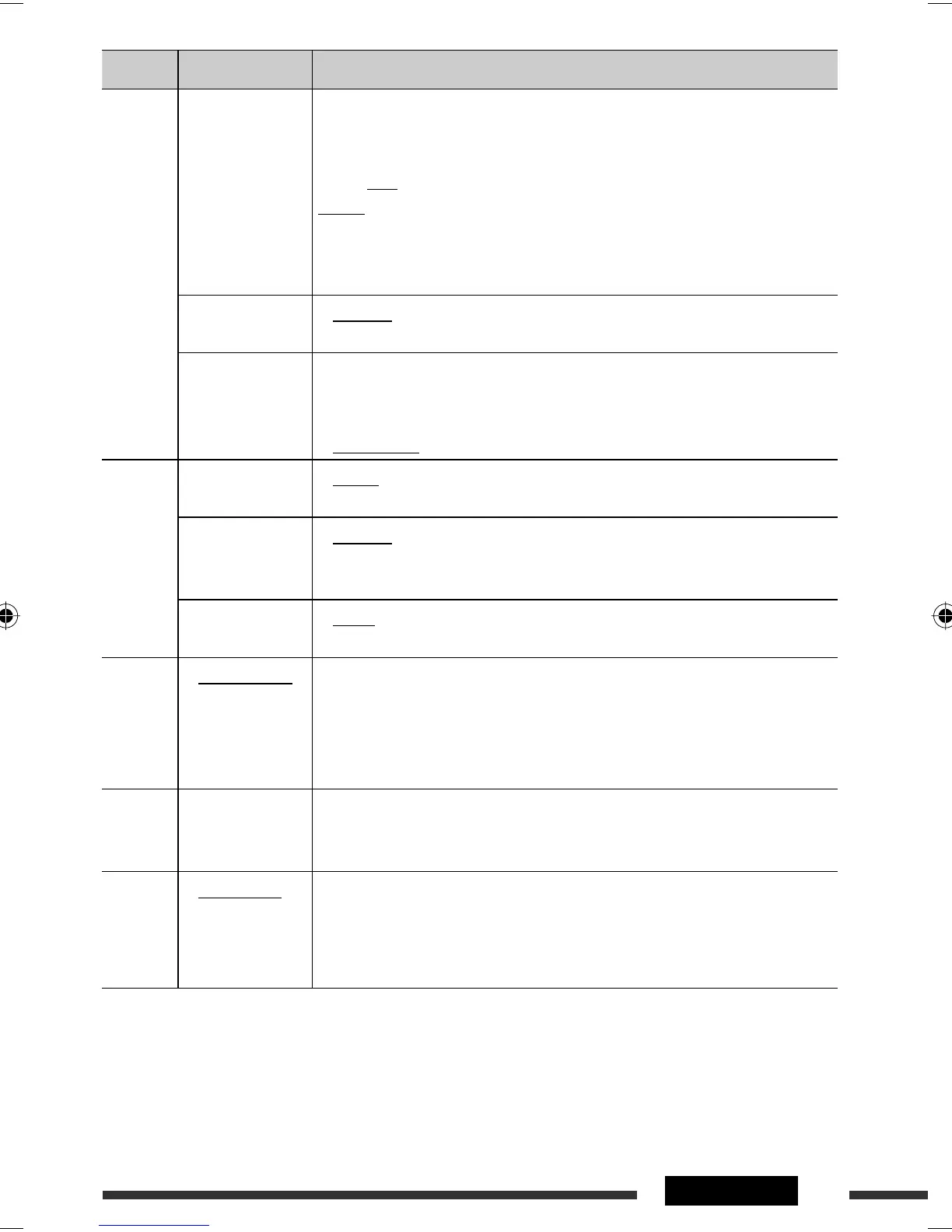
Category Menu item Selectable setting, [reference page]
AUDIO
VOL ADJUST
Volume adjust
VOL ADJ –05
—
VOL ADJ +05
(Initial: VOL
ADJ 00)
: Preset the volume adjustment level of each source (except
FM), compared to the FM volume level. The volume level
will automatically increase or decrease when you change the
source.
• Before making an adjustment, select the source you want
to adjust.
• “VOL ADJ FIX” appears on the display if “
FM
” is selected as
the source.
BEEP
Key touch tone
• BEEP ON
• BEEP OFF
: Activates the keypress tone.
: Deactivates the keypress tone.
AMP GAIN *
8
Amplifier gain
control
• LOW POWER
•
HIGH POWER
: VOLUME 00 – VOLUME 30 (Select if the maximum power
of each speaker is less than 50 W to prevent damaging the
speaker.)
: VOLUME 00 – VOLUME 50
SRC SELECT
AM *
9
AM station
• AM ON
• AM OFF
: Enable “
AM
” in source selection, [6].
: Disable “
AM
” in source selection.
EXT IN *
10
External input
• CH/IPOD
• EXT INPUT
: To connect a JVC CD changer, [28], or an iPod, [33].
:
To connect a portable video/audio player to the CD changer
jack, [34].
AV IN *
11
Audio video input
• AV ON
• AV OFF
: Enable “
AV IN
” in source selection, [6].
: Disable “
AV IN
” in source selection.
ARTWORK *
12
• ARTWORK ON
• ARTWORK OFF
: Activates Artwork display on the control screen, [31].
• It takes 5 seconds or more to display an Artwork and no operations are
available while loading it.
• Skip the track so that your setting takes effect.
: Cancels. (Skip the track so that your setting takes effect.)
AUDIO-
BOOKS *
12
• NORMAL
• FASTER
• SLOWER
: You can select the playback speed of the “Audiobooks” sound file in your iPod/
iPhone.
• Initial selected item depends on your iPod/iPhone setting.
IPOD
SWITCH *
12
• HEAD MODE
• IPOD MODE
: Controls iPod playback through the unit.
: Controls iPod playback through the iPod/iPhone.
*
8
The volume level automatically changes to “VOLUME 30” if you change to <LOW POWER> with the volume level
set higher than “VOLUME 30.”
*
9
Displayed only when any source other than “
AM
” is selected.
*
10
Not selectable when the component connected to the CD changer jack is selected as the source.
*
11
Displayed only when any source other than “
AV IN
” is selected.
*
12
Displayed only when the source is “
USB (iPod)
.”
EN36-45_KD-DV5506_001A_f.indd 39EN36-45_KD-DV5506_001A_f.indd 39 2/27/09 10:01:38 AM2/27/09 10:01:38 AM


 To Next Page