17
ENGLISH
General settings — PSM
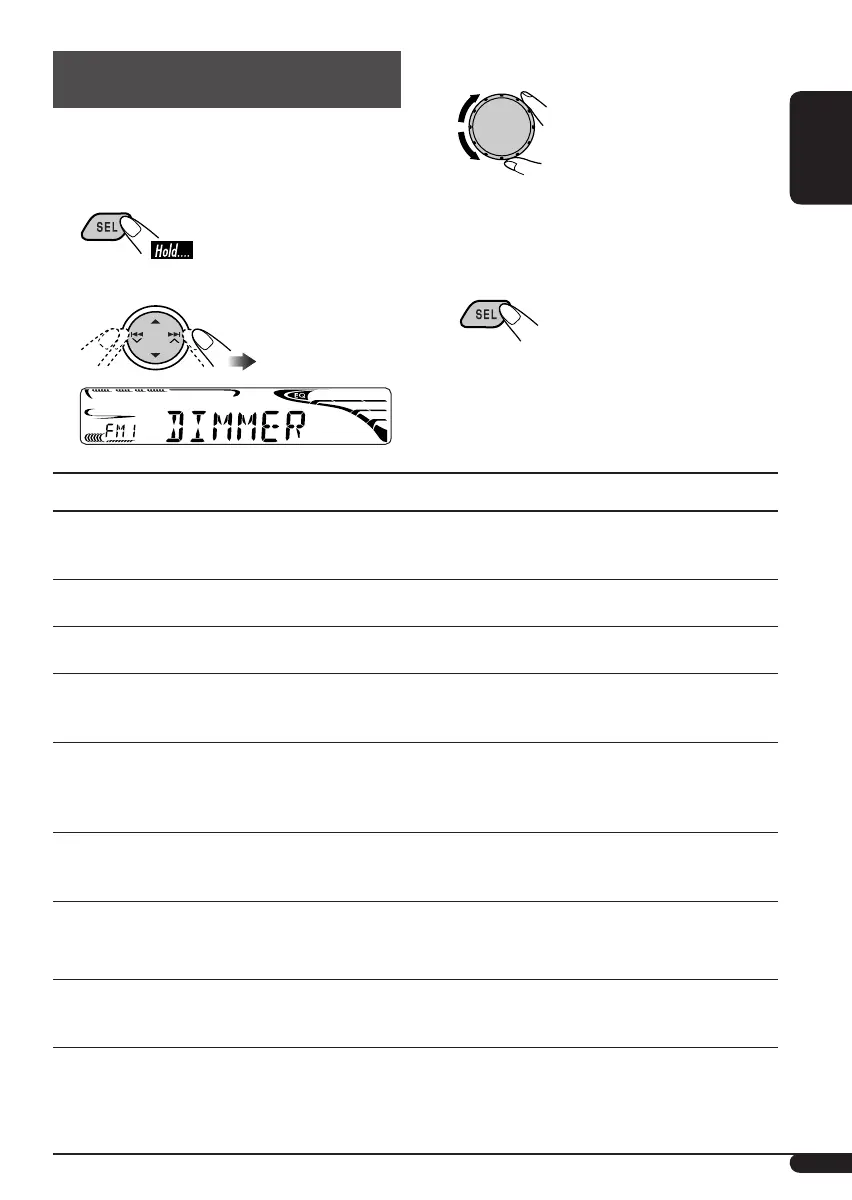
You can change PSM (Preferred Setting Mode)
items (except “SID”) listed in the table that
follows.
1
2 Select a PSM item.
Indications Selectable settings, [reference page]
DEMO
Display
demonstration
DEMO ON : [Initial]; Display demonstration will be activated
automatically, [7].
DEMO OFF : Cancels.
CLOCK H
Hour adjustment
1 – 12, [7]
[Initial: 1 (1:00)]
CLOCK M
Minute adjustment
00 – 59, [7]
[Initial: 00 (1:00)]
CLK ADJ*
1
Clock adjustment
AUTO : [Initial]; The built-in clock is automatically adjusted using
the clock data provided via the satellite radio channel.
OFF : Cancels.
T-ZONE*
1
, *
2
Time zone
Select your residential area from one of the following time zones for clock
adjustment.
EASTERN [Initial] “ ATLANTIC “ NEWFOUND “ ALASKA “
PACIFIC “ MOUNTAIN “ CENTRAL “ (back to the beginning)
DST*
1
, *
2
Daylight savings time
Activate this if your residential area is subject to DST.
ON : [Initial]; Activates daylight savings time.
OFF : Cancels.
SID*
3
SIRIUS ID
The 12-digit SIRIUS identification number scrolls on the display 5 seconds
after “SID” is selected, [19].
• Press SEL to resume the previous display.
DIMMER
Dimmer mode
ON : Dims the display illumination of this unit.
OFF : Cancels.
AUTO : [Initial]; Dims the display when you turn on the headlights.
*
1
Displayed only when SIRIUS Satellite radio or XM Satellite radio is connected.
*
2
Displayed only when “CLK ADJ” is set to “AUTO.”
*
3
Displayed only when SIRIUS Satellite radio is connected.
3 Adjust the PSM item selected.
4 Repeat steps 2 and 3 to adjust other
PSM items if necessary.
5 Finish the procedure.
Ex.: When “DIMMER” is selected
To be continued...
EN_KD-HDR1[J].indb 17EN_KD-HDR1[J].indb 17 06.1.23 10:07:10 AM06.1.23 10:07:10 AM



 To Next Page