Need help?
Do you have a question about the JVC KD-R205 and is the answer not in the manual?
Identifies the unit as a Class 1 laser product and provides safety warnings.
Warns against opening the unit and viewing laser radiation directly with optical instruments.
Advises on safe operation, especially regarding volume levels and driving conditions.
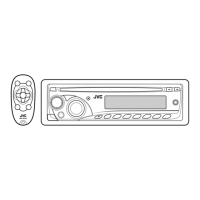
Details fundamental controls using the panel and remote for power, source, volume, and track selection.
Describes the meaning of symbols and information shown on the unit's display.
Instructions for installing the battery and operating the unit with the included remote control.
Guides on canceling display demonstrations and setting the unit's clock.
Covers tuning stations, auto/manual search, and storing presets.
Instructions for inserting, playing, stopping, ejecting discs, and selecting tracks/folders.
Explains playback options like Repeat/Random and connecting external audio devices via AUX.
Details how to connect and listen to external audio devices via the AUX input jack.
How to choose pre-defined sound modes or store custom EQ settings.
Guide on assigning custom titles to FM/AM radio stations.
Explains navigation through the unit's menu system for various settings.
Provides general information on basic operations, tuner details, and disc playback guidelines.
Lists common problems, their symptoms, and suggested remedies for resolution.
Instructions for cleaning connectors, handling discs, and preventing moisture condensation.
Lists detailed technical data for the audio amplifier, tuner, and CD player sections.
 General
| Brand | JVC |
|---|---|
| Model | KD-R205 |
| Category | Car Receiver |
| Language | English |


 To Next Page