EasyManua.ls Logo

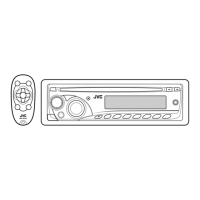
JVC KD-R210 - User Manual

JVC KD-R210
12 pages
Print Icon
To Next Page IconTo Next Page
Loading...
Detaching the control panel
Attaching the control panel
0809DTSMDTJEIN
EN
© 2009 Victor Company of Japan, Limited
Model
No.
Serial
No.
For
customer
Use:
Enter
below
the
Model
No.
and
Serial
No.
which
are
located
on
the
top
or
bottom
of
the
cabinet.
Retain
this
information
for
future
reference.
Thank
you
for
purchasing
a
lVC
product.
Please
read
all
instructions
carefully
before
operation,
to
ensure
your
compiete
understanding
and
to
obtain
the
best
possible
performance
from
the
unit.
Installation/connection
are
explained
at the
last
section
of
this
manual
(reverse
page,
indicated
with
~symbol).
How
to reset your unit
Reset
the
unit
after
installation
is
complete.
GET0621-001 A
[J]
~
Select
"DEMO
OFF."
\YITurnl
_liBt.
a
Finish
the
procedure.
m
WMA
MP3
KD-R210
CD
RECEIVER:
INSTRUCTIONS/INSTALLATION
~.Q
(Initial
setting)
_kIMi;
f)~d)
o
Turn
on
the
power.
JVC
~
-
CANCELING
THE
DISPLAYDEMO~N~ST:JfA::;J:.l.
~:::====-""'P"':'R::EP"A:-RA-:T"IO"NS---~=:::=====-
~~~$,
9
Warning:
To
prevent
accidents
and
damage
Do
not
install
any
battery
other
than
CR2025
or
its
equivalent.
Store
out
of
reach
of
children.
Do
not
recharge,
short,
or
dismantle.
Do
not
dispose
of
in
fire.
Do
not
carry
around
with
other
metallic
materials.
If
the
effectiveness
of
the
remote
controller
decreases,
replace
the battery.
Replacing
the lithium
coin
battery
-
There
are
improper
recording
conditions
(missing
data,
etc.)
or
media
conditions
(stained,
scratched,
warped,
etc.).
CD-RWs
may
require
a
longer
readout
time
since
the
refiectance
of
CD-RWs
is
lower
than
that
of
regular
CDs.
Playing an
MP3IWMA
disc
This
unit
can
play
back
MP3IWMA
files
with
the
extension
code
<.mp3>
or
<.wma>
(regardless
of
the
letter
case-upper/lower).
This
unit
can
show
the
names
of
albums,
artists
(performer),
and
tag
(Version
1.0,
1.1,
2.2, 2.3,
or
2.4)
for
MP3
files
and
for
WMA
files.
This
unit
can
display
only
one-byte
characters.
No
other
characters
can
be
correctly
displayed.
This
unit
can
play
back
MP3/WMA
files
meeting
the
conditions
below:
-
Bit
rate:
B
kbps
-
320
kbps
-
Sampling
frequency:
48
kHz,
44.1
kHz,
32
kHz
(for
MPEG-1)
24
kHz,
22.05
kHz,
16
kHz
(for
MPEG-2)
-
Disc
format:
ISO
9660
Level
11
Levei
2,
Romeo,
Joliet,
Windows
long
file
name
The
maximum
number
of
characters
for
file/folder
names
vary
depending
on
the
disc
format
used
(includes
4
extension
characters-<.mp3>
or
<.wma».
-
ISO
9660
Levell:
up
to
12
characters;
ISO
9660
Level
2:
up
to
31
characters;
Romeo:
up
to
64
characters;
Joliet:
up
to
32
characters;
Windows
long
file
name:
up
to
126
characters
This
unit
can
recognize
a
total
of
512
files,
255
folders,
and
8
hierarchicalleveis.
This
unit
can
play
back
files
recorded
in
VBR
(variable
bit
rate).
Files
recorded
in
VBR
have
a
discrepancy
in
the
elapsed
time
display,
and
do
not
show
the
actual
eiapsed
time.
In
particular,
this
difference
becomes
noticeable
after
performing
the
search
function.
This
unit
cannot
play
back
the
foHowing
files:
-
MP3
files
encoded
in:
MP3i
and
MP3
PRO
format,
in
an
inappropriate
format,
layer
1/2.
~
WMA
files:
encoded
in
lossless,
professional,
and
voice
format;
not
based
upon
Windows
Media"
Audio;
copy-
protected
with
DRM.
-
Files
which
have
data
such
as
WAVE,
ATRACJ,
etc.
The
search
function
works
but
search
speed
is
not
constant.
How
to
forcibly
eject a
disc
~[H~d10
Be
coreful
not
to
drop
the
disc
when
it
ejects.
II
this
does
not
work,
reset
your
unit.
Your
preset
odjustments
will
o/so
be
erased.
For
USA-California
Only:
This
product
contains
a
CR
Coin
Cell
lithium
Battery
which
contains
Perchlorate
Material-special
handling
may
apply.
See
www.dtsc.ca.gov/hazardouswaste/perchlorate
III
Tuner
operations
During
SSM
search
...
-
All
previously
stored
stations
are
erased
and
the
stations
are
stored
anew.
-
Received
stations
are
preset
in
No.1
(iowest
frequency)
to
NO.6
(highest
frequency).
-
When
SSM
is
over,
the
station
stored
in
NO.1
wi
Ii
be
automatically
tuned
in.
PREPARING
THE
REMOTE
CONTROLLi,IJl
When
you
use
remote
controller
for
the
first
time
...
,""","",","~fffJP
MORE
ABOUT
THIS
UNIT
Basic
operations
By
pressing
SRC
on
the
unit,
you
can
also
turn
on
the
power.
If
the
source
is
ready,
playback
also
starts.
If
you
turn
off
the
power
while
listening
to
a
disc,
disc
play
will
start
from
where
it
had
been
stopped
previously
next
time
you
turn
on
the
power.
When
no
disc
is
loaded
in
the
unit,
you
cannot
select
"CD"
as
the
playback
source.
Caution:
Danger
of
explosion
if
battery
is
incorrectly
replaced.
Repiace
only
with
the
same
or
equivalent
type.
Battery
shall
not
be
exposed
to
excessive
heat
such
as
sunshine,
fire,
or
the
like.
II
Disc
operations
Caution
for
DualDisc
playback
The
Non-DVD
side
of
a
"DualDisc"
does
not
comply
with
the
"Compact
Disc
Digital
Audio"
standard.
Therefore,
the
use
of
Non-DVD
side
of
a
DualDisc
on
this
product
may
not
be
recommended.
General
This
unit
has
been
designed
to
reproduce
CDs/CD
Texts,
and
CD-Rs
(Recordable)/CD-RWs
(Rewritable)
in
audio
CD
(CD-DA)
and
MP3IWMA
formats.
After
ejecting
a
disc,
"NO
DISC"
appears
and
you
cannot
operate
some
of
the
buttons.
Insert
another
disc
or
press
SRC
to
select
another
playback
source.
Playing
a
CD-R
or
CD-RW
Use
only
"finalized"
CD-Rs
or
CD-RWs
.
This
unit
can
play
back
multi-session
discs;
however,
unclosed
sessions
will
be
skipped
while
playing
.
Some
CD-Rs
or
CD-RWs
may
not
be
played
back
on
this
unit:
-
Discs
are
dirty
or
scratched.
-
Moisture
condensation
has
occurred
on
the
lens
inside
the
unit.
-
The
pickup
lens
inside
the
unit
is
dirty.
-
The
files
on
the
CD-R/CD-RW
are
written
using
the
"Packet
Write"
method.
o
Finish
the
procedure.
I:l
Select
"CLOCK
M:'
<>00=
hM-
Q Adjusllhe
minute.
Warning
If
you
need
to
operate
the
unit
while
driving,
be
sure
to
look
around
carefully
or
you
may
be
involved
in
a
traffic
accident.
Caution
on
volume setting
Discs
produce
very
little
noise
compared
with
other
sources.
Lower
the
volume
before
playing
a
disc
to
avoid
damaging
the
speakers
by
the
sudden
increase
of
the
output
level.
(Initial
setting)
Wk&UW
(YITUrnJ
SETTING
THE
CLOCK
f)~dJ
~
Select
"CLOCK
H:'
<.;:~Oo
'AUtW
a
Adjust
the
hour.
o
Turn
on
the
power.
~
INFORMATION
(For
US,A.)
This
equipment
has
been
tested
and
found
to
comply
with
the
limits
for
a
Class
B
digital
device,
pursuant
to
Part
15
of
the
FCC
Ruies.
These
limits
are
designed
to
provide
reasonable
protection
against
harmfui
interference
in
a
residential
installation.
This
equipment
generates,
uses,
and
can
radiate
radio
frequency
energy
and,
if
not
installed
and
used
in
accordance
with
the
instructions,
may
cause
harmful
interference
to
radio
communications.
However,
there
is
no
guarantee
that
interference
will
not
occur
in
a
particular
installation.
If
this
equipment
does
cause
harmful
interference
to
radio
or
television
reception,
which
can
be
determined
by
turning
the
equipment
off
and
on,
the
user
is
encouraged
to
try
to
correct
the
interference
by
one
or
more
of
the
following
measures:
-
Reorient
or
relocate
the
receiving
antenna.
-
Increase
the
separation
between
the
equipment
and
receiver.
-
Connect
the
eqUipment
into
an
outlet
on
a
circuit
different
from
that
to
which
the
receiver
is
connected.
-
Consult
the
deaier
or
an
experienced
radiofTV
technician
for
help.
Caution
Changes
or
modifications
not
approved
by
JVC
could
void
the
user's
authority
to
operate
the
equipment.
CAUTION
ATTENTION
AVISO
VARNING
;:11:
CAunON
VISIBLE
ANOIO~
RAYONNEldENT
LASER
AAOlACION
LASER
smUG
OCHIEl:lER
::.tl<l::iJll
VISIBLE
ANOjQA
l~lSlBU
ClJISS
11.1
YISIBlE
ETloo
(IE
CLA5I'
1M
OSYNllG
J:~IJt,IHilll
I~SIBLE
CLASS
U
~~
~~:T1~t
NOT
~:'~~E~O~
2~~~i
~~VI~J~'SIBLE
~J~SlT~;::~NNA
e:~:f~h1
~~s:~
~~~~AnON
VlEWllIRECTLV
WITH
NE
PAS
AEGA.~OEA
AllIERTO
NO
MIAAR
DEL.iJl
OPPNAO
f1ilt.
00
NOTSTAAE
OPTlCALlNSmlMdENTS
DIAECTE!Il~NT
AVEC
OIAECTAJ.lHITE
BETRAKTA
EJ
:/tfll'l'llf
INTO
BEAJ,l
IEC8Il8~·12001
DES
INSTRUMENTS
GON
INSTRUt.ENTAL
STMLENIolEOOPTlSl(,I,
."\\'t'{I:~\\.
FOA21
em
lENG!OI'lIQUES
(FAAIOl'TlCO.
IESP)NSTALlMENT,
ISWEI
L1'NI
IENG)
~
IEuropean
Union
only]
-
IMPORTANT
FOR
LASER
PRODUCTS
1.
CLASS
1
LASER
PRODUCT
2.
CAUTION:
Do
not
open
the
top
cover.
There
are
no
user
serviceable
parts
Inside
the
unit;
leave
all
servicing
to
qualified
service
personnel.
3.
CAUTION:
(For
U.s.A.)
Visible
and/or
invisible
class
II
laser
radiation
when
open.
Do
not
stare
into
beam.
(For
Canada)
Visible
and/or
invisible
class
1M
laser
radiation
when
open.
Do
not
view
directly
with
optical
instruments.
4.
REPRODUCTION
OF
LABEl:
CAUTION
LABEL,
PLACED
OUTSIDE
THE
UNIT.
For
safety...
Do
not
raise
the
volume
level
too
much,
as
this
will
block
outside
sounds,
making
driving
dangerous.
Stop
the
car
before
performing
any
complicated
operations.
Temperature inside the car...
If
you
have
parked
the
car
for
a
iong
time
in
hot
or
cold
weather,
wait
until
the
temperature
in
the
car
becomes
normal
before
operating
the
unit.
l-EN

Questions and Answers

Summary

Product Preparations and Initial Setup

Core Operations and Maintenance

Basic Operations and Controls

Control panel functions, disc ejection, and playback mode selection.

Settings, Troubleshooting, and Specifications

Sound Adjustment Options

Customizing bass, mid, treble, fader, balance, and loudness levels.

Troubleshooting Common Issues

Identifying and resolving common operational and sound problems.

Installation and Connections

Installation Preparation and Warnings

Safety guidelines and vehicle electrical system requirements for installation.

Wiring Diagrams and Procedures

Step-by-step guide for connecting power, antenna, and speakers.

Mounting and Installation Options

Instructions for in-dash mounting and alternative installation methods.

Critical Grounding Connection

Connect Ground Wire First

Essential step to connect the ground wire before other connections to prevent damage.

US Limited Warranty Terms

Overview

The JVC KD-R210 is a CD receiver designed for in-car audio systems, offering a range of playback, tuning, and sound adjustment features. It supports CD, CD-R, CD-RW, MP3, and WMA formats, providing versatile media playback options.

Function Description:

The KD-R210 serves as the central audio unit in a vehicle, allowing users to listen to radio broadcasts, play audio CDs, and enjoy digital music files (MP3/WMA) from discs. It features a detachable control panel for security and includes a remote controller (RM-RK50) for convenient operation. The unit provides basic audio controls such as volume, source selection, track/station navigation, and sound adjustments. It also includes a clock display and demonstration mode. For connectivity, it offers an auxiliary input jack on the control panel for external audio components. The unit is designed for 12 V DC, negative ground electrical systems.

Important Technical Specifications:

  • Audio Amplifier Section:
    • Power Output: 20 W RMS × 4 Channels at 4 Ω and < 1% THD+N.
    • Signal-to-Noise Ratio: 80 dBA (reference: 1 W into 4 Ω).
    • Load Impedance: 4 Ω (4 Ω to 8 Ω allowance).
    • Tone Control Range: Bass: ±12 dB at 60 Hz; Mid-range: ±12 dB at 1 kHz; Treble: ±12 dB at 7.5 kHz.
    • Frequency Response: 40 Hz to 20,000 Hz.
    • Line-Out Level/Impedance: 2.5 V/20 kΩ load (full scale).
    • Output Impedance: 1 kΩ.
    • Subwoofer-Out Level/Impedance: 2.5 V/20 kΩ load (full scale).
  • Tuner Section:
    • Frequency Range (FM): 87.5 MHz to 107.9 MHz (100 kHz or 200 kHz channel interval), 87.5 MHz to 108.0 MHz (50 kHz channel interval).
    • Frequency Range (AM): 530 kHz to 1,710 kHz (10 kHz channel interval), 531 kHz to 1,602 kHz (9 kHz channel interval).
    • FM Tuner Usable Sensitivity: 11.3 dBf (1.0 µV/75 Ω).
    • FM Tuner 50 dB Quieting Sensitivity: 16.3 dBf (1.8 µV/75 Ω).
    • FM Tuner Alternate Channel Selectivity (400 kHz): 65 dB.
    • FM Tuner Frequency Response: 40 Hz to 15,000 Hz.
    • FM Tuner Stereo Separation: 35 dB.
    • AM Tuner Sensitivity/Selectivity: 20 µV/35 dB.
  • CD Player Section:
    • Type: Compact disc player.
    • Signal Detection System: Non-contact optical pickup (semiconductor laser).
    • Number of channels: 2 channels (stereo).
    • Frequency Response: 5 Hz to 20,000 Hz.
    • Dynamic Range: 93 dB.
    • Signal-to-Noise Ratio: 98 dB.
    • Wow and Flutter: Less than measurable limit.
    • MP3 Decoding Format: MPEG1/2 Audio Layer 3 (Max. Bit Rate: 320 kbps).
    • WMA (Windows Media Audio) Decoding Format: Max. Bit Rate: 192 kbps.
  • General:
    • Power Requirement: Operating Voltage: DC 14.4 V (11 V to 16 V allowance).
    • Grounding System: Negative ground.
    • Allowable Operating Temperature: 0°C to +40°C (32°F to 104°F).
    • Installation Size (approx.): 182 mm × 52 mm × 160 mm (7-3/16" x 2-1/16" x 6-5/16").
    • Panel Size (approx.): 188 mm x 58 mm x 5 mm (7-7/16" x 2-5/16" x 1/4").
    • Mass (approx.): 1.3 kg (2.9 lbs) (excluding accessories).

Usage Features:

  • Display Demonstrations: The unit can be set to display demonstrations, which can be canceled by selecting "DEMO OFF" in the settings.
  • Clock Setting: Users can adjust the hour and minute for the clock display.
  • Reset Function: The unit can be reset after installation or if it malfunctions, which also erases preset adjustments.
  • Forcible Disc Ejection: A disc can be forcibly ejected if it gets stuck.
  • Remote Controller (RM-RK50): The unit comes with a remote controller. Its battery (CR2025 lithium coin battery) can be replaced when its effectiveness decreases.
  • Basic Operations: Power on/off, source selection (FM1/FM2/FM3/AM, CD, AUX IN), volume control, track/folder navigation, fast-forward/reverse, and sound mode selection (iEQ: intelligent equalizer).
  • Tuner Operations: Auto search for stations, manual search, and SSM (Strong-station Sequential Memory) for automatic presetting of six stations per band. Users can also manually preset stations. The unit can switch to monaural mode for improved reception of weak FM stereo broadcasts.
  • Disc Operations: Playback of audio CDs, CD-R/CD-RWs (finalized, multi-session discs, but unclosed sessions are skipped), and MP3/WMA discs. It supports various disc formats (ISO 9660 Level 1/Level 2, Romeo, Joliet, Windows long file name) and bit rates (8 kbps – 320 kbps for MP3, up to 192 kbps for WMA). The unit can display album names, artist names, track titles, and folder/file names for MP3/WMA files, though it only supports one-byte characters. Playback modes include track repeat (TRK RPT), folder repeat (FLDR RPT), all random (ALL RND), and folder random (FLDR RND). It can skip tracks quickly within the same folder.
  • Prohibiting Disc Ejection: A disc can be locked in the loading slot to prevent accidental ejection.
  • External Component Operations: An auxiliary input jack on the control panel allows connection of external audio players. The auxiliary input level can be adjusted to prevent sudden volume increases.
  • Sound Adjustments (PSM - Preset Sound Mode): Includes preset EQ modes (USER, ROCK, CLASSIC, POPS, HIP HOP, JAZZ) and allows adjustment of bass, mid-range, treble, fader, balance, loudness, and subwoofer output level.
  • General Settings (PSM):
    • DEMO: Toggles display demonstration mode.
    • CLK DISP: Controls whether the clock is shown when power is off.
    • CLOCK H/M: Sets hour and minute.
    • DIMMER: Dims display and button illumination.
    • SCROLL: Controls how displayed information scrolls (once, auto, off).
    • L/O MODE: Configures rear line out terminals for speakers or subwoofer (WOOFER mode includes subwoofer frequency cutoff settings: LOW (90 Hz), MID (135 Hz), HIGH (180 Hz)).
    • AUX ADJ: Adjusts auxiliary input level.
    • TAG DISP: Toggles display of MP3/WMA tags.
    • AMP GAIN: Sets amplifier gain (LOW PWR for speakers less than 50 W, HIGH PWR for speakers 50 W or more).
    • AREA: Configures AM/FM intervals based on geographical region (US, EU, SA).

Maintenance Features:

  • Connector Cleaning: Connectors should be wiped with a cotton swab or cloth moistened with alcohol.
  • Moisture Condensation: If moisture condenses on the lens, eject the disc and leave the unit on for a few hours until the moisture evaporates.
  • Disc Cleaning: Discs should be wiped in a straight line from the center to the edge. Liquid cleaners, thinners, or benzene should not be used.
  • New Discs: Remove any rough areas from the inner and outer edges of new discs.
  • Discs to Avoid: Do not use single CD-8 cm (3-3/16") discs, warped discs, discs with stickers or sticker residue, stick-on labels, unusually shaped discs, or C-thru (semi-transparent) discs, or discs with transparent/semi-transparent parts on the recording area.
  • Installation/Connection: The manual provides detailed instructions for installation, including connecting the power cord, antenna, and external amplifier/subwoofer. It emphasizes grounding the unit to the car's chassis and using appropriate fuses. It also warns against connecting speaker leads directly to the car battery.
  • Troubleshooting Guide: The manual includes a comprehensive troubleshooting section to help users diagnose and resolve common issues such as no sound, distorted sound, unit not working, disc playback problems, and incorrect display.
  • Battery Replacement: Instructions for replacing the lithium coin battery in the remote controller are provided, along with warnings about battery safety.
  • Professional Servicing: Users are advised not to open the top cover or attempt to service the unit themselves, as there are no user-serviceable parts inside. All servicing should be left to qualified service personnel.

JVC KD-R210 Specifications

General IconGeneral
BrandJVC
ModelKD-R210
CategoryCar Receiver
LanguageEnglish

Related product manuals





