EasyManua.ls Logo

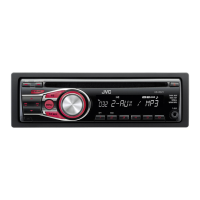
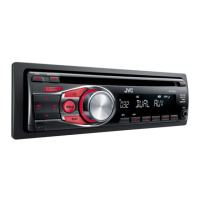
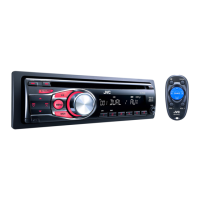
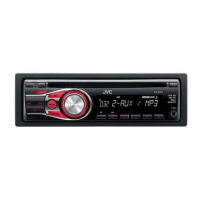
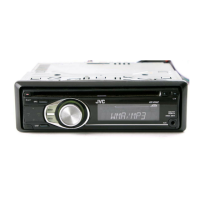
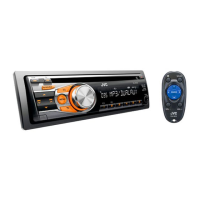
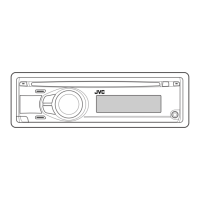
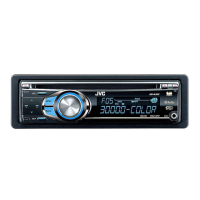
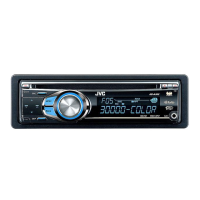
JVC KD-R320 - User Manual

JVC KD-R320
28 pages
Print Icon
To Next Page IconTo Next Page
Loading...
ENGLISH
ESPAÑOL
FRANÇAIS
GET0669-001A
[J]
KD-R328/KD-R320
CD RECEIVER / RECEPTOR CON CD /
RÉCEPTEUR CD
For canceling the display demonstration, see page 4. / Para cancelar la demostración en pantalla,
consulte la página 4. / Pour annuler la démonstration des affichages, référez-vous à la page 4.
For customer Use:
Enter below the Model
No. and Serial No. which
are located on the top or
bottom of the cabinet.
Retain this information
for future reference.
Model No.
Serial No.
INSTRUCTIONS
MANUAL DE INSTRUCCIONES
MANUEL D’INSTRUCTIONS
For installation and connections, refer to the separate manual.
Para la instalación y las conexiones, refiérase al manual separado.
Pour l’installation et les raccordements, se référer au manuel séparé.
CoverRear_KD-R328[J]f.indd 1-2 8/20/10 10:48:17 AM


Other manuals for JVC KD-R320

Questions and Answers

  • W
    whitneymcclainAug 17, 2025
    How to fix JVC Car Receiver when no sound is coming from speakers?
    • G
      guzmanemilyAug 18, 2025
      First, ensure the volume is at an audible level and that the unit isn't muted or paused. Then, inspect the cords and connections to confirm they are properly connected.
  • S
    shellymurphyAug 20, 2025
    What does “MISWIRING CHK WIRING THEN RESET UNIT” mean on my JVC Car Receiver and how to fix it?
    • K
      Kevin BennettAug 20, 2025
      This message indicates a wiring issue. Ensure the terminals of the speaker leads are properly covered with insulating tape. After doing so, reset the unit. If the message persists, no answer.
  • P
    pattersonterriAug 23, 2025
    What to do if “NO DISC” appears on the display of my JVC Car Receiver?
    • M
      mckinneyjordanAug 23, 2025
      This message appears when the unit can't detect a disc. Insert a playable disc into the loading slot.
  • D
    Devin GarciaAug 25, 2025
    Why is the disc sound sometimes interrupted on my JVC Car Receiver?
    • J
      janetballAug 26, 2025
      Sound interruptions during disc playback can occur. Try stopping playback when driving on rough roads, changing the disc, or checking the cords and connections.
  • R
    Roger ChapmanAug 27, 2025
    Why can't my JVC Car Receiver play CD-R/CD-RW or skip tracks?
    • C
      Charles Sanchez MDAug 27, 2025
      Ensure that the CD-R/CD-RW is finalized using the component you used for recording.
  • C
    Cheryl RayAug 30, 2025
    What to do if “PLEASE” and “EJECT“ appear alternately on the display of my JVC Car Receiver?
    • M
      Michael JimenezAug 30, 2025
      If you see “PLEASE” and “EJECT“ alternating, press 0, and then correctly insert a disc.
  • A
    Andre Oliver MDSep 2, 2025
    What does “IN DISC” mean on my JVC Car Receiver?
    • S
      Sara KingSep 2, 2025
      This message indicates that the disc cannot be ejected properly. Ensure nothing is blocking the loading slot.
  • K
    Kelly ThomasSep 4, 2025
    Why does “READING” keep flashing on the display of my JVC Car Receiver?
    • J
      Julie SchmittSep 4, 2025
      A longer readout time is required. Avoid using too many hierarchical levels and folders.
  • A
    Alicia MartinSep 6, 2025
    Why don't tracks play in the intended order on my JVC Car Receiver?
    • E
      Edward GreenSep 6, 2025
      The playback order is determined when the files are recorded.
  • P
    Patricia RuizSep 9, 2025
    What format should the disc be for JVC Car Receiver?
    • A
      Angelica HillSep 9, 2025
      Use a disc with MP3/WMA tracks recorded in a format compliant with ISO 9660 Level 1, Level 2, Romeo, or Joliet. Also, add the extension code or to the file names.

Summary

Safety and Regulatory Information

Laser Product Safety Warnings

Precautions related to Class 1 laser products and laser beam exposure.

Basic Unit Operations

Remote Control and Discs

Basic Operation Controls

Main Unit and Remote Functions

Details on the functions of buttons on the main unit and the remote controller.

Radio Operation

Disc Playback

Playback, Selection, and Modes

Playing discs, selecting tracks/folders, and choosing playback modes.

Connecting External Devices

Sound Modes and Menu Navigation

Detailed Menu Settings

Tuner and Source Settings

Troubleshooting

Resolving Common Issues

Solutions for sound problems, unit errors, disc playback failures, and display anomalies.

Bluetooth Device Integration

Pairing and Using Bluetooth

Steps for pairing Bluetooth devices and using phone and audio functions.

Product Specifications

Technical Details

Specifications for audio amplifier, tuner, CD player, general requirements, dimensions, and mass.

Installation Guide

Installation Precautions and Procedures

Warnings, precautions, mounting, and removal instructions for installing the unit.

Electrical Connections

Wiring and Connector Guide

Diagrams and color codes for connecting the unit, speakers, and accessories.

USA Limited Warranty

JVC USA Warranty Terms

JVC's limited warranty for US products, including coverage, exclusions, and service requirements.

JVC KD-R320 Specifications

General IconGeneral
BrandJVC
ModelKD-R320
CategoryCar Receiver
LanguageEnglish

Related product manuals