EasyManua.ls Logo

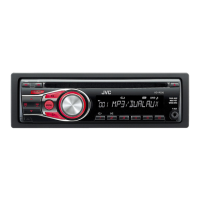
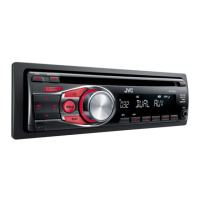
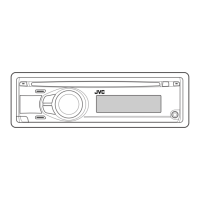
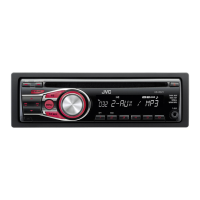
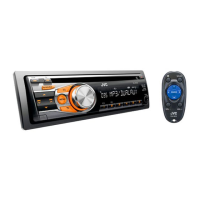
JVC KD-R336 - User Manual

JVC KD-R336
71 pages
Print Icon
To Next Page IconTo Next Page
Loading...
РУCCKИЙ
ENGLISH
EN, RU, TH, AR, PE
0811DTSMDTJEIN© 2011 JVC KENWOOD Corporation
KD-R335/KD-R336
/
/
GET0761-001A
[U]
KD-R336/KD-R335
CD RECEIVER / РЕСИВЕР С
ПРОИГРЫВАТЕЛЕМ КОМПАКТ-ДИСКОВ /
For canceling the display demonstration, see page 4. / Информацию об отмене демонстрации
функций дисплея см. на стр. 4. /
INSTRUCTIONS
ИНСТРУКЦИИ ПО ЭКСПЛУАТАЦИИ
For installation and connections, refer to the separate manual.
Указания по установке и выполнению соединений приводятся в отдельной инструкции.
CoverRear_KD-R336_5_001A_1.indd 1-2CoverRear_KD-R336_5_001A_1.indd 1-2 8/5/11 11:16:52 AM8/5/11 11:16:52 AM

Other manuals for JVC KD-R336

Questions and Answers

  • B
    Brittany JensenAug 20, 2025
    How to fix JVC KD-R336 Car Receiver when no sound is coming from the speakers?
    • M
      Mrs. Donna Burgess DDSAug 20, 2025
      If you cannot hear sound from the speakers of your JVC Car Receiver, first, adjust the volume to the appropriate level. Also, ensure that the unit is not muted or paused. Finally, check the cords and connections to make sure they are properly connected.
  • U
    uhicksAug 22, 2025
    What to do if JVC KD-R336 displays 'MISWIRING CHK WIRING THEN RESET UNIT' error?
    • J
      John DillonAug 22, 2025
      If the message “MISWIRING CHK WIRING THEN RESET UNIT” or “WARNING CHK WIRING THEN RESET UNIT” appears on the display of your JVC Car Receiver, ensure the terminals of the speaker leads are properly covered with insulating tape. After checking the wiring, reset the unit.
  • C
    Craig HernandezAug 25, 2025
    Why is my JVC Car Receiver radio making static noise?
    • D
      Donald ClarkAug 25, 2025
      If you are experiencing static noise while listening to the radio on your JVC Car Receiver, make sure the antenna is firmly connected.
  • A
    antoniobrownAug 27, 2025
    What to do if JVC KD-R336 says 'NO DISC'?
    • M
      Mark SmithAug 27, 2025
      If your JVC Car Receiver displays “NO DISC”, insert a playable disc into the loading slot.
  • F
    Frank ColeAug 28, 2025
    Why does JVC KD-R336 disc sound keep cutting out?
    • C
      Christopher DixonAug 28, 2025
      If the sound from your JVC Car Receiver disc is sometimes interrupted, stop playback while driving on rough roads. You can also try changing the disc or checking the cords and connections.
  • E
    ewilliamsAug 30, 2025
    Why can't I select 'F-AUX' or 'R-AUX' on my JVC KD-R336?
    • S
      Shawna BurchAug 30, 2025
      If “F-AUX” or “R-AUX” cannot be selected on your JVC Car Receiver, check the = setting.
  • J
    James VillanuevaAug 31, 2025
    What does 'IN DISC' mean on JVC Car Receiver?
    • A
      Anthony GarciaSep 1, 2025
      If your JVC Car Receiver displays “IN DISC”, it means the disc cannot be ejected properly. Ensure nothing is blocking the loading slot.
  • J
    Joseph WilliamsSep 2, 2025
    Why is the sound interrupted when using the AUX input on my JVC Car Receiver?
    • J
      Jacqueline BlankenshipSep 2, 2025
      If you are experiencing interruptions while listening to an external component connected to the auxiliary input jack on your JVC Car Receiver, ensure that you are using the recommended stereo mini plug for the connection.
  • P
    pittschristineSep 4, 2025
    Why can't I select 'AM' on my JVC Car Receiver?
    • C
      conniethorntonSep 4, 2025
      If “AM” cannot be selected on your JVC Car Receiver, check the = setting.
  • K
    Kathleen TranSep 6, 2025
    Why can't my JVC Car Receiver play CD-R/CD-RW?
    • L
      Leah MeadowsSep 6, 2025
      If your JVC Car Receiver cannot play back a CD-R/CD-RW or track cannot be skipped, insert a finalized CD-R/CD-RW (finalize it with the component you used for recording).

Summary

IMPORTANT FOR LASER PRODUCTS

LASER Safety Precautions

Information on safe handling and operation of laser components within the unit.

Basic Operations

Control Panel and Button Functions

Overview of the main unit's controls and their general operations.

Listening to the Radio

Listening to a Disc

Troubleshooting

Common Troubleshooting Issues

Solutions for common problems related to sound, unit operation, and source selection.

Using Bluetooth Devices

Bluetooth Device Preparation

Steps for registering and connecting Bluetooth devices to the unit.

Specifications

Audio and CD Player Specifications

Technical details for the audio amplifier and CD player sections of the unit.

Tuner and General Specifications

Technical details for the tuner section and general unit characteristics.

JVC KD-R336 Specifications

General IconGeneral
Power Output50W x 4
RMS Power22W x 4
BluetoothNo
USB PortYes
Aux InputYes
DisplayLCD
RDSYes
Subwoofer OutputYes
CD PlayerYes
MP3 PlaybackYes
WMA PlaybackYes
Detachable FaceYes
Compatible Audio FormatsMP3, WMA
Channels4
TunerFM/AM

Related product manuals