EasyManua.ls Logo

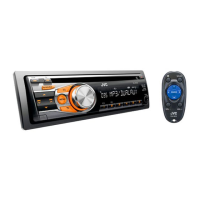
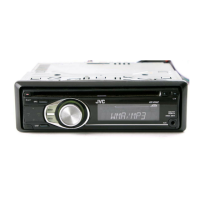
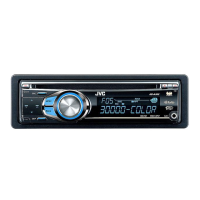
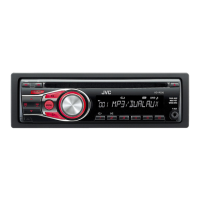
JVC KD-R338 - User Manual

JVC KD-R338
15 pages
Print Icon
To Next Page IconTo Next Page
Loading...
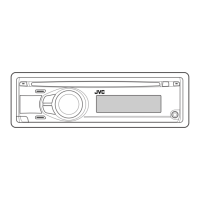
CD RECEIVER
KD-R338/KD-R330
For customer Use:
Enter below the Model
No. and Serial No. which
are located on the top or
bottom of the cabinet.
Retain this information
for future reference.
Model No.
Serial No.
INSTRUCTIONS
For installation and connections, refer to the separate manual.

Questions and Answers

  • S
    Stephanie VegaAug 18, 2025
    Why no sound from JVC KD-R338 Car Receiver speakers?
    • T
      Tony LeAug 19, 2025
      If you cannot hear sound from the speakers, make sure that the volume is at an appropriate level, the unit isn't muted or paused, and all cords and connections are properly secured.
  • M
    Melinda TaylorAug 21, 2025
    What to do if JVC KD-R338 Car Receiver shows 'MISWIRING CHK WIRING THEN RESET UNIT'?
    • S
      Shelby LopezAug 21, 2025
      If you see the message “MISWIRING CHK WIRING THEN RESET UNIT” or “WARNING CHK WIRING THEN RESET UNIT” on the display, ensure the terminals of the speaker leads are properly covered with insulating tape. Then, reset the unit.
  • S
    Stephanie CruzAug 23, 2025
    Why is there static noise when listening to the radio on my JVC KD-R338?
    • R
      Raven GarciaAug 23, 2025
      If you are experiencing static noise while listening to the radio, ensure the antenna is firmly connected.
  • J
    Jonathan HarrisAug 26, 2025
    What to do if my JVC KD-R338 disc sound is sometimes interrupted?
    • D
      danielprattAug 26, 2025
      If the disc sound is sometimes interrupted, try the following: 1. Stop playback while driving on rough roads. 2. Change the disc. 3. Check the cords and connections.
  • H
    howegeraldAug 28, 2025
    What does 'NO DISC' mean on my JVC Car Receiver display?
    • M
      Melissa MedinaAug 28, 2025
      If “NO DISC” appears on the display, insert a playable disc into the loading slot.
  • B
    Barbara StewartAug 30, 2025
    Why won't my JVC Car Receiver play CD-R/CD-RW or skip tracks?
    • M
      Mary RussellAug 30, 2025
      If a CD-R/CD-RW cannot be played back or tracks cannot be skipped, insert a finalized CD-R/CD-RW. Finalize it with the component used for recording.
  • P
    phillipstanyaSep 1, 2025
    Why can't my JVC Car Receiver play back a disc (MP3/WMA)?
    • K
      Keith ThompsonSep 1, 2025
      To resolve this, use a disc with MP3/WMA tracks recorded in a format compliant with ISO 9660 Level 1, Level 2, Romeo, or Joliet. Also, add the extension code or to the file names.
  • D
    Dominique KellySep 4, 2025
    How to fix JVC Car Receiver when 'IN DISC' appears on the display?
    • K
      Kimberly ZhangSep 4, 2025
      If “IN DISC” appears on the display, the disc cannot be ejected properly. Ensure that nothing is blocking the loading slot.
  • M
    Melody FrancoSep 6, 2025
    Why is JVC KD-R338 Car Receiver showing 'READING' keeps flashing on the display?
    • S
      Steven SmithSep 6, 2025
      If “READING” keeps flashing on the display, a longer readout time is required. Do not use too many hierarchical levels and folders.
  • T
    tgonzalezSep 8, 2025
    Why do tracks not play in order on my JVC KD-R338?
    • L
      Lori CoxSep 8, 2025
      The playback order is determined when the files are recorded.

JVC KD-R338 Specifications

General IconGeneral
Power Output50W x 4
RMS Power22W x 4
BluetoothYes
USB PortYes
Aux InputYes
Subwoofer OutputYes
DisplayLCD
CD PlayerYes
Detachable FaceYes
Remote ControlOptional
TunerAM/FM
Supported FormatsMP3, WMA
Presets24 (18 FM, 6 AM)
Steering Wheel ControlCompatible
Dimensions (W x H x D)159mm

Related product manuals