EasyManua.ls Logo

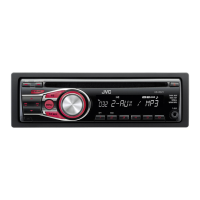
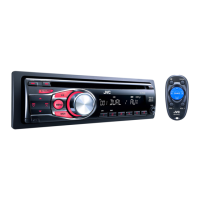
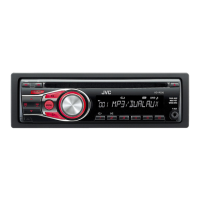
JVC KD-R326 - User Manual

JVC KD-R326
18 pages
Print Icon
To Next Page IconTo Next Page
Loading...
ENGLISH
GET0675-001A
[U/UH]
EN, TH
0910DTSMDTJEIN© 2010 Victor Company of Japan, Limited
KD-R326/KD-R325
CD RECEIVER /
For canceling the display demonstration, see page 4. /
INSTRUCTIONS
For installation and connections, refer to the separate manual.
Having TROUBLE with operation?
Please reset your unit
Refer to page of How to reset your unit
CoverRear_KD-R326_R325[U]_1.indd 1-2CoverRear_KD-R326_R325[U]_1.indd 1-2 7/9/10 11:12:43 AM7/9/10 11:12:43 AM

Questions and Answers

  • S
    sdelacruzAug 20, 2025
    How to fix JVC KD-R326 Car Receiver when no sound is coming from speakers?
    • H
      Heather StarkAug 20, 2025
      If you cannot hear any sound from the speakers of your JVC Car Receiver, make sure to adjust the volume to an audible level, ensure the unit is not muted or paused, and verify that all cords and connections are properly secured.
  • D
    Debbie WalkerAug 22, 2025
    What to do if my JVC KD-R326 does not work?
    • A
      Antonio BonillaAug 22, 2025
      If your JVC Car Receiver is not working at all, try resetting the unit.
  • D
    Diane ParrishAug 25, 2025
    What does “MISWIRING CHK WIRING THEN RESET UNIT” mean on my JVC Car Receiver?
    • P
      portershawnAug 25, 2025
      If the message “MISWIRING CHK WIRING THEN RESET UNIT” appears on the display of your JVC Car Receiver and no operations can be performed, check that the terminals of the speaker leads are properly covered with insulating tape. Then, reset the unit.
  • B
    Beverly MichaelAug 26, 2025
    What does “PLEASE” and “EJECT“ mean on the display of my JVC KD-R326?
    • M
      Megan AdamsAug 27, 2025
      If “PLEASE” and “EJECT“ appear alternately on the display of your JVC Car Receiver, press the 0 button, then insert a disc correctly.
  • G
    Garrett FreemanAug 28, 2025
    Why is my JVC KD-R326 making static noise while listening to the radio?
    • O
      oramirezAug 28, 2025
      If you are experiencing static noise while listening to the radio on your JVC Car Receiver, make sure the antenna is firmly connected.
  • X
    xjohnsonAug 30, 2025
    Why does the disc sound get interrupted sometimes on my JVC KD-R326?
    • R
      Roy AndersonAug 30, 2025
      If the disc sound is sometimes interrupted on your JVC Car Receiver, stop playback while driving on rough roads. You can also try changing the disc or checking the cords and connections.
  • A
    alexanderbrewerAug 31, 2025
    What does “NO DISC” mean on my JVC KD-R326?
    • M
      Margaret YoungAug 31, 2025
      If “NO DISC” appears on the display of your JVC Car Receiver, insert a playable disc into the loading slot.
  • O
    ortizmorganSep 2, 2025
    What does “IN DISC” mean on the display of my JVC KD-R326?
    • N
      Nathan SpencerSep 2, 2025
      If “IN DISC” appears on the display of your JVC Car Receiver, it means the disc cannot be ejected properly. Make sure nothing is blocking the loading slot.
  • M
    michelle23Sep 4, 2025
    Why does the sound get interrupted when using the auxiliary input on my JVC KD-R326?
    • H
      hannah93Sep 4, 2025
      If the sound is sometimes interrupted while listening to an external component connected to the auxiliary input jack on your JVC Car Receiver, check to be sure the recommended stereo mini plug is used for connection.
  • C
    Carol SmithSep 6, 2025
    What format should the disc be in to play on my JVC KD-R326?
    • J
      Jeffrey MillerSep 6, 2025
      If your JVC Car Receiver is unable to play a disc, use a disc with MP3/WMA tracks recorded in a format compliant with ISO 9660 Level 1, Level 2, Romeo, or Joliet. Also, add the extension code or to the file names.

Summary

IMPORTANT FOR LASER PRODUCTS

CLASS 1 LASER PRODUCT

Identifies the product as Class 1 laser for safety compliance.

CAUTION: Do not open the top cover.

Warns users against opening the unit to avoid damage or injury.

CAUTION: Visible and;or invisible class 1 M laser radiation.

Alerts about potential laser radiation when the unit is open.

REPRODUCTION OF LABEL: CAUTION LABEL, PLACED OUTSIDE THE UNIT.

Refers to external caution labels for laser product safety.

How to attach;detach the control panel

How to reset your unit

Instructions for resetting the unit to its default settings.

How to forcibly eject a disc

Procedure for manually ejecting a disc if automatic ejection fails.

Maintenance

Cleaning the unit

Guidance on cleaning the unit's panel using a dry cloth.

Cleaning the connector

Instructions for cleaning the connector pins on the unit and panel.

Preparing the remote controller

Replacing the lithium coin battery

Steps for replacing the battery in the remote control unit.

About discs

Discs that cannot be used

Lists incompatible disc types and conditions for playback.

Handling discs

Provides guidelines for proper disc handling and care.

Listening to the radio

Improving the FM reception

Tips to enhance the quality of FM radio reception.

Manual presetting (FM;AM)

How to manually store favorite radio stations.

Automatic presetting (FM)

Using SSM to automatically find and store strong FM stations.

Selecting a preset station

Method for choosing a previously stored radio station.

Changing the display information

How to cycle through different display modes for radio information.

Listening to a disc

Stopping playback and ejecting the disc

Procedures for pausing, stopping, and removing discs.

Selecting a track;folder

How to navigate and select specific tracks or folders on a disc.

Selecting a track;folder from the list

Using the list feature to find and play tracks or folders.

Selecting the playback modes

Options for repeat, random, and other playback behaviors.

Changing the display information

How to view different track or disc information on the display.

Connecting the other external components

Listening to the other external components

Guide to playing audio from external devices via auxiliary inputs.

Selecting a preset sound mode

Storing your own sound mode

How to save custom audio settings as a user preset.

Menu operations

DEMO

Setting for the display demonstration mode.

CLOCK

Setting for the unit's clock display.

Troubleshooting

General

Common issues and solutions not specific to audio modes.

FM;AM

Troubleshooting tips for radio reception and selection.

Disc playback

Solutions for problems related to disc reading and playback.

MP3;WMA playback

Issues and fixes specific to digital media playback.

Using Bluetooth devices

Preparation

Steps required before using Bluetooth devices, including pairing.

Using the Bluetooth mobile phone

How to make calls, receive calls, and use voice dialing with a Bluetooth phone.

Using the Bluetooth audio device

Instructions for playing music from a Bluetooth audio device.

Specifications

AUDIO AMPLIFIER SECTION

Technical details of the unit's audio amplification capabilities.

TUNER SECTION

Technical specifications for the FM and AM radio tuner.

CD PLAYER SECTION

Technical details regarding the CD playback functionality.

GENERAL

General specifications including power, dimensions, and operating conditions.

INSTALLATION; การติดตั้ง

In-dash mounting

Guide for installing the unit into the dashboard.

Installing the unit without using the sleeve

Instructions for mounting the unit directly without a mounting sleeve.

Removing the unit

Steps on how to safely detach the unit from the dashboard.

ELECTRICAL CONNECTIONS

Recommended connection

Recommended wiring configurations for optimal setup.

Connecting the Bluetooth adapter or portable audio player

How to connect external Bluetooth devices or audio players.

JVC KD-R326 Specifications

General IconGeneral
BrandJVC
ModelKD-R326
CategoryCar Receiver
LanguageEnglish

Related product manuals