EasyManua.ls Logo

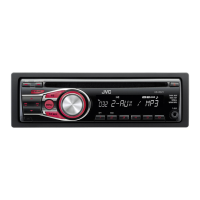
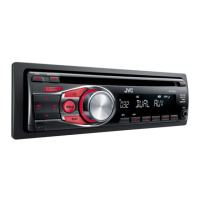
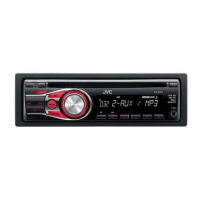
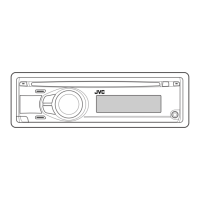
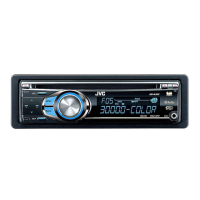
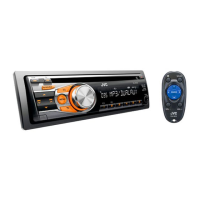
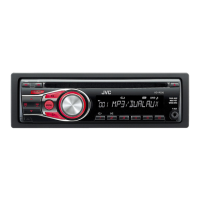
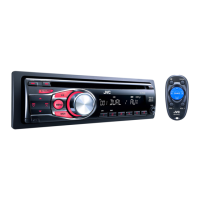
JVC KD-R328 - User Manual

JVC KD-R328
28 pages
Print Icon
To Next Page IconTo Next Page
Loading...
ENGLISH
ESPAÑOL
FRANÇAIS
GET0669-001A
[J]
KD-R328/KD-R320
CD RECEIVER / RECEPTOR CON CD /
RÉCEPTEUR CD
For canceling the display demonstration, see page 4. / Para cancelar la demostración en pantalla,
consulte la página 4. / Pour annuler la démonstration des affichages, référez-vous à la page 4.
For customer Use:
Enter below the Model
No. and Serial No. which
are located on the top or
bottom of the cabinet.
Retain this information
for future reference.
Model No.
Serial No.
INSTRUCTIONS
MANUAL DE INSTRUCCIONES
MANUEL D’INSTRUCTIONS
For installation and connections, refer to the separate manual.
Para la instalación y las conexiones, refiérase al manual separado.
Pour l’installation et les raccordements, se référer au manuel séparé.
CoverRear_KD-R328[J]f.indd 1-2 8/20/10 10:48:17 AM

Questions and Answers

  • A
    austinwayneAug 17, 2025
    How to fix JVC Car Receiver when no sound is coming from speakers?
    • K
      Kathleen RichardAug 17, 2025
      First, ensure the volume is at an audible level and that the unit isn't muted or paused. Then, inspect the cords and connections to confirm they are properly connected.
  • T
    Tammy SnyderAug 20, 2025
    What does “MISWIRING CHK WIRING THEN RESET UNIT” mean on my JVC Car Receiver and how to fix it?
    • M
      Megan AllenAug 20, 2025
      This message indicates a wiring issue. Ensure the terminals of the speaker leads are properly covered with insulating tape. After doing so, reset the unit. If the message persists, no answer.
  • R
    Rita NolanAug 22, 2025
    What to do if “NO DISC” appears on the display of my JVC Car Receiver?
    • T
      Travis ArmstrongAug 22, 2025
      This message appears when the unit can't detect a disc. Insert a playable disc into the loading slot.
  • B
    Brandy AndrewsAug 25, 2025
    Why is the disc sound sometimes interrupted on my JVC Car Receiver?
    • D
      Devon RamosAug 26, 2025
      Sound interruptions during disc playback can occur. Try stopping playback when driving on rough roads, changing the disc, or checking the cords and connections.
  • K
    kristenbrownAug 27, 2025
    Why can't my JVC Car Receiver play CD-R/CD-RW or skip tracks?
    • J
      Justin MooreAug 27, 2025
      Ensure that the CD-R/CD-RW is finalized using the component you used for recording.
  • K
    Kimberly NorrisAug 30, 2025
    What to do if “PLEASE” and “EJECT“ appear alternately on the display of my JVC Car Receiver?
    • B
      Brittany BaxterAug 30, 2025
      If you see “PLEASE” and “EJECT“ alternating, press 0, and then correctly insert a disc.
  • C
    Caitlyn HigginsSep 1, 2025
    What does “IN DISC” mean on my JVC Car Receiver?
    • H
      Hannah LopezSep 1, 2025
      This message indicates that the disc cannot be ejected properly. Ensure nothing is blocking the loading slot.
  • J
    Jonathan FosterSep 4, 2025
    Why does “READING” keep flashing on the display of my JVC Car Receiver?
    • A
      Andrew FisherSep 4, 2025
      A longer readout time is required. Avoid using too many hierarchical levels and folders.
  • C
    Crystal RuizSep 6, 2025
    Why don't tracks play in the intended order on my JVC Car Receiver?
    • J
      Jeremy LongSep 6, 2025
      The playback order is determined when the files are recorded.
  • W
    Willie PowellSep 9, 2025
    What format should the disc be for JVC Car Receiver?
    • D
      David KennedySep 9, 2025
      Use a disc with MP3/WMA tracks recorded in a format compliant with ISO 9660 Level 1, Level 2, Romeo, or Joliet. Also, add the extension code or to the file names.

Summary

How to Attach;Detach the Control Panel

How to Reset Your Unit

How to Forcibly Eject a Disc

Maintenance

Cleaning the Unit

Wipe off dirt on the panel with a dry silicon or soft cloth.

Cleaning the Connector

Wipe off dirt on the connector of the unit and panel.

Canceling the Display Demonstration

Setting the Clock

Preparing the Remote Controller

Replacing the Lithium Coin Battery

Instructions for replacing the CR2025 lithium coin battery in the remote control.

About Discs

Discs That Cannot Be Used

Lists types of discs incompatible with the unit.

Handling Discs

Guidelines for handling and cleaning discs to ensure proper playback.

Basic Operations

Main Unit and Remote Controller Operations

Details on how to operate the main unit and remote controller buttons.

Changing Display Information

How to change the information displayed on the unit.

Listening to the Radio

Improving FM Reception

Tips for enhancing FM reception quality.

Manual Presetting (FM;AM)

Steps to manually tune and store radio stations.

Automatic Presetting (FM)-SSM

Using Strong-station Sequential Memory (SSM) to preset stations.

Selecting a Preset Station

How to select a previously stored radio station.

Listening to a Disc

Stopping Playback and Ejecting the Disc

Procedures for stopping playback and ejecting discs.

Selecting a Track;Folder

How to navigate and select tracks or folders on a disc.

Selecting Playback Modes

Options for repeat and random playback modes.

Connecting Other External Components

Connecting Bluetooth Adapter or Portable Audio Player

Wiring diagrams for connecting external devices.

Listening to Other External Components

Steps to play audio from connected external components.

Selecting a Preset Sound Mode

Adjusting Tone Level

How to adjust bass, middle, and treble levels for selected sound modes.

Storing Your Own Sound Mode

Menu Operations

Menu Item Settings

Dimmer Settings

Adjustments for display and button illumination dimming.

Display Settings

Settings related to display information scrolling and tag display.

Pro EQ Settings

Settings for equalizer adjustments like fader, balance, and loudness.

Audio Settings

Audio output modes, subwoofer settings, HPF, and beep tone.

More Menu Item Settings

Tuner Settings

Settings for tuner operation, including SSM and area selection.

Source Select Settings

Options to enable/disable audio sources like AM, F-AUX, R-AUX, and BT ADAPTER.

Additional Information on Playback

Details on supported file formats, bit rates, and playback compatibility.

Troubleshooting

General Troubleshooting

Solutions for common issues like no sound, wiring errors, or unit not working.

Radio (FM;AM) Troubleshooting

Fixes for radio reception, static, or source selection issues.

Disc Playback Troubleshooting

Resolving problems with disc reading, playback interruption, or errors.

MP3;WMA Playback Troubleshooting

Solutions for issues with MP3/WMA file playback, character display, or order.

Using Bluetooth Devices

Bluetooth Device Preparation

Steps to prepare and register a Bluetooth device with the unit.

Bluetooth Mobile Phone Operations

Instructions for making calls, receiving calls, and voice dialing via Bluetooth.

Bluetooth Audio Device Playback

How to play audio from a Bluetooth-enabled device.

Specifications

Audio Amplifier Specifications

Technical details of the unit's audio amplifier.

Tuner Specifications

Technical details of the FM and AM tuner.

CD Player Specifications

Technical details of the CD player functionality.

General Specifications

Overall specifications including power, dimensions, and operating temperature.

Installation

In-Dash Mounting

Procedure for mounting the unit in the vehicle dashboard.

Removing the Unit

Instructions for safely removing the unit from the vehicle.

Installation Troubleshooting

Common issues and solutions during unit installation.

Electrical Connections

Connecting Bluetooth Adapter or Portable Audio Player

Wiring diagrams for connecting external devices.

Errata and Corrections

JVC KD-R328 Specifications

General IconGeneral
Power Output (Peak)50W x 4
RMS Power Output22W x 4
TunerAM/FM
CD PlaybackYes
USB PortYes
BluetoothNo
Subwoofer OutputYes
AUX InputYes
MP3 PlaybackYes
WMA PlaybackYes
Detachable FaceYes
Remote ControlYes
Channels4
DisplayLCD
Presets18

Related product manuals