EasyManua.ls Logo

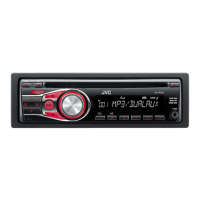
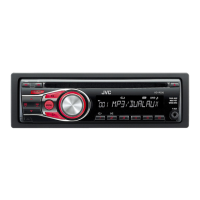
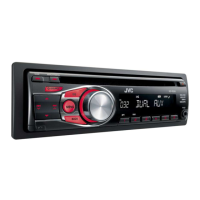
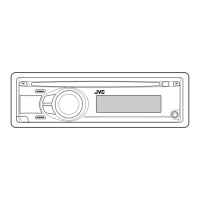
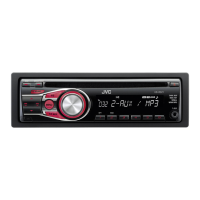
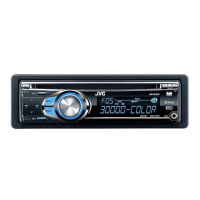
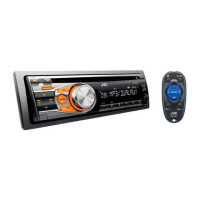
JVC KD-R336 - User Manual

JVC KD-R336
71 pages
Print Icon
To Next Page IconTo Next Page
Loading...
РУCCKИЙ
ENGLISH
EN, RU, TH, AR, PE
0811DTSMDTJEIN© 2011 JVC KENWOOD Corporation
KD-R335/KD-R336
/
/
GET0761-001A
[U]
KD-R336/KD-R335
CD RECEIVER / РЕСИВЕР С
ПРОИГРЫВАТЕЛЕМ КОМПАКТ-ДИСКОВ /
For canceling the display demonstration, see page 4. / Информацию об отмене демонстрации
функций дисплея см. на стр. 4. /
INSTRUCTIONS
ИНСТРУКЦИИ ПО ЭКСПЛУАТАЦИИ
For installation and connections, refer to the separate manual.
Указания по установке и выполнению соединений приводятся в отдельной инструкции.
CoverRear_KD-R336_5_001A_1.indd 1-2CoverRear_KD-R336_5_001A_1.indd 1-2 8/5/11 11:16:52 AM8/5/11 11:16:52 AM

Other manuals for JVC KD-R336

Questions and Answers

  • T
    Tracy CortezSep 8, 2025
    What format should disc be to play on JVC KD-R336 Car Receiver?
    • G
      ggreenSep 8, 2025
      If your JVC Car Receiver cannot play back a disc, use a disc with MP3/WMA tracks recorded in a format compliant with ISO 9660 Level 1, Level 2, Romeo, or Joliet. Additionally, add the extension code or to the file names.
  • P
    Pamela JohnsonSep 10, 2025
    How do I stop my JVC KD-R336 Car Receiver from generating noise?
    • J
      Jeffrey DavenportSep 10, 2025
      If your JVC Car Receiver is generating noise, skip to another track or change the disc.
  • R
    Richard EricksonSep 12, 2025
    What does 'READING' flashing mean on JVC KD-R336?
    • H
      harveysethSep 12, 2025
      If “READING” keeps flashing on the display of your JVC Car Receiver, a longer readout time is required. Avoid using too many hierarchical levels and folders.
  • C
    Cody LopezSep 14, 2025
    Why does JVC KD-R336 not play tracks in the correct order?
    • B
      Bryce BairdSep 14, 2025
      If tracks do not play back in the order you intended them to play on your JVC Car Receiver, note that the playback order is determined when the files are recorded.
  • F
    fjonesSep 15, 2025
    Why is the elapsed playing time incorrect on my JVC KD-R336 Car Receiver?
    • T
      Tina SanchezSep 15, 2025
      If the elapsed playing time is not correct on your JVC Car Receiver, this sometimes occurs during playback and is caused by how the tracks are recorded on the disc.
  • E
    Erika MontgomerySep 18, 2025
    Why are the album names not displayed correctly on my JVC KD-R336?
    • R
      Rachael ShermanSep 18, 2025
      If the correct characters are not displayed (e.g. album name) on your JVC Car Receiver, note that this unit can only display letters (upper case), numbers, and a limited number of symbols.

Summary

IMPORTANT FOR LASER PRODUCTS

LASER Safety Precautions

Information on safe handling and operation of laser components within the unit.

Basic Operations

Control Panel and Button Functions

Overview of the main unit's controls and their general operations.

Listening to the Radio

Listening to a Disc

Troubleshooting

Common Troubleshooting Issues

Solutions for common problems related to sound, unit operation, and source selection.

Using Bluetooth Devices

Bluetooth Device Preparation

Steps for registering and connecting Bluetooth devices to the unit.

Specifications

Audio and CD Player Specifications

Technical details for the audio amplifier and CD player sections of the unit.

Tuner and General Specifications

Technical details for the tuner section and general unit characteristics.

JVC KD-R336 Specifications

General IconGeneral
Power Output50W x 4
RMS Power22W x 4
BluetoothNo
USB PortYes
Aux InputYes
DisplayLCD
RDSYes
Subwoofer OutputYes
CD PlayerYes
MP3 PlaybackYes
WMA PlaybackYes
Detachable FaceYes
Compatible Audio FormatsMP3, WMA
Channels4
TunerFM/AM

Related product manuals