EasyManua.ls Logo

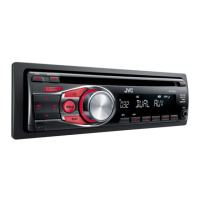
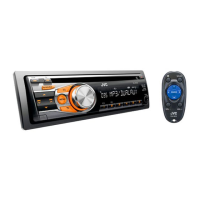
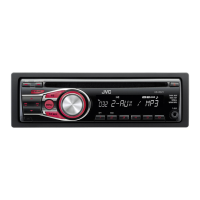
JVC KD-R311 - User Manual

JVC KD-R311
49 pages
Print Icon
To Next Page IconTo Next Page
Loading...
FRANÇAIS
ENGLISH
GET0624-003A
[E/EU]
EN, FR
1009DTSMDTJEIN© 2009 Victor Company of Japan, Limited
For canceling the display demonstration, see page 4. / Pour annuler la démonstration des
affichages, référez-vous à la page 4.
CD RECEIVER / RÉCEPTEUR CD
KD-R412 / KD-R411 /
KD-R35 / KD-R312 / KD-R311
INSTRUCTIONS
MANUEL D’INSTRUCTIONS
For installation and connections, refer to the separate manual. / Pour l’installation et les
raccordements, se référer au manuel séparé.
Dear Customer,
This apparatus is in conformance with the valid
European directives and standards regarding
electromagnetic compatibility and electrical safety.
European representative of Victor Company of
Japan, Limited is:
JVC Technical Services Europe GmbH
Postfach 10 05 04
61145 Friedberg
Germany
Cher(e) client(e),
Cet appareil est conforme aux directives et
normes européennes en vigueur concernant la
compatibilité électromagnétique et à la sécurité
électrique.
Représentant européen de la société Victor
Company of Japan, Limited:
JVC Technical Services Europe GmbH
Postfach 10 05 04
61145 Friedberg
Allemagne
Having TROUBLE with operation?
Please reset your unit
Refer to page of How to reset your unit
Vous avez des PROBLÈMES de fonctionnement?
Réinitialisez votre appareil
Référez-vous à la page intitulée Comment réinitialiser votre appareil
CoverRear_KD-R412_003A_f.indd 1-2CoverRear_KD-R412_003A_f.indd 1-2 10/13/09 11:51:18 AM10/13/09 11:51:18 AM

Other manuals for JVC KD-R311

Questions and Answers

  • M
    Melissa HessSep 12, 2025
    Why does my JVC KD-R311 Car Receiver interrupt sound while playing a track?
    • W
      whiteshawnSep 12, 2025
      If the sound is sometimes interrupted while playing a track on your JVC Car Receiver, the MP3/WMA tracks have not been properly copied into the USB device. Copy MP3/WMA tracks again into the USB device, and try again.
  • S
    Shelly MorenoAug 25, 2025
    What to do if my JVC KD-R311 Car Receiver does not work at all?
    • A
      April SmithAug 25, 2025
      If your JVC Car Receiver is not working, try resetting the unit.
  • H
    Hannah TranAug 25, 2025
    Why won't my JVC Car Receiver play the disc?
    • R
      Rhonda TaylorAug 26, 2025
      If your JVC Car Receiver will not play a disc, ensure that the disc is inserted correctly.
  • J
    John KellySep 23, 2025
    Why can't my JVC Car Receiver play MP3/WMA disc?
    • F
      Francisco JohnsonSep 23, 2025
      If your JVC Car Receiver disc cannot be played back, use a disc with MP3/WMA tracks recorded in a format compliant with ISO 9660 Level 1, Level 2, Romeo, or Joliet. Add the extension code or to the file names.
  • J
    Jill ParsonsSep 12, 2025
    What does “CANNOT PLAY” mean on my JVC KD-R311?
    • J
      Jermaine MedinaSep 12, 2025
      If “CANNOT PLAY” flashes on the display of your JVC Car Receiver: • Attach a USB device that contains tracks encoded in an appropriate format. • Reattach the USB device again.
  • F
    Fred TurnerSep 18, 2025
    Why does my JVC KD-R311 keep “READING”?
    • M
      moorejasonSep 18, 2025
      If “READING” keeps flashing on the display of your JVC Car Receiver, readout time varies depending on the USB device. Do not use too many hierarchy or folders. Turn off the power then on again or reattach the USB device again.
  • T
    Tina HoustonSep 5, 2025
    Why is my JVC KD-R311 Car Receiver taking long time to readout?
    • S
      Scott GriffithSep 6, 2025
      If your JVC Car Receiver requires a longer readout time, avoid using too many hierarchical levels and folders.
  • C
    Chase HarrisSep 6, 2025
    Why don't tracks play in order on my JVC Car Receiver?
    • P
      Patricia HarrisSep 6, 2025
      The playback order on your JVC Car Receiver is determined when the files are recorded.
  • M
    Michael ReyesSep 18, 2025
    What does “NO FILE” mean on my JVC Car Receiver display?
    • C
      Crystal CaldwellSep 18, 2025
      If “NO FILE” appears on the display of your JVC Car Receiver, the selected folder is an empty folder. Select another folder that contains MP3/WMA tracks. * Folder that is physically empty or folder that contains data but does not contain valid MP3/WMA track.
  • A
    Angela CummingsAug 30, 2025
    How to fix JVC KD-R311 Car Receiver disc not playing?
    • J
      Jared FigueroaAug 30, 2025
      If your JVC Car Receiver disc cannot be played back, insert the disc correctly.

Summary

Initial Unit Setup and Troubleshooting

Unit Reset Procedure

Instructions on how to reset the JVC unit to its default settings.

Important Product Information

Laser Safety Precautions

Details cautions regarding opening the unit and laser radiation when open.

Driving and Operational Safety

Advises caution while operating the unit and driving to avoid accidents, and addresses temperature effects.

Manual Navigation and Basic Operations

Unit Reset and Disc Ejection

Procedures for resetting the unit and forcibly ejecting a disc.

Basic Controls and Connectivity

Radio Operation

Disc Playback Operations

MP3;WMA Disc Playback

USB Device Operation

Connecting and Playing USB Files

Steps for connecting a USB device and playing MP3/WMA files.

External Component Input

Remote Controller Usage

Remote Control Functions

Explains the functions of each button on the remote controller.

Sound Mode and System Settings

Menu Navigation Overview

Explains how to navigate the unit's menu system for basic settings like DEMO and CLOCK.

Advanced System Configuration

Audio and Tuner Adjustments

Source and Audio Output Settings

USB File Format and Playback

Troubleshooting Common Issues

General and Radio Troubleshooting

Solutions for common problems like no sound, 'PROTECT' errors, and radio reception issues.

Disc Playback Troubleshooting

Remedies for discs that cannot be played, skipped, or ejected, and sound interruptions.

Troubleshooting Media Playback

Troubleshooting USB Playback

USB Device Playback Errors

Solutions for USB playback errors like 'NO FILE', 'NOT SUPPORT', and connection issues.

Technical Specifications

Audio Amplifier and Tuner Specifications

Detailed technical data for audio output, impedance, tone controls, and tuner performance.

Component Specifications

CD Player and USB Section Specifications

Technical details for CD playback, USB standards, file systems, power requirements, and dimensions.

JVC KD-R311 Specifications

General IconGeneral
BrandJVC
ModelKD-R311
CategoryCar Receiver
LanguageEnglish

Related product manuals