EasyManua.ls Logo

JVC KD-R430 - User Manual

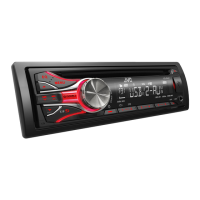
JVC KD-R430
30 pages
Print Icon
To Next Page IconTo Next Page
Loading...
CD RECEIVER / RECEPTOR CON CD / RÉCEPTEUR CD
For canceling the display demonstration, see page 4. /
Para cancelar la demostración en pantalla, consulte la página 4. /
Pour annuler la démonstration des affichages, référez-vous à la page 4.
ENGLISH
ESPAÑOL
FRANÇAIS
INSTRUCTIONS
MANUAL DE INSTRUCCIONES
MANUEL D’INSTRUCTIONS
GET0769-001A
[J]
KD-R538/KD-A535/KD-R530
KD-R438/KD-R430
For installation and connections, refer to the separate manual.
Para la instalación y las conexiones, refiérase al manual separado.
Pour l’installation et les raccordements, se référer au manuel
séparé.
For Customer Use:
Enter below the
Model No. and Serial
No. which are located
on the top or bottom
of the cabinet. Retain
this information for
future reference.
Model No.
Serial No.


Other manuals for JVC KD-R430

Questions and Answers

  • P
    Patricia MerrittSep 7, 2025
    How to fix 'SET UP PANDORA ON YOUR DEVICE' on JVC KD-R430 Car Receiver?
    • C
      candace19Sep 7, 2025
      If the JVC Car Receiver displays 'SET UP PANDORA ON YOUR DEVICE', connect the iPod/iPhone to this unit after completing the setup in your iPod/iPhone.
  • L
    Leonard GarciaAug 22, 2025
    How to fix 'PLEASE' and 'EJECT' alternating on JVC Car Receiver?
    • A
      Alexis DyerAug 22, 2025
      If the JVC Car Receiver displays 'PLEASE' and 'EJECT' alternately, press the [?] button, then correctly insert the disc.
  • J
    Jake SteeleSep 5, 2025
    Why JVC KD-R430 doesn't play tracks in the order I want?
    • K
      Kenneth CoxSep 5, 2025
      If tracks/folders are not played back in the order you intended on the JVC Car Receiver, note that the playback order is determined by the file name (when using USB) or the order in which files were recorded (when using a disc).
  • A
    Alexis LopezSep 3, 2025
    What to do if JVC Car Receiver displays 'IN DISC'?
    • M
      Mark CharlesSep 3, 2025
      If the JVC Car Receiver displays 'IN DISC', ensure that nothing is blocking the loading slot.
  • W
    Wayne DixonSep 2, 2025
    What to do if JVC KD-R430 Car Receiver keeps flashing 'READING'?
    • V
      vcarlsonSep 2, 2025
      If 'READING' keeps flashing on the JVC Car Receiver display, it may indicate that a longer readout time is required. To resolve this, avoid using too many hierarchical levels and folders. If the issue persists, try reloading the disc or reattaching the USB device.
  • E
    Eric MarshAug 31, 2025
    How to fix 'NOT SUPPORT' error on JVC Car Receiver?
    • C
      Catherine Armstrong MDSep 1, 2025
      If the JVC Car Receiver displays 'NOT SUPPORT' and the track skips, verify that the track is in a playable file format.
  • S
    sjonesAug 30, 2025
    Why my iPod/iPhone does not turn on or work with JVC KD-R430 Car Receiver?
    • H
      huntkatherineAug 30, 2025
      If your iPod/iPhone isn't turning on or working with the JVC Car Receiver, first check the connection between the unit and your device. If the connection is good, try detaching and resetting your iPod/iPhone using a hard reset. Also, ensure that the setting is appropriate for your device.
  • C
    Cory ThompsonAug 29, 2025
    What to do if JVC KD-R430 Car Receiver shows 'CANNOT PLAY'?
    • D
      dbellAug 29, 2025
      If the JVC Car Receiver displays 'CANNOT PLAY', it could be due to several reasons. First, verify that the connected device is compatible with the unit. Second, ensure the device contains files in a supported format, especially if the unit cannot detect it. If these steps don't resolve the problem, try reattaching the device.
  • P
    pvillaAug 27, 2025
    What to do if “PLEASE” and “EJECT” appear on JVC KD-R430?
    • K
      Karen HarrisAug 28, 2025
      If “PLEASE” and “EJECT” appear alternately on the display of your JVC Car Receiver, press [?], then insert the disc correctly.
  • S
    stephenschristopherAug 27, 2025
    Why JVC Car Receiver cannot detect the connected device?
    • C
      christina02Aug 27, 2025
      If your JVC Car Receiver cannot detect the connected device: * Ensure that the device contains files in a supported format. * Try reattaching the device.

Summary

Product Overview and Customer Information

Customer Identification

Section to record model and serial numbers for customer reference.

Safety and Regulatory Information

USA FCC and Interference Information

Details compliance with FCC rules and measures for interference reduction.

Laser Product Safety Warnings

Important warnings regarding Class 1 Laser Product safety and precautions.

Operational Safety and Maintenance

Driving Safety and Unit Precautions

Safety advice for driving, volume, temperature, and condensation.

Control Panel and Disc Handling

Instructions for detaching the control panel and ejecting discs.

Unit Cleaning and Care

Guidance on cleaning the unit and its connectors.

Initial Setup and Basic Operations

Display Demonstration and Clock Setting

Procedures to turn off the display demo and set the unit's clock.

Display Information Modes

How to change and scroll through display information.

Controls and User Interface

Control Panel Layout and Functions

Diagram and description of the unit's control panel buttons and their functions.

Remote Controller Operation

Explanation of remote control buttons and general functions.

Radio Operation

Station Tuning and Presets

How to search for stations and store them using manual or auto methods.

Radio Timer Functionality

Instructions for setting the radio timer to tune in at a specific time.

CD and USB Media Playback

CD;USB Device Playback

Steps for inserting discs and connecting USB devices for playback.

Playback Mode Selection

Options for repeat and random playback modes.

iPod;iPhone Connectivity and Control

Controlling iPod;iPhone Playback

Modes and methods for controlling iPod/iPhone playback.

iPod;iPhone Playback Modes

Available repeat and shuffle modes for iPod/iPhone playback.

Pandora Internet Radio Integration

Pandora Setup and Listening Guide

Guide to installing, connecting, and listening to Pandora® radio.

Bookmarking Pandora Content

How to bookmark songs and artists via the Pandora® application.

External Audio Sources and Bluetooth

Connecting External Audio Devices

Instructions for connecting portable audio players via AUX input.

Bluetooth Adapter Pairing and Use

Steps for registering and using the Bluetooth adapter (KS-BTA100).

Illumination Color Customization

Selecting Preset Illumination Colors

How to choose from pre-set illumination colors for different zones.

Creating Custom Illumination Colors

Guide to creating and saving custom day and night illumination colors.

Audio and Display Adjustments

Adjusting Display Brightness

Adjusting brightness for button and display zones separately.

Sound Equalizer and Preset Modes

Selecting preset sound modes and using the Easy Equalizer for audio tuning.

Remote Controller Usage

Remote Controller Preparation and Battery

Initial setup, usage notes, and battery replacement for the remote controller.

Menu Operations Guide

Navigating and Exiting Menus

Overview of menu operations, including how to access and exit menus.

Key Menu Settings Explained

Explanation of important menu items like DIMMER, BRIGHTNESS, PRO EQ, etc.

Advanced Menu Settings

Audio and Tuner Menu Configuration

Details on AUDIO settings (Subwoofer, HPF) and TUNER settings (SSM, AREA).

Source Selection and iPod Control Settings

Configuration for source selection and iPod/iPhone control modes.

Additional Information and File Support

Disc Playback and Audio File Formats

Guidelines on disc compatibility and supported audio file formats.

USB Device Connectivity and Limitations

Information on connecting USB devices, compatibility, and operational constraints.

iPod;iPhone Compatibility and Legal Notices

Supported iPod;iPhone Models

List of compatible iPod/iPhone models and operational notes.

Trademark and License Information

Information regarding trademarks and licenses for brands and software.

Troubleshooting and Problem Solving

General Unit and Media Playback Issues

Solutions for common problems like no sound, unit errors, or playback failures.

iPod;iPhone and Pandora Troubleshooting

Fixes for issues related to iPod/iPhone connectivity and Pandora® operation.

Technical Specifications

Audio, Tuner, and CD Player Specs

Detailed specifications for audio output, tuner performance, and CD player capabilities.

USB and General System Specifications

Specifications for USB connectivity, power requirements, and physical dimensions.

JVC KD-R430 Specifications

General IconGeneral
CD PlaybackYes
MP3/WMA PlaybackYes
USB InputYes
BluetoothNo
Equalizer3-Band
AUX InputYes
Detachable FaceplateYes
DisplayLCD
Channels4
Power Output50 W
RMS Power Output22W x 4
TunerAM/FM
Radio Presets18 FM, 6 AM

Related product manuals