L
Lisa HarrisAug 30, 2025
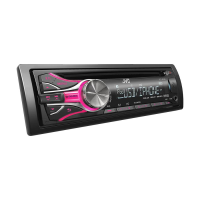
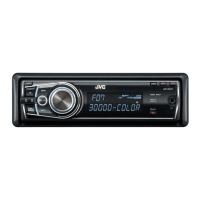
What to do if “NO DISC” appears on JVC KD-R525?
- MMichael HendricksAug 30, 2025
If your JVC Car Receiver displays “NO DISC”, insert a playable disc into the loading slot.



 To Next PageTo Next Page
What to do if “NO DISC” appears on JVC KD-R525?
If your JVC Car Receiver displays “NO DISC”, insert a playable disc into the loading slot.
Why does “READING” keep flashing on JVC KD-R525 Car Receiver?
If “READING” keeps flashing on the display of your JVC Car Receiver, a longer readout time is required. Do not use too many hierarchical levels and folders. You can also try turning the power off and on again, or reattaching the USB device.
Why sound is sometimes interrupted while listening to an external component connected to the auxiliary input jack of JVC KD-R525 Car Receiver?
If the sound is sometimes interrupted while listening to an external component connected to the auxiliary input jack on your JVC Car Receiver, ensure that the recommended stereo mini plug is used for connection.
Why the sound is distorted on JVC KD-R525?
If the sound is distorted on your JVC Car Receiver, deactivate the equalizer either on the unit or on the iPod/iPhone.
What to do if “NOT SUPPORT” appears on JVC KD-R525?
If “NOT SUPPORT” appears and the track skips on your JVC Car Receiver, check whether the track is a playable file format.
Why CD-R/CD-RW cannot be played back and track cannot be skipped on JVC KD-R525?
If CD-R/CD-RW discs cannot be played back, and tracks cannot be skipped on your JVC Car Receiver, insert a finalized CD-R/CD-RW. Finalize it with the component you used for recording.
Why “CANNOT PLAY” flashes / “NO USB” appears / unit cannot detect USB device on JVC Car Receiver?
If “CANNOT PLAY” flashes, “NO USB” appears, or the unit cannot detect the USB device on your JVC Car Receiver, check whether the connected USB device is compatible with this unit and try reattaching the USB device.
Why is sound interrupted when using auxiliary input on JVC KD-R525 Car Receiver?
If the sound is sometimes interrupted while listening to an external component connected to the auxiliary input jack on your JVC Car Receiver, ensure that you are using the recommended stereo mini plug for connection.
How to fix distorted sound on JVC KD-R525?
If the sound from your JVC Car Receiver is distorted, deactivate the equalizer either on the unit itself or on the connected iPod/iPhone.
Why is sound interrupted while playing a track on JVC Car Receiver?
If the sound is sometimes interrupted while playing a track on your JVC Car Receiver, it may be due to improperly copied tracks. Copy the tracks again into the USB device and try again.
 General
| Brand | JVC |
|---|---|
| Model | KD-R525 |
| Category | Car Receiver |
| Language | English |