15
ENGLISH |
Data Size: B6L (182 mm x 128 mm)
Book Size: B6L (182 mm x 128 mm)
AUTO CNNCT ON
:The unit automatically reconnect when the Bluetooth device is
within range.;
OFF
:Cancels.
INITIALIZE YES
:Initializes all the Bluetooth settings (including stored pairing,
phonebook, and etc.).;
NO
:Cancels.
INFORMATION
MY
BT
NAME
: Displays the unit name (JVCUNIT).;
MY
ADDRESS
: Shows address of this unit.
*
1
JVC Smart Music Control is designed to view JVC car receiver status
and perform simple control operations on Android smart phones.
For JVC Smart Music Control operations, visit JVC website:
<http://www.jvc.net/cs/car/>.
*
2
Selectable only when the connected phone supports OPP.
Internet radio via Bluetooth
Listen to Pandora
Preparation:
Select
[ON]
for
[PANDORA]
in
[SRC SELECT]
.
( 4)
You can listen to Pandora on your smart phone (Android OS) through
Bluetooth on this unit.
1 Open the Pandora application on your device.
2 Connect to Bluetooth audio player.
( 10)
3 Press B /SOURCE to select PANDORA.
The source switches and broadcast starts automatically.
• You can operate Pandora in the same way as Pandora for iPod/iPhone.
( 9)
Bluetooth audio player
Operations and display indications may differ according to their
availability on the connected device.
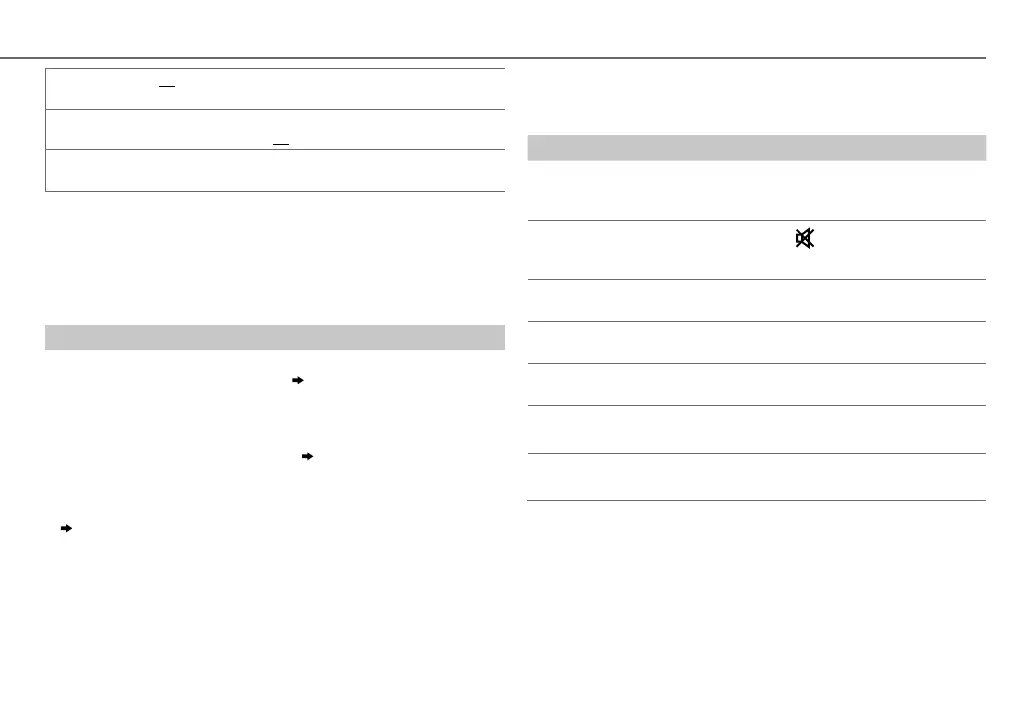
To Do this
Playback
1 Press B /SOURCE to select BTAUDIO.
2 Operate the Bluetooth audio player to start
playback.
Pause or
resume
playback
Press MENU (or press on RM-RK52).
Select group or
folder
Press 1 K / 2 J (or press J / K on RM-RK52).
Reverse/
forward skip
Press S / T (or press H / I on RM-RK52).
Reverse/
fast-forward
Press and hold S / T (or press and hold H / I on
RM-RK52).
Repeat play
Press 4 repeatedly to make a selection.
TRACKRPT, ALLRPT, RPTOFF
Random play
Press 3 repeatedly to make a selection.
GROUPRND, ALLRND, RNDOFF
BLUETOOTH®
JS_JVC_KD_R856BT_U_05_EN.indd 15JS_JVC_KD_R856BT_U_05_EN.indd 15 26/12/2013 11:09:44 AM26/12/2013 11:09:44 AM


 To Next Page
 Loading...