ENGLISH
4
Data Size: B6L (182 mm x 128 mm)
Book Size: B6L (182 mm x 128 mm)
GETTING STARTED
Cancel the demonstration
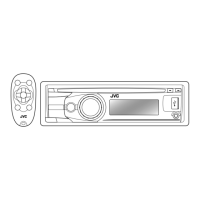
KD-R981BT
/
KD-R784BT
/
KD-R782BT
:
When you turn on the power for the first time (or
[FACTORY RESET]
is set
to
[YES]
), the display shows: “CANCEL DEMO” “PRESS” “VOLUME
KNOB”
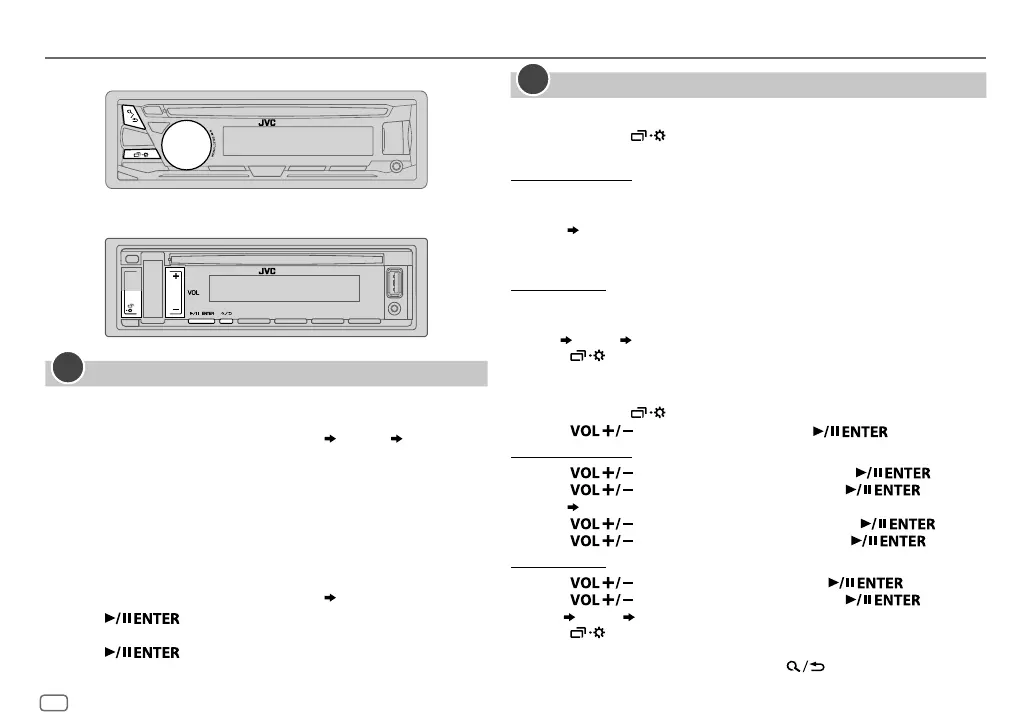
1 Press the volume knob.
[YES]
is selected for the initial setup.
2 Press the volume knob again.
“DEMO OFF” appears.
KD-R889BT
/
KD-R881BT
:
When you turn on the power for the first time (or
[FACTORY RESET]
is set
to
[YES]
), the display shows: “CANCEL DEMO” “PRESS ENTER”
1 Press .
[YES]
is selected for the initial setup.
2 Press again.
“DEMO OFF” appears.
1
Set the clock and date
KD-R981BT
/
KD-R784BT
/
KD-R782BT
:
1
Press and hold .
2 Turn the volume knob to select
[CLOCK]
, then press the knob.
To adjust the clock
3 Turn the volume knob to select
[CLOCK ADJUST]
, then press the knob.
4 Turn the volume knob to make the settings, then press the knob.
Hour
Minute
5 Turn the volume knob to select
[CLOCK FORMAT]
, then press the knob.
6 Turn the volume knob to select
[12H]
or
[24H]
, then press the knob.
To set the date
7 Turn the volume knob to select
[DATE SET]
, then press the knob.
8 Turn the volume knob to make the settings, then press the knob.
Day
Month Year
9 Press to exit.
KD-R889BT
/
KD-R881BT
:
1
Press and hold .
2 Press to select
[CLOCK]
, then press .
To adjust the clock
3 Press to select
[CLOCK ADJUST]
, then press .
4 Press to make the settings, then press .
Hour
Minute
5 Press to select
[CLOCK FORMAT]
, then press .
6 Press to select
[12H]
or
[24H]
, then press .
To set the date
7 Press to select
[DATE SET]
, then press .
8 Press to make the settings, then press .
Day
Month Year
9 Press to exit.
To return to the previous setting item, press
.
2
KD-R981BT/KD-R784BT/KD-R782BT:
KD-R889BT/KD-R881BT:
JS_JVC_KD_R981_E_EN_5.indd 4JS_JVC_KD_R981_E_EN_5.indd 4 9/1/2016 2:05:41 PM9/1/2016 2:05:41 PM


 To Next Page
 Loading...