EasyManua.ls Logo

JVC KD-RD79BT - User Manual

JVC KD-RD79BT
43 pages
Print Icon
To Next Page IconTo Next Page
Loading...
Data Size: B6L (182 mm x 128 mm)
Book Size: B6L (182 mm x 128 mm)
KD-R995BTS / KD-R990BTS / KD-R895BTS / KD-R792BT /
KD-R790BT / KD-RD99BTS / KD-RD79BT / KD-R99MBS
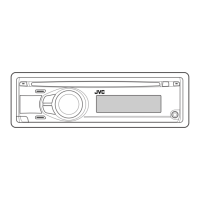
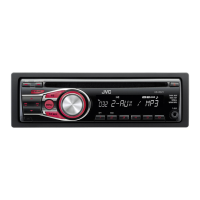
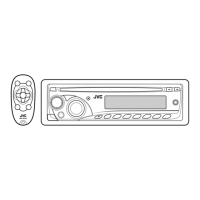
CD RECEIVER
INSTRUCTION MANUAL
JS_JVC_KD_R995BTS_K_C.indd 1JS_JVC_KD_R995BTS_K_C.indd 1 7/6/2017 8:36:57 AM7/6/2017 8:36:57 AM
Question and Answer IconNeed help?

Do you have a question about the JVC KD-RD79BT and is the answer not in the manual?

Summary

Basics and Initial Setup

Initial Setup Procedures

Guides for disabling the demonstration mode, setting the clock and date, and basic system configurations.

Radio Operations

Media Playback and Mobile Integration

Media Playback and Source Selection

Starting playback from CD, USB, iPod, and Android devices, and selecting sources.

Bluetooth Connectivity and Communication

Bluetooth Device Pairing and Microphone Connection

Steps for pairing Bluetooth devices and connecting the external microphone.

Making Calls and Storing Contacts

Making calls from history/phonebook, voice control, and saving contacts to memory.

Bluetooth Audio Playback Operations

Playing audio from Bluetooth devices and switching between them.

Audio and Display Customization

AUX Input and Audio Equalizer Settings

Using the AUX input and adjusting sound equalization settings.

Advanced Audio Configuration

Detailed settings for PRO EQ, crossover, time alignment, and speaker outputs.

System Control and References

Troubleshooting Common Issues

Solutions for general, radio, media, mobile device, and Bluetooth problems.

Installation and Connection

Wiring Connection Guide and Recommendations

Detailed instructions for connecting the unit's wiring harness and recommended practices.

Summary

Basics and Initial Setup

Initial Setup Procedures

Guides for disabling the demonstration mode, setting the clock and date, and basic system configurations.

Radio Operations

Media Playback and Mobile Integration

Media Playback and Source Selection

Starting playback from CD, USB, iPod, and Android devices, and selecting sources.

Bluetooth Connectivity and Communication

Bluetooth Device Pairing and Microphone Connection

Steps for pairing Bluetooth devices and connecting the external microphone.

Making Calls and Storing Contacts

Making calls from history/phonebook, voice control, and saving contacts to memory.

Bluetooth Audio Playback Operations

Playing audio from Bluetooth devices and switching between them.

Audio and Display Customization

AUX Input and Audio Equalizer Settings

Using the AUX input and adjusting sound equalization settings.

Advanced Audio Configuration

Detailed settings for PRO EQ, crossover, time alignment, and speaker outputs.

System Control and References

Troubleshooting Common Issues

Solutions for general, radio, media, mobile device, and Bluetooth problems.

Installation and Connection

Wiring Connection Guide and Recommendations

Detailed instructions for connecting the unit's wiring harness and recommended practices.

JVC KD-RD79BT Specifications

General IconGeneral
BrandJVC
ModelKD-RD79BT
CategoryCar Receiver
LanguageEnglish

Related product manuals