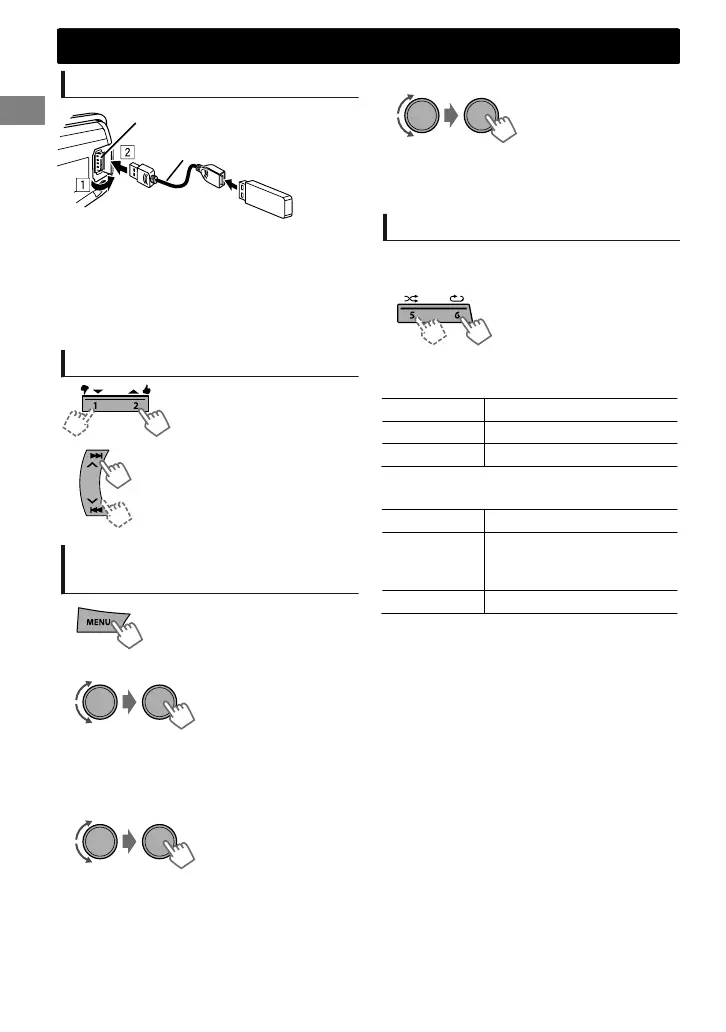
Playing a USB device
USB 2.0 cable*
(not supplied)
USB input terminal
The source changes to “USB” and playback starts.
* Do not leave the cable in the car when not in
use.
This unit can play MP3/WMA files stored in USB
mass storage device (such as a USB memory
and Digital Audio Player).
Selecting a folder/track
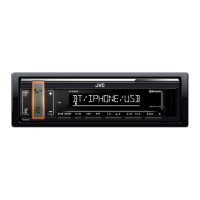
Selects folder.
Selects track. (Press)
Fast-forwards or reverses the
track. (Hold)
Selecting a track/folder from
the list
1
- - - - - - - - or - - - - - - - -
PLAYLISTS, ARTISTS, ALBUMS, SONGS, GENRES
Select the desired list. (For JVC Playlist
Creator (JPC) and JVC Music Control (JMC)
file) (' page 25)
2
Select a folder. (For MP3/WMA)
If the USB device contains many folders or tracks,
you can fast search for the desired folder or track
by turning the volume knob quickly.
3
Select a track.
Selecting the playback modes
You can select one of the following playback
modes at a time.
1
Press 6 for REPEAT.
Press 5 for RANDOM.
2
Press the button repeatedly.
REPEAT
RPT OFF Cancels repeat playback.
TRACK RPT Repeats current track.
FOLDER RPT Repeats current folder.
“FOLDER RPT” is not applicable for JPC/JMC file.
RANDOM
RND OFF Cancels random playback.
FOLDER RND
Randomly plays all tracks of
current folder, then tracks of
next folders.
ALL RND Randomly plays all tracks.
USB
USB
8
|ޓENGLISH
2012/11/22ޓ10:10:26KD-X250BT_J_EN


 To Next Page
 Loading...