EasyManua.ls Logo

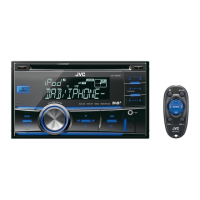
JVC KW-DB60AT - User Manual

JVC KW-DB60AT
68 pages
Print Icon
To Next Page IconTo Next Page
Loading...
CD RECEIVER / RÉCEPTEUR CD / CD-RECEIVER
For canceling the display demonstration, see page 4.
Pour annuler la démonstration des affichages, référez-vous à la page 4.
Zum Abbrechen der Displaydemonstration siehe Seite 4.
ENGLISH
FRANÇAIS
DEUTSCH
INSTRUCTIONS
MANUEL D’INSTRUCTIONS
BEDIENUNGSANLEITUNG
LVT2321-001A
[E/EN]
KW-DB60AT
For installation and connections, refer to the separate manual.
Pour l’installation et les raccordements, se référer au manuel séparé.
Fur den Einbau und die Anschlusse siehe das eigenstandige Handbuch.

Questions and Answers

  • L
    lisanguyenAug 19, 2025
    How to fix no sound or static noise on JVC KW-DB60AT?
    • R
      Robert PalmerAug 19, 2025
      If you're experiencing no sound, interrupted sound, or static noise with your JVC Car Receiver, start by checking the cords, aerial, and cable connections to ensure they are properly connected. Also, inspect the condition of the disc, connected device, and recorded tracks for any damage or issues.
  • J
    John RileyAug 21, 2025
    Why my iPhone is not working with JVC KW-DB60AT?
    • J
      jessica23Aug 21, 2025
      If your iPod/iPhone isn't turning on or working with your JVC Car Receiver, first check the connection between the two devices. If the connection is good, try detaching and resetting your iPod/iPhone using a hard reset. Also, verify that the setting is set appropriately.
  • J
    Julie BatesAug 25, 2025
    What to do if JVC KW-DB60AT displays “NO SIGNAL”?
    • L
      Lauren MooreAug 25, 2025
      If "NO SIGNAL" appears on the display of your JVC Car Receiver, try moving to an area with stronger signal.
  • S
    Shannon CoffeyAug 26, 2025
    What does “MISWIRING CHK WIRING THEN RESET UNIT” mean on JVC KW-DB60AT Car Receiver?
    • M
      Michael MyersAug 26, 2025
      If you see “MISWIRING CHK WIRING THEN RESET UNIT” or “WARNING CHK WIRING THEN RESET UNIT” on your JVC Car Receiver display and can't do anything, make sure the speaker leads' terminals are properly insulated with tape before you reset the unit. If the message still appears, consult your JVC car audio dealer or the kits supplying company.
  • N
    Nathan MillerAug 28, 2025
    What to do if JVC KW-DB60AT Car Receiver displays “CANNOT PLAY”?
    • J
      justinbenderAug 28, 2025
      If “CANNOT PLAY” flashes on the display of your JVC Car Receiver and the unit cannot detect the connected device, check if the connected device is compatible with the unit. Also, make sure the device contains files in a supported format. You can also try reattaching the device.
  • D
    Diane AveryAug 30, 2025
    Why does my JVC Car Receiver say "CHK ANTENNA"?
    • R
      Ryan Zimmerman DVMAug 30, 2025
      If "CHK ANTENNA" flashes on the display of your JVC Car Receiver, check the antenna cord and its connections.
  • B
    blake22Sep 1, 2025
    Why source cannot be selected on JVC KW-DB60AT Car Receiver?
    • C
      Christina SimpsonSep 1, 2025
      If a source cannot be selected on your JVC Car Receiver, check the setting.
  • K
    kimberlymooreSep 3, 2025
    Why “READING” keeps flashing on JVC KW-DB60AT Car Receiver?
    • H
      Holly ConwaySep 3, 2025
      If “READING” keeps flashing on the display of your JVC Car Receiver, it indicates that a longer readout time is required. Avoid using too many hierarchical levels and folders. If the issue persists, try reloading the disc or reattaching the USB device.
  • R
    Rebecca StoutSep 5, 2025
    What does “NOT SUPPORT” mean on JVC KW-DB60AT?
    • N
      nperezSep 6, 2025
      If “NOT SUPPORT” appears on the display of your JVC Car Receiver and the track skips, check whether the track is a playable file format.
  • P
    patriciablackSep 7, 2025
    What to do if JVC KW-DB60AT Car Receiver displays “PLEASE” and “EJECT”?
    • B
      breeseSep 8, 2025
      If “PLEASE” and “EJECT” appear alternately on the display of your JVC Car Receiver, press [M], then insert the disc correctly.

Summary

Important Safety Information

Laser Product Safety

Details Class 1 laser product precautions, warnings, and label information.

Disposal Guidance

Provides guidance for users on disposing of old electronics and batteries in the EU.

Unit Setup and Maintenance

Resetting the Unit

Instructions on how to reset the unit if it fails to operate properly.

Forcible Disc Ejection

Steps to eject a disc if it cannot be ejected normally.

Remote Controller Functions

Remote Controller Warnings

Important warnings regarding battery installation and handling of the remote controller.

Basic Operations - Control Panel

Basic Operations - Button Functions

Radio Operation

Station Searching

Guides on how to search for FM and AM radio stations automatically or manually.

Storing Radio Presets

Instructions for manually and automatically presetting radio stations in memory.

Advanced Radio Features

Digital Audio Broadcasting (DAB)

Searching DAB Services

Guides on how to search for DAB services and ensembles.

Storing DAB Services

Instructions for presetting DAB services into memory.

DAB Advanced Features

DAB Alternative Frequency Reception

Traces programmes among DAB and FM stations for better reception.

CD and USB Media Playback

Connecting and Playing CD;USB

Instructions for connecting and playing audio from CD or USB devices.

iPod;iPhone Media Playback

Connecting and Playing iPod;iPhone

Instructions for connecting and playing audio from an iPod or iPhone.

External Component Connectivity

Playing Audio via AUX Input

How to connect and play audio from external components using AUX inputs.

Bluetooth Adapter Setup

Information and preparation for using the Bluetooth adapter.

Sound Adjustments

Pro Equalizer Settings

Detailed adjustment of BASS, MIDDLE, and TREBLE frequencies and levels.

Menu Operations - General Settings

Menu Operations - Audio Settings

Subwoofer and Filter Configuration

Configures subwoofer output, low-pass filter, and high-pass filter.

Menu Operations - Tuner and Source Selection

Troubleshooting Guide

General Operational Issues

Solutions for common problems like no sound, wiring errors, and unit non-responsiveness.

Radio and DAB Issues

Troubleshooting for FM/AM and DAB reception and presetting problems.

Media Playback Troubleshooting

Solutions for CD, USB, and iPod/iPhone playback errors.

Technical Specifications

Audio Amplifier Specifications

Details on power output, impedance, frequency response, and SNR.

Tuner and General Specifications

Specs for tuner sections, power, temperature, dimensions, and mass.

JVC KW-DB60AT Specifications

General IconGeneral
BrandJVC
ModelKW-DB60AT
CategoryCar Receiver
LanguageEnglish

Related product manuals