38
R <Display> setting screen
<Dimmer>
• Auto (Initial): Dims the screen and button
illumination when you turn on the headlights.
– The ILLUMI lead connection is required.
(Page 44 )
• ON: Activates dimmer.
• OFF: Cancels.
< User Customize>
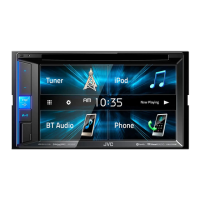
Change the display design . (Page34)
<OSD Clock>
• ON: Displays the clock while a video source is
played back.
• OFF (Initial): Cancels.
<Demonstration>
• ON (Initial): Activates the demonstration on the
screen.
• OFF: Cancels.
< Scroll>
• ON : Repeats scrolling.
• Once (Initial): Scrolls the displayed information
once.
• OFF: Cancels.
Pressing [ H] scrolls the text regardless of this setting.
<Menu Customize>
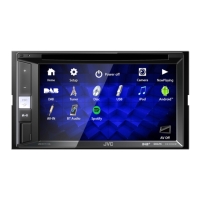
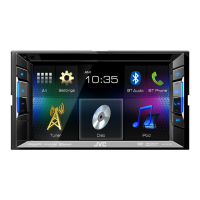
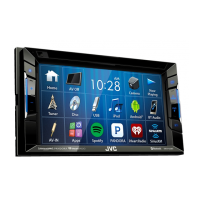
Change the items to display on the
Home screen.
(Page35)
<Screen Adjust>
Adjust the brightness and blackness of the screen.
Press [Enter] to display the setting screen, select
[DIM ON] (dimmer on)/[DIM OFF] (dimmer off),
then change the following settings:
• Bright: Adjusts brightness.
– –15 to +15 (Initial: 0 for Dimmer On/+15 for
Dimmer Off)
• Black: Adjusts blackness.
– –15 to +15 (Initial: 0)
<Video Output>*
1
Select the color system of the external monitor.
• NTSC , PAL (Initial)
<Angle>*
2
Adjust the panel angle. (Page 7)
*
1
“Please Power Off” appears when the setting is changed. Turn off
the power, then turn on to enable the change.
*
2
Only for KW-V41BT.
R < Input> setting screen
< AV Input>*
You can determine the use of the iPod/AV-IN
terminal.
• AV-IN (Initial): Select to use the external
component connected to the iPod/AV-IN terminal
or iPod/iPhone connected using KS-U62 or a USB
2.0 cable. (Page 45)
• iPod: Select to use iPod/iPhone connected using
KS-U59. (Page 45)
<R-CAM Interrupt>
• ON (Initial): Displays the picture from the rear view
camera when you shift the gear to the reverse (R)
position.
• OFF : Select this when no camera is connected.
< Navigation Input>*
For KW-V41BT/KW-V21BT:
Change the settings for displaying the screen of
App from the connected iPod touch/iPhone or the
screen of an external navigation unit. (Pages18
and 22)
• When <Input> is set to [iPhone], <Navigation
Mute> does not work.
For KW-V11:
• iPhone: Switches to the screen of App from the
connected iPod touch/iPhone by pressing
on
the monitor panel. (Page18)
• OFF: Switches to the current source control
screen.
* To change the setting, turn off the AV source by pressing [AV Off]
on the Home screen beforehand.
For KW-V41BT/KW-V21BT: <AV Input> can be changed only
when <Input> in <Navigation Input> is set to [RGB]
or [OFF].
For KW-V11: <AV Input> can be changed only when
<Navigation Input> is set to [OFF].
SETTINGSSETTINGS
KW-VEntryU.indb38KW-VEntryU.indb38 2014/09/1019:502014/09/1019:50



 To Next Page