EasyManua.ls Logo

JVC KW-XR416 - User Manual

JVC KW-XR416
34 pages
Print Icon
To Next Page IconTo Next Page
Loading...
EN
0110DTSMDTJEIN© 2010 Victor Company of Japan, Limited
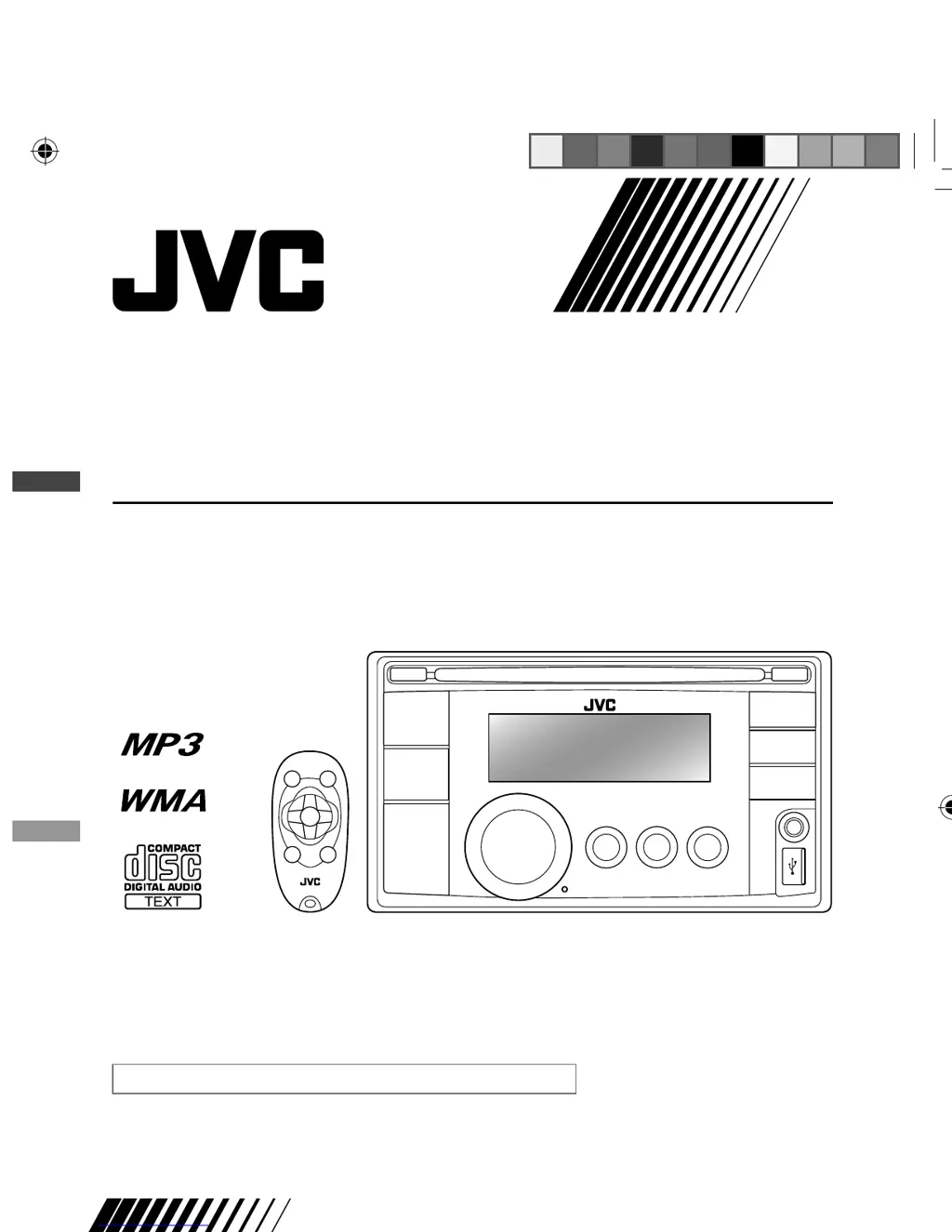
KW-XR416/KW-XR414
CD RECEIVER
GET0656-001A
[U/UH/UT/UN/UI]
For canceling the display demonstration, see page 4.
INSTRUCTIONS
For installation and connections, refer to the separate manual.
Having TROUBLE with operation?
Please reset your unit
Refer to page of How to reset your unit
CoverRear_KW-XR416_001A_1.indd 1-2CoverRear_KW-XR416_001A_1.indd 1-2 12/1/09 2:59:27 PM12/1/09 2:59:27 PM

Other manuals for JVC KW-XR416

Questions and Answers

  • L
    luke91Sep 18, 2025
    Why are the characters displayed incorrectly (album name) on my JVC KW-XR416 (USB device)?
    • B
      Billy SmithSep 19, 2025
      If the correct characters are not displayed (e.g. album name) during USB device playback, this unit can only display letters (upper case), numbers, and a limited number of symbols.
  • E
    erikmitchellAug 25, 2025
    What to do if my JVC KW-XR416 does not work at all?
    • J
      Jeremy ScottAug 25, 2025
      If the unit isn't working, try resetting it.
  • B
    Brianna VillegasAug 25, 2025
    What to do if my JVC KW-XR416 displays 'PROTECT' and won't operate?
    • S
      Samuel JordanAug 26, 2025
      If 'PROTECT' appears on the display and the unit is unresponsive, ensure the terminals of the speaker leads are properly covered with insulating tape, and then reset the unit. If the issue persists, it is recommended to consult your JVC car audio dealer or a company supplying kits.
  • T
    Timothy BaileyAug 26, 2025
    Why is my JVC KW-XR416 radio producing static noise?
    • L
      lisawintersAug 27, 2025
      If you are experiencing static noise while listening to the radio, check that the aerial is firmly connected.
  • T
    Thomas GuerreroSep 23, 2025
    How do I select 'AUX IN' on my JVC KW-XR416 Car Receiver?
    • W
      William PettySep 23, 2025
      Check the = setting.
  • T
    Tammy CastilloSep 23, 2025
    How do I select 'AM' on my JVC KW-XR416?
    • T
      Troy ThomasSep 23, 2025
      Check the = setting.
  • H
    Holly GreeneSep 10, 2025
    Why are the characters displayed incorrectly on my JVC Car Receiver (MP3/WMA playback)?
    • A
      Amy LynnSep 12, 2025
      If the correct characters are not displayed (e.g. album name) during MP3/WMA playback, note that this unit can only display letters (upper case), numbers, and a limited number of symbols.
  • H
    hhaasSep 12, 2025
    Why does 'READING' keep flashing on my JVC KW-XR416 Car Receiver when using a USB device?
    • M
      Melissa WilsonSep 12, 2025
      If 'READING' keeps flashing on the display during USB device playback, note that the readout time varies depending on the USB device. Avoid using too many hierarchies or folders. You can also try turning the power off and on again or reattaching the USB device.
  • R
    Ryan WilliamsonSep 3, 2025
    Why won't my JVC Car Receiver play MP3/WMA files?
    • M
      Manuel RuizSep 4, 2025
      To resolve issues with MP3/WMA playback, use a disc with tracks recorded in a format compliant with ISO 9660 Level 1, Level 2, Romeo, or Joliet. Also, ensure that the file names have the extension code or .
  • D
    dicksonjoseSep 1, 2025
    What to do if disc can neither be played back nor ejected from JVC Car Receiver?
    • A
      Allen ThomasSep 1, 2025
      If a disc can neither be played back nor ejected, try to unlock the disc or eject it forcibly.

Summary

Instructions

Important Laser Product Information

Laser Product Safety Precautions

Key cautions for Class 1 laser products, including not opening the cover and avoiding direct viewing.

Laser Radiation Warning

Warning regarding visible and/or invisible Class 1M laser radiation when the unit is open.

How to Reset Your Unit

How to Forcibly Eject a Disc

Canceling the Display Demonstration

Setting the Clock

Remote Controller Preparation

Basic Operations Overview

Listening to the Radio

Listening to a Disc

Stopping Playback and Ejecting Discs

Listening to the USB Device

Listening to External Components via AUX

Selecting Preset Sound Modes

Menu Operations and Settings

Maintenance Guide

Additional Unit Information

Playing MP3 and WMA Discs

Playing MP3;WMA from USB Devices

Troubleshooting Guide

General Troubleshooting

Solutions for common issues like no sound, 'PROTECT' display, and unit not working.

MP3;WMA Playback Troubleshooting

USB Device Playback Troubleshooting

Technical Specifications

JVC KW-XR416 Specifications

General IconGeneral
CEA-2006 CompliantYes
Subwoofer Preamp RCA OutputYes
Display ColorWhite
MP3 PlaybackYes
WMA PlaybackYes
AAC PlaybackYes
WAV PlaybackYes
ID3 Tag DisplayYes
AM/FM TunerYes
FM Presets18
AM Presets6
Radio Data System (RDS)Yes
Bluetooth CompatibilityYes
HD RadioNo
iPod CompatibilityYes
Android CompatibilityYes
Steering Wheel Control CompatibilityYes
Remote ControlYes
iPhone ControlYes
DIN SizeDouble DIN
Peak Power Output50 watts x 4 channels
RMS Power Output22 watts x 4 channels
Preamp RCA Outputs3 Pairs
Preamp Voltage2.5 volts
Display TypeLCD
USB InputFront
AUX InputFront

Related product manuals