EasyManua.ls Logo

JVC LT-24MAW200 - User Manual

JVC LT-24MAW200
28 pages
Print Icon
To Next Page IconTo Next Page
Loading...
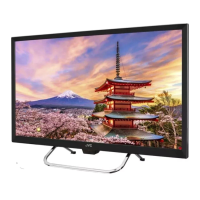
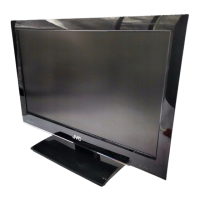
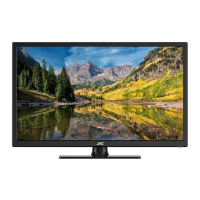
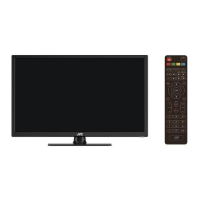
HD LED TV
LT-24MAW200
(24" class/ 23.6 diagonal)"
USER GUIDE
Before operating the unit, please read this manual thoroughly.
ATTENTION
If you purchase a universal remote control from your local retailer, please contact the remote manufacturer for the
required programming code.
ENGLISH
PLEASE HAVE THE MODEL NUMBER READY PRIOR TO CALLING
FOR RECYCLING INFORMATION, PLEASE CONTACT CUSTOMER SERVICE.
CUSTOMER SERVICE - 1-888-582-8870

Questions and Answers

  • W
    wrussellAug 13, 2025
    What to do if my JVC LED TV has good picture but no sound?
    • M
      martinezbarbaraAug 13, 2025
      First, increase the volume and check that the TV is not muted by pressing the MUTE button on the remote control. Also, check the sound settings. If you are using external devices, make sure their volumes are not set too low or turned off. If using AVI or Component inputs, ensure the cables are connected properly and are not loose.
  • Y
    ywilliamsAug 16, 2025
    What to do if my JVC LT-24MAW200 is not responding to the remote control?
    • M
      Maria RamirezAug 17, 2025
      The batteries in your remote control may be exhausted; if necessary, please change them. Also, clean the remote control lens. Ensure that the distance between the LED TV and the remote control is within 8 meters, within the recommended operating angle, and that the path is free of obstructions.
  • D
    Douglas StevensAug 20, 2025
    Why is there no power on my JVC LT-24MAW200?
    • J
      James CarterAug 20, 2025
      Check if the power cord is plugged in and the power outlet is working. Unplug the power cord, wait 60 seconds, then plug it back in and restart the TV.
  • R
    Richard PattersonAug 25, 2025
    Why is my JVC LT-24MAW200 LED TV turning on automatically?
    • W
      Wendy FergusonAug 25, 2025
      Check if the On Timer is set to On in the Setup menu.
  • C
    Corey RussellAug 27, 2025
    How to fix noise from speaker on JVC LT-24MAW200?
    • M
      mcleanmichaelAug 28, 2025
      Check the cable connections, making sure a video cable is not connected to an audio input. Low signal level may also cause sound distortion.
  • K
    Kevin WiseAug 31, 2025
    Why is picture not shown in full screen on my JVC LT-24MAW200 LED TV?
    • R
      reginald05Aug 31, 2025
      Black bars on each side will appear on HD channels when displaying SD (4:3) content. Black bars on the top and bottom will appear on movies with aspect ratios different from your TV. Adjust the picture size option on your external device or TV to full screen.
  • Z
    Zachary TurnerSep 4, 2025
    Why after auto tuning only some channels are available on my JVC LED TV?
    • R
      Randy MckinneySep 4, 2025
      Check if your area is covered by Digital Video Broadcasts. Try re-tuning or manually tuning for missing channels. Also, check that you are using the correct antenna type.
  • K
    Katherine ReyesSep 8, 2025
    Why is my USB not playing on JVC LT-24MAW200 LED TV?
    • D
      David BaileySep 8, 2025
      Check the USB cable connection and ensure the power supply is connected. Verify that the hard drive has been formatted, the USB disk is compatible, and the multimedia data formats are supported.

Summary

SAFETY AND WARNINGS

Important Notes and Precautions

Key notes on model info, marking location, battery handling, and general cautions.

Key Safety Instructions

Comprehensive safety instructions for operating the TV safely.

Visual Safety Guidance

Visual aids and explanations for safe usage and placement to avoid hazards.

INTRODUCTION

Main Features

Highlights key features and capabilities of the JVC HD LED TV.

Accessories Included

Lists all items provided in the package with the television.

Technical Specifications

Details the TV's technical parameters like resolution, power, and dimensions.

INSTALLATION

Front Panel and Keyboard Controls

Overview of the TV's front panel layout and physical control buttons.

Rear and Side Connections

Identifies and describes all input and output terminals on the TV's rear and sides.

Antenna and Power Connection

Instructions for connecting the antenna and the power cord to the TV.

HDMI Preset Modes and Cable Settings

Details on HDMI preset modes and signal type options for cable connection.

Base Stand Assembly

Step-by-step guide for attaching the TV's base stand securely.

Connecting AV Equipment

Illustrates how to connect various external audio-visual devices to the TV.

WALL MOUNT

Wall Mount Installation Instructions

Provides guidelines and precautions for safely mounting the TV on a wall.

GENERAL DESCRIPTION

Remote Control Overview

Details the functions of each button on the TV remote control.

Remote Control Operation

Explains how to use various buttons on the remote for TV functions.

Remote Control Features

Describes specific functions like INFO, SLEEP, AUDIO, ASPECT, and CC.

Installing Remote Control Batteries

Step-by-step guide on how to insert batteries into the remote control.

EXTERNAL CONNECTION

Antenna Connection Details

Explains how to connect different types of antennas to the TV.

Connecting a VCR

Instructions for connecting a VCR to the TV using various cables.

Connecting a Camcorder

Guide for connecting a camcorder or DVD player directly to the TV.

Connecting Digital Audio System

Explains how to connect a digital audio system using HDMI.

Connecting Digital Audio via Optical

Instructions for connecting a digital audio system using an optical cable.

MENU SYSTEM INSTRUCTION

Menu Operation Overview

Introduction to navigating and using the TV's on-screen menu system.

Picture Menu Settings

Adjusts picture-related settings like brightness, contrast, and color temperature.

Audio Menu Settings

Allows adjustment of sound effects, volume, and audio languages.

Time Menu Settings

Configures sleep timer, time zone, and clock settings.

Option Menu Settings

Manages OSD language, closed caption, and default settings.

Closed Caption and Lock Menu

Settings for closed caption display and parental control lock features.

Channel and Rating Settings

Adjusts TV channels, signal types, auto scanning, and rating controls.

USB JPEG File Display

Instructions for displaying JPEG image files from a USB drive.

Navigating USB Photo Files

Steps to select photo and navigate folders for viewing images via USB.

TROUBLESHOOTING

Common Problems and Solutions

Provides solutions for common issues like no power, no picture, and no sound.

Advanced Troubleshooting Issues

Addresses issues like channel selection, USB playback, distortion, and auto-turn on.

General Usage Warnings

Important safety warnings regarding furniture stability and electrical connections.

REFERENCE

Picture Defect Causes and Solutions

Explains common picture issues like snowy picture and double images and their causes.

JVC LT-24MAW200 Specifications

General IconGeneral
Screen Size24 inches
Display TypeLED
HDMI Ports2
USB Ports1
Weight3.5 kg
Smart TVNo
Wi-FiNo
Aspect Ratio16:9
Refresh Rate60 Hz
Built-in SpeakersYes
Power Consumption30W
Resolution1366 x 768 pixels
Backlight TypeLED

Related product manuals