EasyManua.ls Logo

JVC LT-29HA48E - User Manual

JVC LT-29HA48E
156 pages
Print Icon
To Next Page IconTo Next Page
Loading...
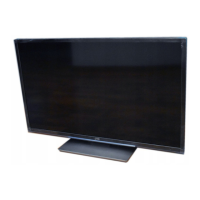
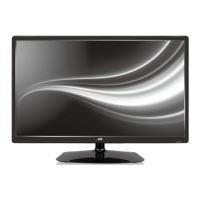
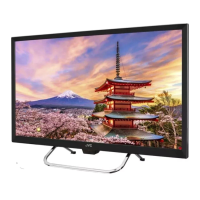
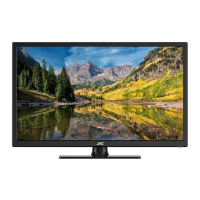
LT-24HA48E
LT-29HA48E
LT-39HG48E
LED TV
Operating Instructions
Příručka k obsluze
Návod na obsluhu
használati utasítása
Instrukcja Obslugi
ČESKY ENGLISHMAGYAR
SLOVENSKY
POLSKI
LT-39HG48E
LT-24HA48E
LT-29HA48E
J3NW2151A_EN.indd 1J3NW2151A_EN.indd 1 3/4/13 2:51:21 PM3/4/13 2:51:21 PM

Table of Contents

Questions and Answers

  • D
    Darrell SmithAug 8, 2025
    What to do if my JVC LT-29HA48E has no picture and no sound?
    • M
      Maria ThompsonAug 8, 2025
      If your JVC LED TV shows no picture and produces no sound, ensure the TV is switched on and properly connected to the mains power outlet. Select the correct input mode. If the problem persists, unplug the unit for one minute, then plug it back in.
  • D
    Deborah MartinezAug 15, 2025
    Why does my JVC LT-29HA48E switch off with missing antenna input signal?
    • A
      Angela GarciaAug 15, 2025
      It is normal for your JVC LED TV to switch off if the antenna signal is missing. The TV is designed to enter standby mode 15 minutes after the antenna signal disappears.
  • V
    Vicki SchmidtAug 20, 2025
    What to do if my JVC LT-29HA48E has blocky image or image stops intermittently?
    • M
      Melinda ShortAug 21, 2025
      If your JVC LED TV's image is blocky or stops intermittently, check all antenna connections. Also, try moving the antenna away from potential sources of interference and consider using an antenna booster.
  • C
    Christina MarshallAug 27, 2025
    What to do if some digital channels cannot be viewed on my JVC LED TV?
    • T
      Tina MillerAug 27, 2025
      If you are unable to view some digital channels on your JVC LED TV, you may need to contact your service provider to subscribe to those channels.
  • C
    Christina SmithSep 1, 2025
    Why is there a cracking sound coming from my JVC LT-29HA48E?
    • B
      bryanguerraSep 2, 2025
      A cracking sound from your JVC LED TV is usually due to slight contractions in the cabinet caused by changes in room temperature. This does not affect the TV's performance or other aspects, provided the picture and sound quality are normal.

Summary

Important safety information

How to attach the stand

Step-by-step guide for attaching the TV stand.

Dismantling the base

Instructions for removing the TV base for wall mounting.

Location of controls

Remote Control

Install the batteries

Guide on how to insert batteries into the remote control.

Antenna connection

Auto setup

Selecting the input source

How to choose the video input from connected devices.

Station search

Analogue Manual Scan

Manual scan for analogue TV channels.

Digital Manual Scan

Manual scan for digital TV channels.

Channel Setup

Power On;Off Timer

How to program the TV to turn on or off automatically.

Parental Lock and Password Management

EPG Navigation and Program Listings

Other convenience functions

Picture Settings

Adjustments for picture mode, brightness, contrast, color, sharpness, tint, and backlight.

Audio Settings

Options to adjust balance, bass, treble, surround, equalizer, stable sound, and sound type.

Information for recording function

Watch the recorded programme

Preparing your USB device for playing Time Shift recordings

Time Shift

EPG Recording

Connecting an HDMI or a DVI device to the HDMI input

Connection to other equipment

Connecting to a DVD player or other AV device with Component Video outputs

How to connect devices with Component Video outputs for enhanced quality.

Troubleshooting table

Specifications

JVC LT-29HA48E Specifications

General IconGeneral
Screen Size29 inches
Display TypeLED
Resolution1366 x 768
HDMI Ports2
USB Ports1
Weight6.5 kg
Aspect Ratio16:9
Refresh Rate50 Hz
Built-in TunerYes

Related product manuals