EasyManua.ls Logo

JVC LT-24FD110 - User Manual

JVC LT-24FD110
113 pages
Go to English
Print Icon
To Next Page IconTo Next Page
Loading...

Questions and Answers

JVC LT-24FD110 Specifications

General IconGeneral
Screen Size24 inches
Resolution1366 x 768
Display TypeLED
HDMI Ports2
USB Ports1
Weight5.5 kg
Aspect Ratio16:9
Refresh Rate60 Hz
Built-in TunerYes
Audio Output10W x 2

Summary

IMPORTANT SAFETY INSTRUCTIONS

General Safety Precautions

General safety guidelines for using the TV, including installation and cleaning.

PRODUCT DESCRIPTION

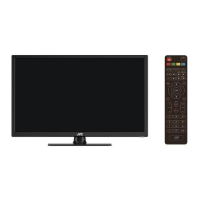
Front and Side Views

Identifies and labels the external parts of the TV from the front and side.

Back View and Ports

Details the rear panel, including all input/output ports and their labels.

ASSEMBLING

Attaching the Stand

Step-by-step instructions for attaching the TV stand securely to the unit.

Mounting on a Wall

Guidelines and cautions for securely mounting the TV onto a wall.

REMOTE CONTROL

Button Functions

Comprehensive list and explanation of all buttons on the remote control.

Remote Control Operation

Instructions for operating the remote, including battery installation and sensor usage.

CONNECTIONS

Connecting to Power and HDMI

Instructions for connecting the TV to AC power and using HDMI for high-definition signals.

Advanced Audio;Video Connections

Details on using HDMI ARC, PC/VGA, Coaxial, and AV connections for audio and video.

USB and CI Card Connection

How to connect USB devices for media and insert a CI card for special channels.

BASIC OPERATION

Watching TV and EPG

Step-by-step guide to powering on, selecting channels, and using the Electronic Program Guide.

Recording and Time-Shift

Instructions for recording programs and using the time-shift function with a USB device.

USING THE MENUS

Navigating Menus and First Time Installation

How to navigate TV menus and perform the initial setup process.

Channel Settings

How to tune channels, edit programs, and view signal information.

Picture Settings

Adjusting picture modes, color temperature, and noise reduction for optimal viewing.

Screen Adjustments

Settings for PC/VGA mode, including aspect ratio and dynamic contrast.

Sound Settings

Configuring sound modes, equalizer, volume, and surround sound for audio output.

Time and Timer Settings

Setting the clock, time zone, auto power-off, and sleep timer functions.

Lock and Parental Guidance

Managing system lock, setting passwords, channel lock, and parental controls.

Setup and Language Options

Configuring display language, teletext language, audio, and subtitle preferences.

USB Operation and System Settings

Managing USB devices, PVR, software updates, and HDMI CEC features.

SPECIFICATIONS

Technical Specifications

Detailed technical parameters of the TV, including dimensions, power, and reception capabilities.

Product Information Sheet

Manufacturer details, model identifier, and energy efficiency ratings.

TROUBLESHOOTING

Common Problems and Solutions

Guides users through common issues like no picture, no sound, or remote control problems.

Related product manuals