Remote control operation
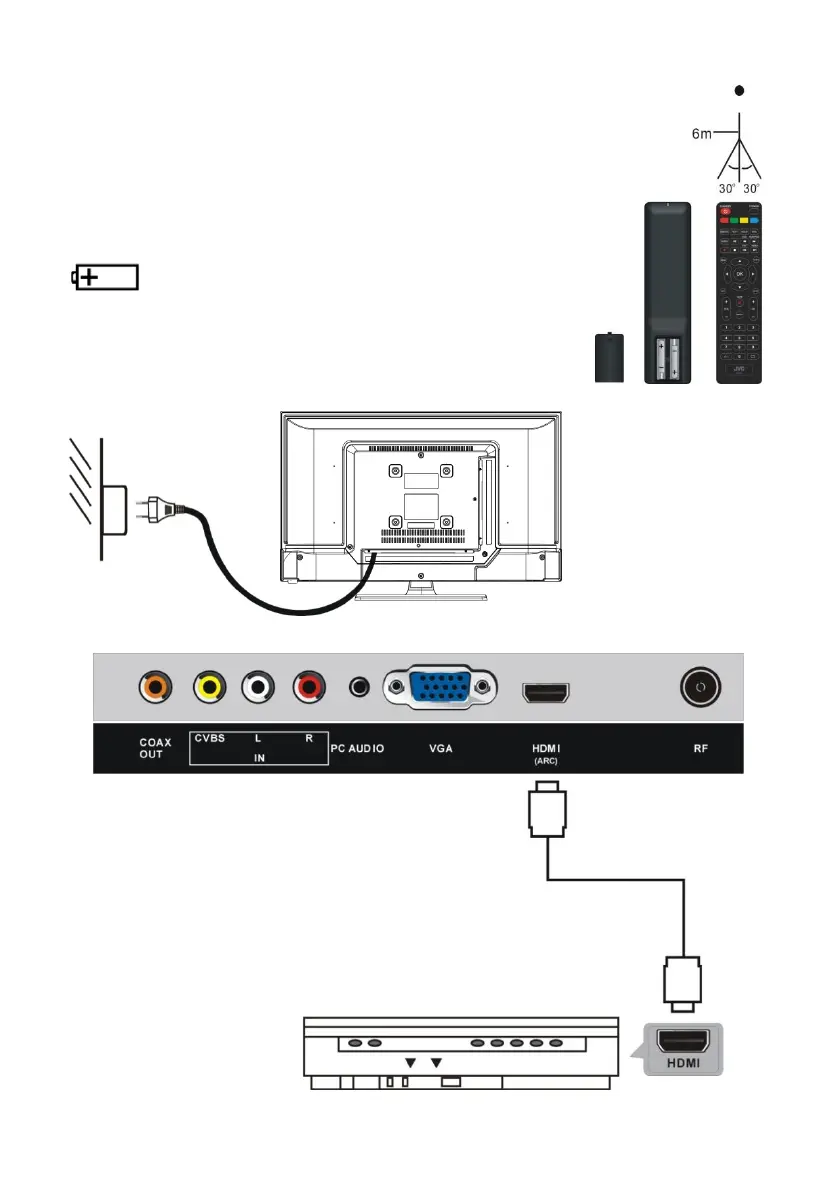
1. Open the battery cover.
2. Insert two AAA size batteries (not included), observing the proper
polarity markings inside the battery compartment.
3. Close the battery cover.
CAUTION: Do not mix old and new batteries, as this may
damage the remote control.
Be sure to point the remote control at the remote control sensor on the
TV.
This logo means "positioning of cell".
CONNECTIONS
Connecting to AC power source
HDMI connection
Use an HDMI cable (not included) to connect the unit
with other devices to receive high-definition multimedia
signal.


 To Next Page