EasyManua.ls Logo

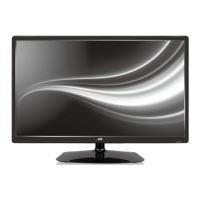
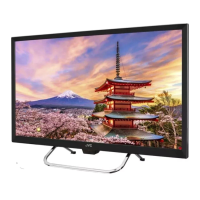
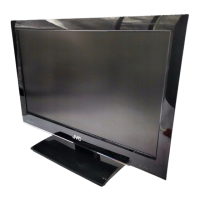
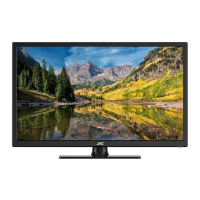
JVC LT-22HG32U - User Manual

JVC LT-22HG32U
136 pages
Print Icon
To Next Page IconTo Next Page
Loading...
LT-22HG32U
LT-22HG3WU
LT-24HG32U
LED TV
Operating Instructions
Manual de instrucciones
Manuale di istruzioni per l’uso
Mode d’emploi
Gebruiksaanwijzing
ESPAÑOL ENGLISHFRANÇAIS ITALIANO
NEDERLANDS

Table of Contents

Questions and Answers

JVC LT-22HG32U Specifications

General IconGeneral
Display TypeLED
HDMI Ports2
USB Ports1
Aspect Ratio16:9
Refresh Rate50 Hz
Built-in TunerYes
Screen Size22 inches
BacklightLED

Summary

Information for Users on Disposal of Old Equipment and Batteries

Important Safety Information

How to Attach the Stand

Instructions for attaching the TV stand and dismantling it.

Moving and Handling the TV

Guidelines for safely moving and carrying the television unit.

Cleaning and Maintenance

Proper methods for cleaning the LCD TV screen and casing.

Energy Saving Tips

How to reduce the TV's energy consumption.

Location of Controls

Remote Control

Installing Remote Control Batteries

Step-by-step guide for inserting batteries into the remote control.

Remote Control Operation Range

Information on the optimal operating distance and conditions for the remote.

Antenna Connection

Auto Setup

Selecting Input Source

How to choose the active input signal for the TV.

On-screen Language Selection

Station Search

Update Scan

Changing the Order of Stored Channels

Manual Station Search

Basic Operation and Channel Selection

How to select channels using numbered buttons and basic navigation.

Information Display

How to view program information and signal status.

DVB Audio and Subtitle Options

How to select audio and subtitle languages for DVB channels.

QuickView Feature

Teletext and Fastext;TOPtext

Analogue Stereo Reception

How to select stereo or dual audio channels in analogue mode.

Remarks on DVB-T System

DVB-T Reception and Quality

Details on DVB-T signal reception, quality, and related features.

DVB-T Image and Sound Settings

Information on DVB-T image formats, quality, and child lock features.

DVB-T Updates and EPG

How to manage DVB-T firmware updates and use the EPG.

Password Setup and Parental Lock

EPG (Electronic Program Guide)

Picture Size and Resolution

Understanding Resolution Differences

Explanation of why different resolutions exist and their impact.

Picture Quality and Black Bars

How picture formats affect quality and display black bars.

Picture Format

Picture Size Adjustment

How to select different picture sizes and formats for optimal viewing.

Other Convenience Functions

Picture and Sound Settings

Adjusting picture modes, brightness, sound settings, and surround options.

System and Accessibility Features

Managing language, clock, timers, child lock, and accessibility features.

Advanced Setup and Reset

Configuring OSD, SCART, HDMI, and resetting TV settings.

Media Operation

Using the Media Browser

How to view pictures and play music from a USB stick.

Playback Controls and Features

How to play files, use playback controls, and navigate media.

Playable File Types

Supported Photo File Types

Details on supported JPEG formats, compression, and limitations.

Supported Audio File Types

Details on supported WMA formats, codecs, sampling, and bitrate.

Supported File Systems

Information on FAT32 and NTFS file systems and their limitations.

External Connections

PC Connection

How to connect and configure the TV for PC input.

HDMI and DVI Connection

Connecting HDMI or DVI devices to the TV's HDMI input.

SCART Connection

How to connect satellite receivers or DVD players via SCART.

Digital Audio and Component Video Connections

Connecting audio systems and AV devices with component video.

Troubleshooting Table

Specifications

Related product manuals