7
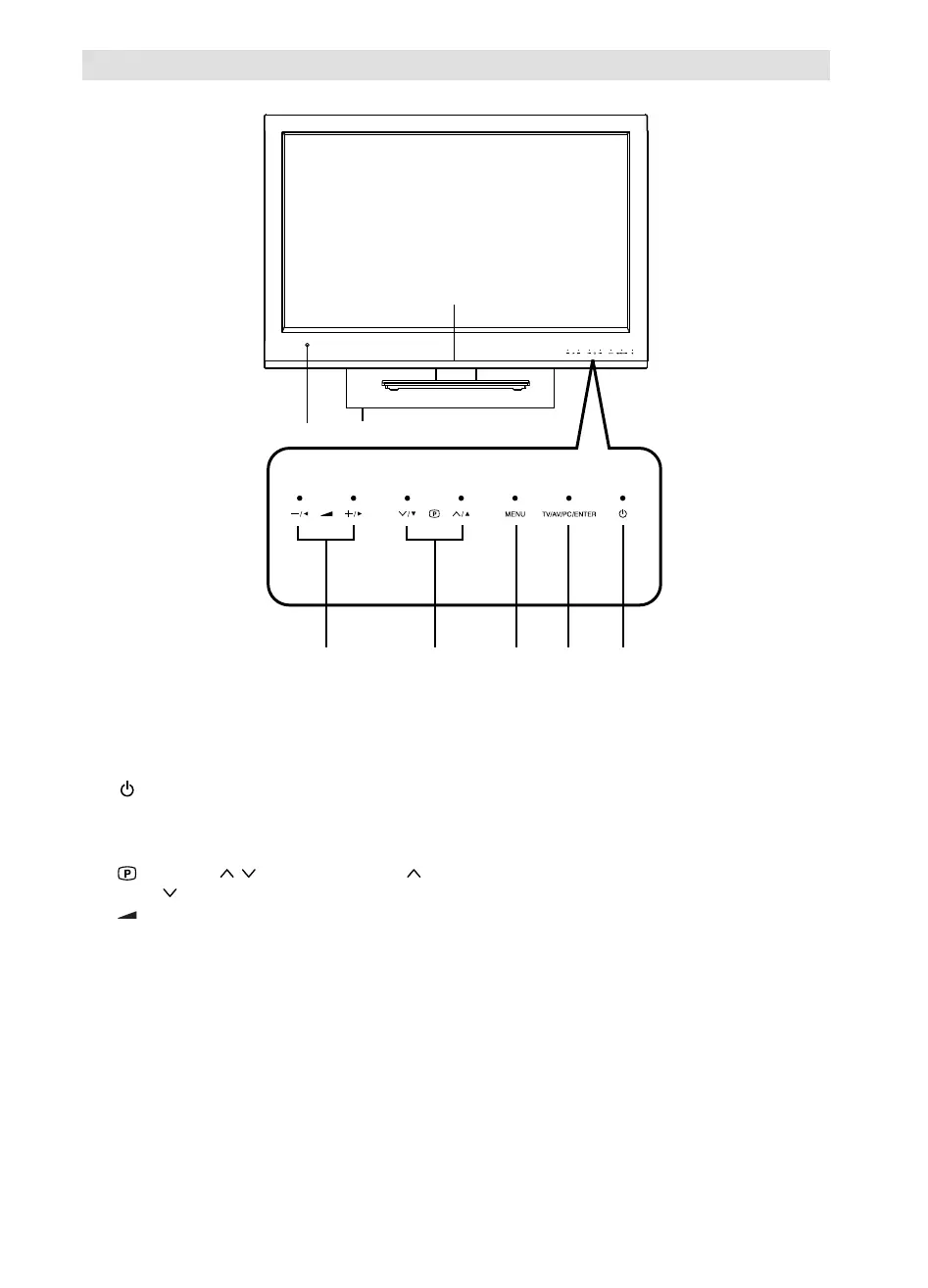
Location of controls
Description of Indicators and Controls
1. Remote sensor
2. Power indicator: The power indicator lights up red in standby mode, and blue in power - ON mode.
3. Loudspeakers
4.
(Power)-button: Preparation: Connect power-cable to AC220~240V/50Hz.
Press power-button to enter standby mode or turn on the power.
5. TV/AV/PC/ENTER button: Select input mode. In Menu : Using as ENTER button.
6. MENU button: To display the menu screen.
7.
(Channel) / /▲/▼ buttons: Press to change to a higher numbered channel set into memory.
Press
to change to a lower numbered channel set into memory. In Menu: Setting.
8.
(Volume) +/–/◀/▶ buttons / In Menu: Setting.
For complete disconnection from the network, remove the supplied power cable from the socket.
5
3
6
78
1
4
2


 To Next Page
 Loading...