38
SET UP menu
LT-32/26A61BU/SU / LCT1996-001A-U / English
1 Press the 5 or 6 buttons to
choose an EXT terminal
• Setting S-IN (S-VIDEO input) changes
the head character from “E” to “S”. When
an EXT terminal receives a normal video
signal, “E2” appears on the display. This
changes to “S2” when it receives an S-
VIDEO signal.
• Even a device which can output an S-VIDEO
signal (Y/C signal) may output a regular
video signal (composite signal) depending on
the device setting. If a picture cannot appear
because the S-IN (S-VIDEO input) setting
has been made, read the device instruction
manual carefully again to check for the
device settings.
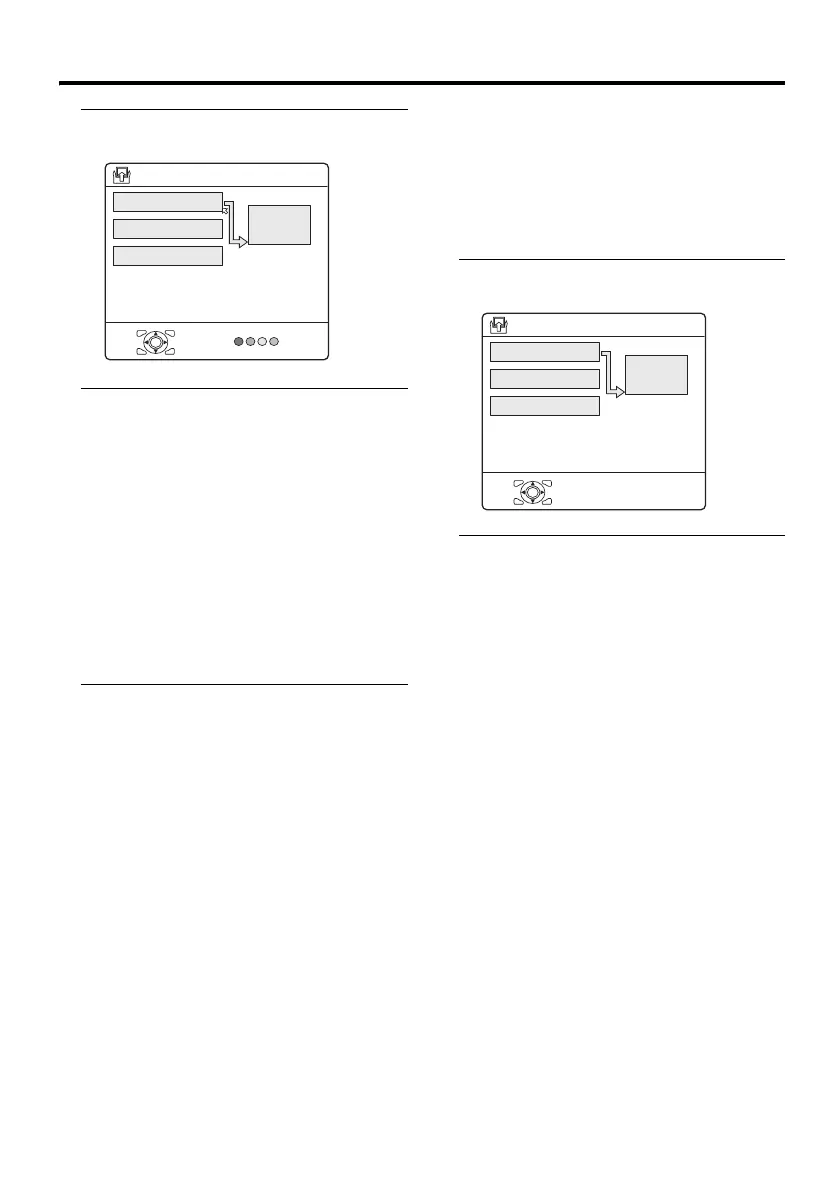
DUBBING
You can choose a signal source to be output
from the EXT-2 terminal.
You can do this with the output signals of the
devices connected to other EXT terminals, or
with the picture and sound from a TV
channel you are currently viewing.
1 Press the 5 buttons to choose
the arrow from the menu
2 Press the 6 buttons to choose an
EXT terminal or TV.
Then press the a button
The arrow in the menu represents a signal
flow. The left side of the arrow shows a
signal source output from the EXT-2
terminal.
EXT-1/EXT-3:
The output signal of the device connected
to an EXT terminal passes through the TV
and is output from the EXT-2 terminal.
TV:
The picture and sound of the TV channel
you are currently viewing are output from
the EXT-2 terminal.
D0020-EN
OK
EXT-1
DUBBING
EXT-2
>
EXT-3
TV
EXT SETTING
D0022
OK
EXT-1
DUBBING
EXT-2
> EXT SETTING
EXT-3
TV
-EN
LT-32&26A61BUSU_Eng.book Page 38 Tuesday, October 11, 2005 6:07 PM



 To Next Page
 Loading...