Setting up your TV
5
ENGLISH
LT-32/26A61BU/SU / LCT1996-001A-U / English
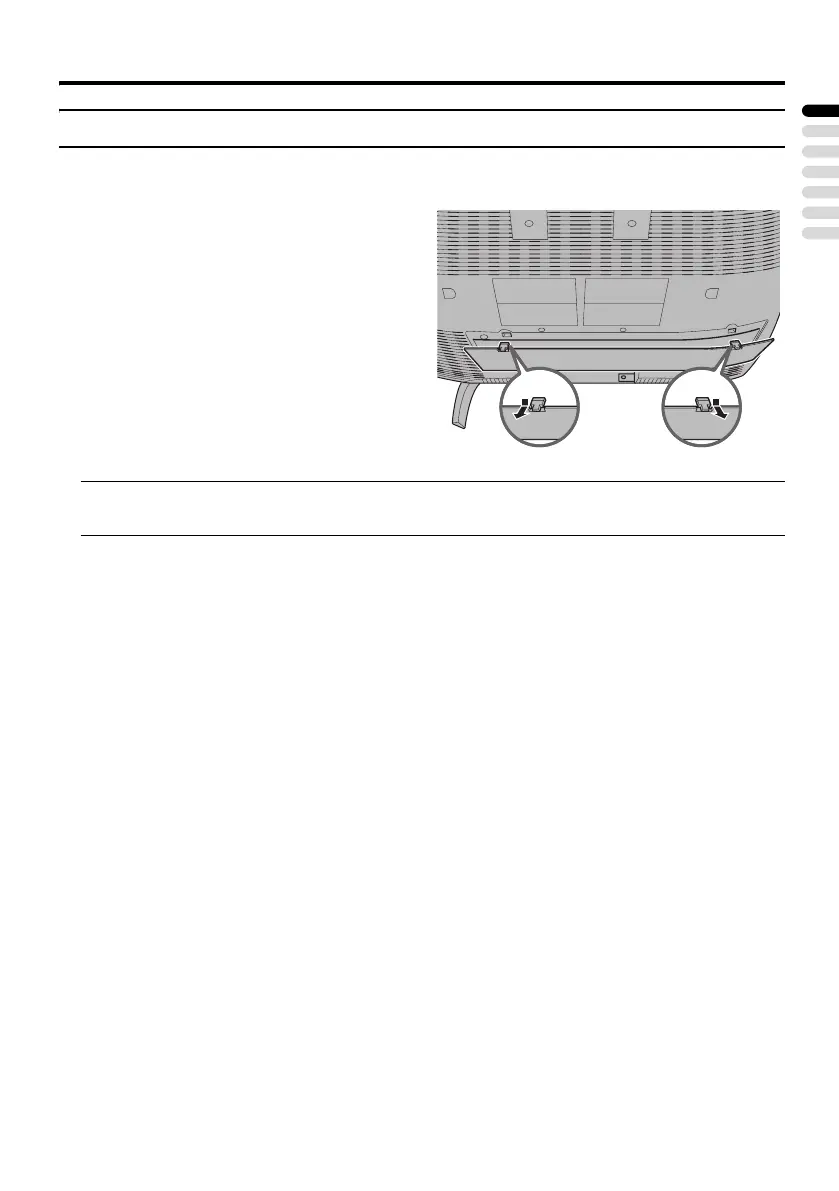
Removing the terminal cover
There are connection terminals behind the cover on the rear of the TV. Remove the cover before
connecting an antenna or VCR.
• Leave the cover off if they do not fit properly. Do not force to replace the cover. Doing so may
cause damage to the connection cables and the cover.
Remove the cover by removing the hooks.
When replacing the cover, place the side of the
cover against the TV and insert the hooks.
LT-32&26A61BUSU_Eng.book Page 5 Tuesday, October 11, 2005 6:07 PM



 To Next Page
 Loading...