13
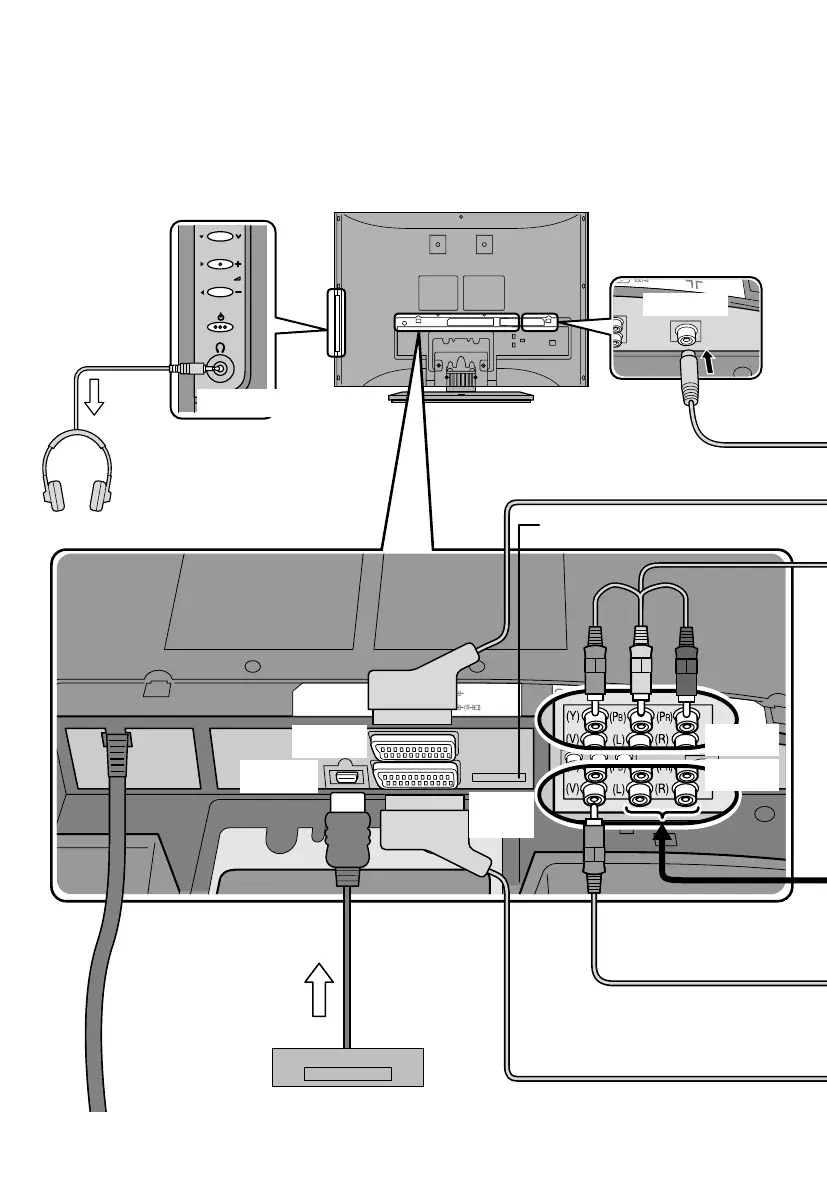
You can connect many different devices to the rear panel of the TV.
Please read the user manuals of each device before setting up.
(Connecting cables are not supplied with this TV.)
Headphones
EXT-3
EXT-2
(T-V LINK)
EXT-1
Connecting external devices
HDMI
DVD player
(HDMI compatible)
AERIAL
Headphone
EXT-4
Not use.
(For service adjustments only)
LT-A70.book Page 13 Thursday, November 16, 2006 11:44 AM



 To Next Page