17
3
Connections
GB
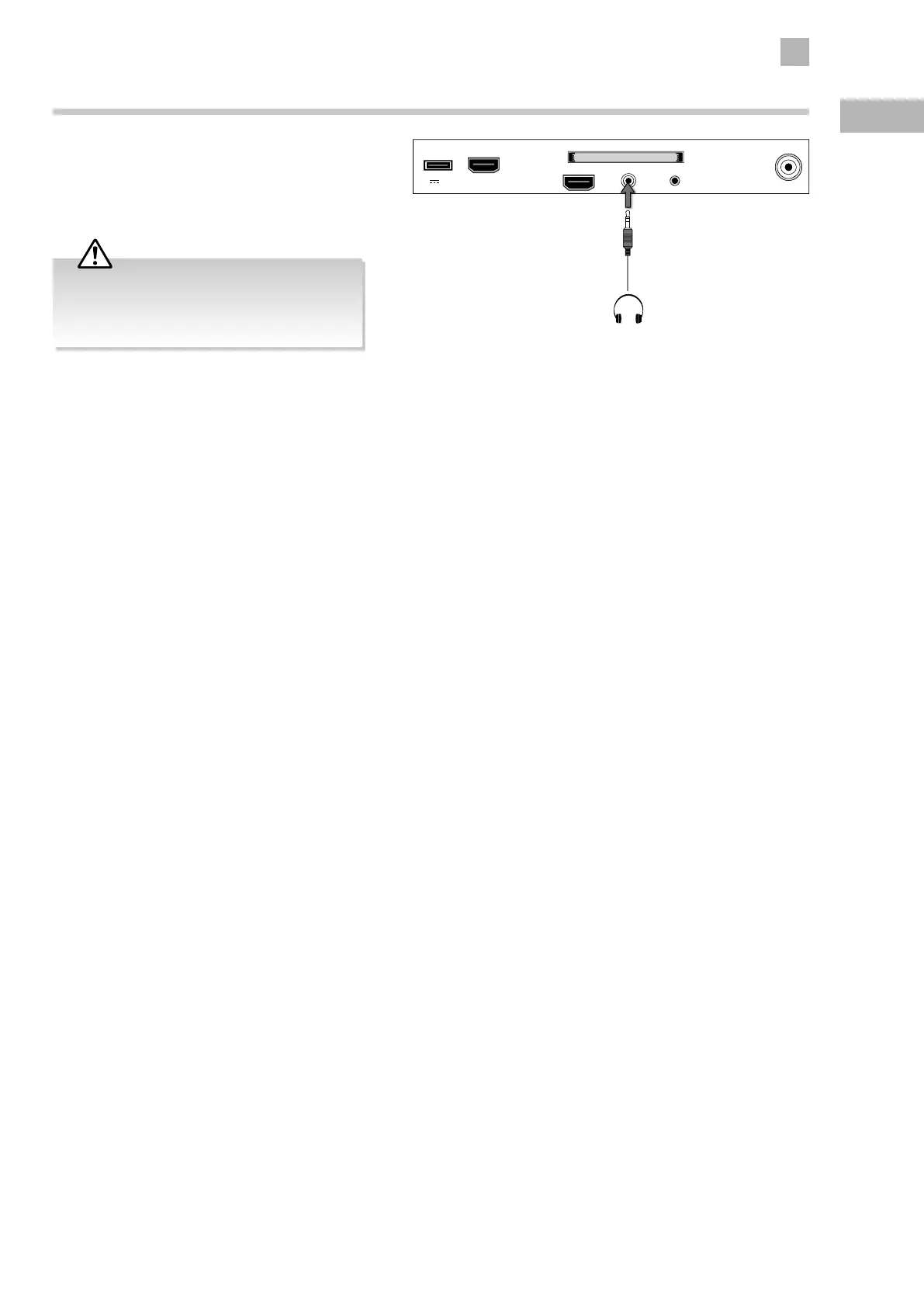
Connecting Headphones
Connect your headphones to the TV’s HEADPHONE
socket.
Before putting on the headphones, turn the volume
down then put the headphones on and slowly increase
the volume until you reach a comfortable listening level.
Rear Right Side View of TV
USB
5V 500mA
HDMI2(ARC)
HDMI1
RF
COMMON INTERFACE (CI)
HEADPHONE YPbPr
Earphones Cable
(not included)
Long-term exposure to loud music may cause
hearing damage. It is best to avoid extreme
volume when using headphones, especially for
extended periods.


 To Next Page