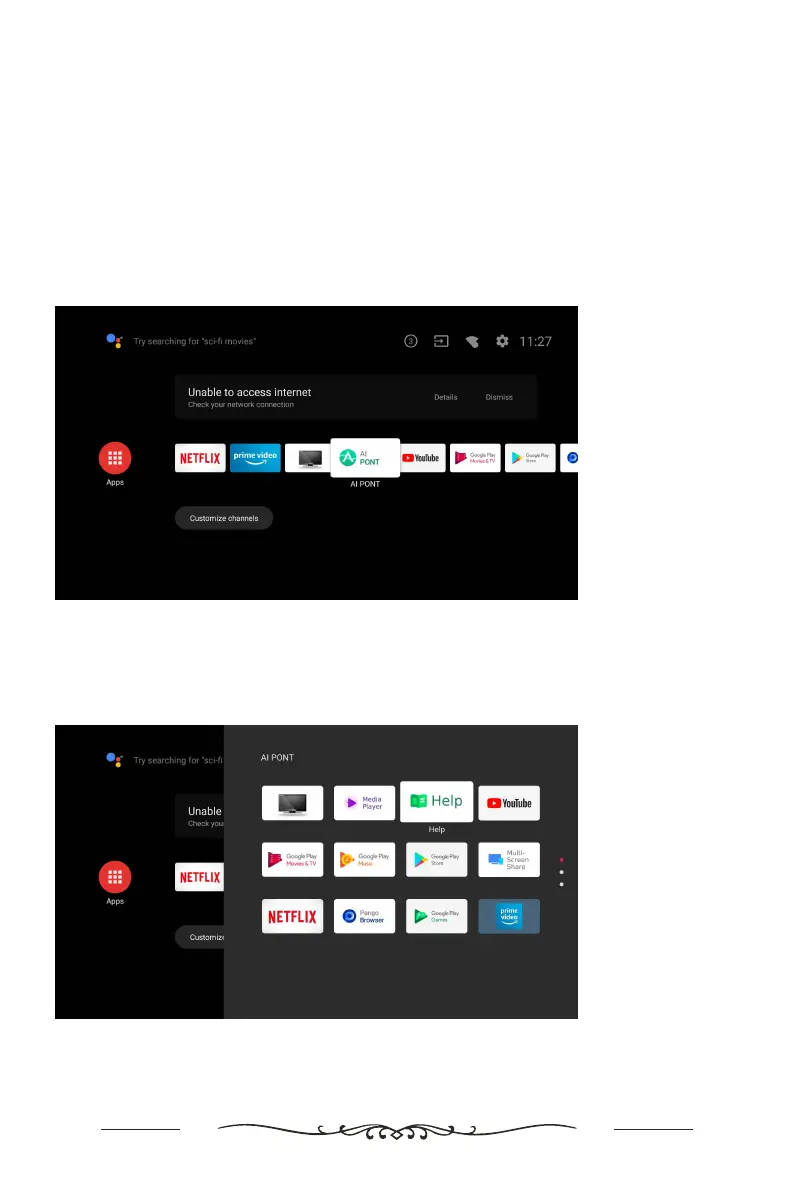
The Help feature offers a lot of information about your TV operation. To use the Help
feature, press the Home button, and then use the arrow and OK buttons to access
the Help menu. You can find how to troubleshoot from the list or keyword search.
If you update APK, the Help feature and information will be updated.
Note: Use the Arrow and OK buttons to move through the menu and make selections.
Step 1
Press the Home button on the remote control. Select 'AI PONT' from the options.
Step 2
Select 'Help' from the options.
How to access Help Menu on the TV


 To Next Page
 Loading...