11
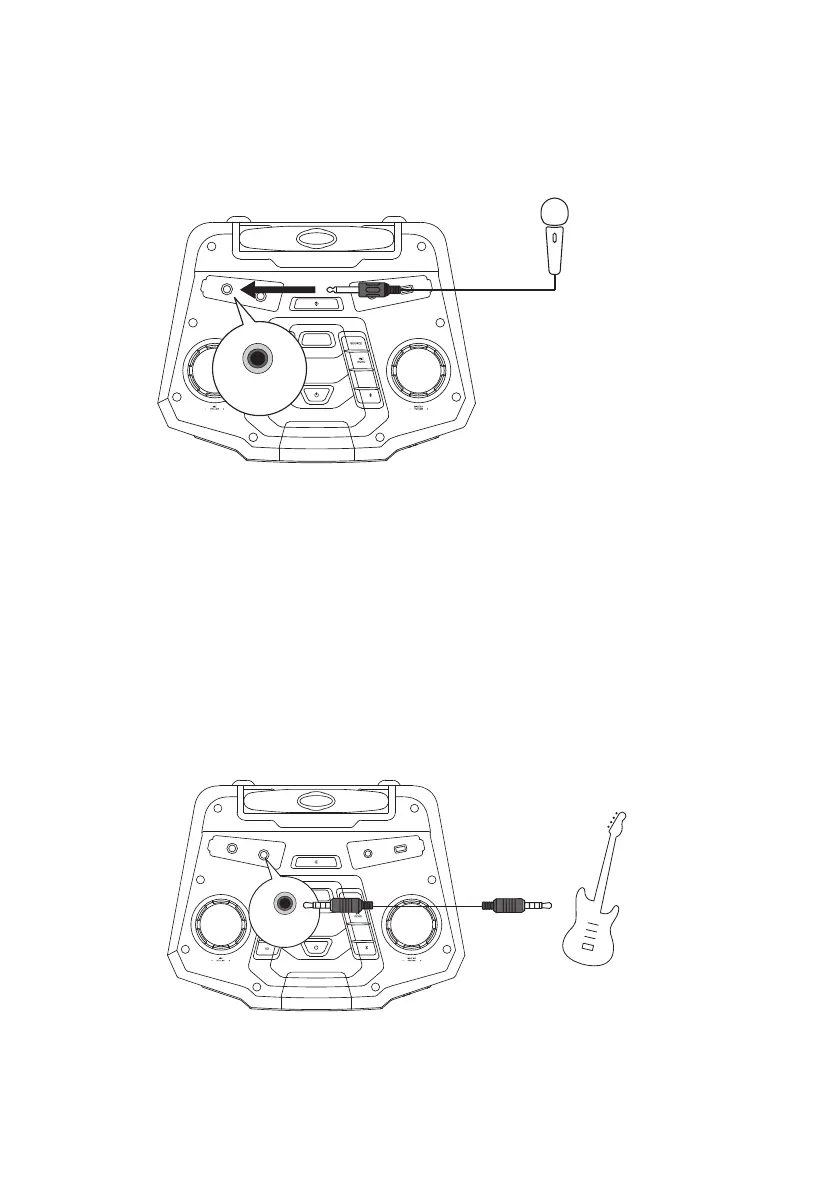
Connecting a Microphone
Connect your microphone (not included) into the MIC IN socket.
Turn the MIC –VOLUME+ dial to adjust the volume of the microphone.
BOO ST ER
STER EO
CHAI N
TUNE
TUNE
PAIR
MIC IN
Top View of the Main Unit
Microphone
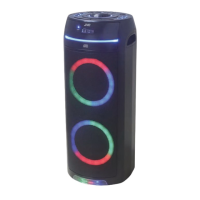
Connecting a Guitar
You can connect a guitar (not included) to the unit directly through the GUITAR IN socket
on the top panel.
BOO STE R
STER EO
CHAI N
TUNE
TUNE
PAIR
GUITAR IN
Top View of the Main Unit
Guitar
(connected with a 6.5 mm connecter)
MX-D719PB_IB_Final190704V2.indd 11 05/07/2019 09:48



 To Next Page