Page 1
English
Table of Contents
Getting Started........................................................................................................................... 2
Before Installation .................................................................................................................... 2
Checking the Supplied Accessories ......................................................................................... 2
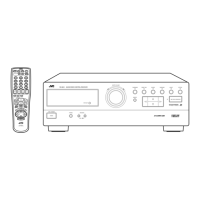
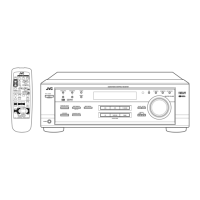
Switches, Buttons and Controls ............................................................................................... 3
Connecting the FM and AM (MW/LW) Antennas .................................................................. 5
Connecting the Speakers .......................................................................................................... 6
Connecting Audio/Video Components .................................................................................... 9
Connecting the Power Cord ................................................................................................... 10
Putting Batteries in the Remote Control ................................................................................ 11
Basic Operations ...................................................................................................................... 12
Turning the Power On and Off .............................................................................................. 12
Selecting the Source to Play................................................................................................... 12
Adjusting the Volume ............................................................................................................13
Selecting the Front Speakers .................................................................................................. 13
Muting the Sound ................................................................................................................... 14
Recording a Source ................................................................................................................ 14
Basic Settings ........................................................................................................................... 15
Adjusting the Front Speaker Output Balance ........................................................................ 15
Listening at Low Volume (Loudness) ................................................................................... 15
Using the Sleep Timer............................................................................................................ 16
Selecting the Center Speaker Size ......................................................................................... 17
One Touch Operation.............................................................................................................. 18
About the One Touch Operation ............................................................................................ 18
Using the One Touch Operation ............................................................................................ 18
Receiving Radio Broadcasts ................................................................................................... 19
Tuning in Stations Manually .................................................................................................. 19
Using Preset Tuning ............................................................................................................... 19
Selecting the FM Reception Mode......................................................................................... 20
Assigning Names to Preset Stations....................................................................................... 21
Using the RDS (Radio Data System) to Receive FM Stations .............................................. 22
What Information Can RDS Signals Provide?....................................................................... 22
Searching for a Program by PTY Codes ................................................................................ 23
Switching to a Broadcast Program of Your Choice Temporarily .......................................... 25
Using the SEA Modes .............................................................................................................. 26
Selecting Your Favorite SEA Mode ...................................................................................... 26
Creating Your Own SEA Mode ............................................................................................. 27
Using the Surround Processor................................................................................................ 28
Using JVC’s Hall Surround ................................................................................................... 28
Speaker Arrangements for Dolby Surround........................................................................... 30
Preparing for Dolby Surround................................................................................................ 31
Using Dolby Surround ........................................................................................................... 34
COMPU LINK Remote Control System ............................................................................... 35
Using the Remote Control for Operating JVC Audio/Video Components ........................ 36
Troubleshooting ....................................................................................................................... 38
Specifications............................................................................................................................ 39
RX-630RBK[EF]0055-001A.En.01-27 97.7.25, 5:23 PM1


 To Next Page