EasyManua.ls Logo

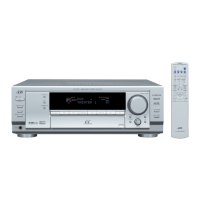
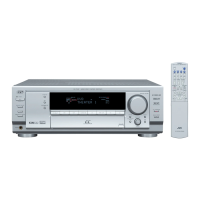
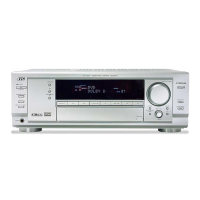
JVC RX-7032VSL - User Manual

JVC RX-7032VSL
114 pages
Print Icon
To Next Page IconTo Next Page
Loading...
For Customer Use:
Enter below the Model No. and Serial
No. which are located either on the rear,
bottom or side of the cabinet. Retain this
information for future reference.
Model No.
Serial No.
LVT1007-001A[J]
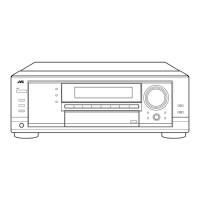
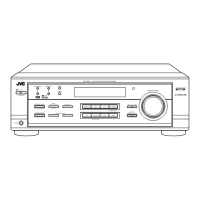
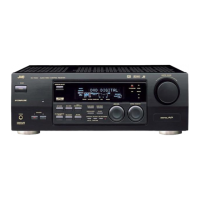
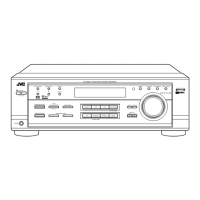
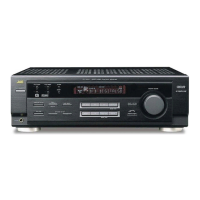
RX-8030VBK
RX-7030VBK/RX-7032VSL
AUDIO/VIDEO CONTROL RECEIVER
INSTRUCTIONS
231
564
89
7/P
0
+10
MENU
ENTER
CONTROL
A/V CONTROL RECEIVER
10/0
(For RX-8030VBK)
(For RX-8030VBK)
COVER_8030&7030[J]f.pm6 03.2.13, 4:39 PM1

Table of Contents

Other manuals for JVC RX-7032VSL

Questions and Answers

  • R
    Rebekah DuarteSep 9, 2025
    How to fix no sound from speakers on JVC Processor?
    • C
      Cynthia DouglasSep 9, 2025
      If you're not getting any sound from the speakers connected to your JVC Processor, there are several potential causes. Ensure the speaker signal cables are properly connected. Check that the SPEAKERS ON/OFF 1 and SPEAKERS ON/OFF 2 buttons are correctly set. Verify that you've selected the correct source and that muting is not activated by pressing the MUTING button. Also, confirm that the input mode (analog or digital) is correctly selected.
  • K
    Karen WalkerSep 8, 2025
    What to do if OVERLOAD is flashing on my JVC Processor?
    • J
      jeffrey87Sep 8, 2025
      If the JVC Processor displays “OVERLOAD,” it could be due to the speakers being overloaded from high volume or a short circuit in the speaker terminals. First, turn off the receiver using the STANDBY/ON button on the front panel and stop the playback source. Turn the receiver back on and adjust the volume. If the issue persists, turn off the receiver, check the speaker wiring for short circuits. If the “OVERLOAD” message remains, unplug the AC power cord and plug it back in. If the speaker wiring is not short-circuited, contact your dealer.
  • N
    Nicholas ThompsonSep 7, 2025
    Why does my JVC Stereo Receiver enter standby mode?
    • R
      richardsondavidSep 7, 2025
      If your JVC Stereo Receiver detects a supply voltage error, it will immediately enter standby mode. When you switch the power on again, the unit will return to the same abnormal status as before.
  • S
    staceysweeneyAug 22, 2025
    Why is there no sound from the speakers on my JVC RX-7032VSL?
    • M
      Marissa CunninghamAug 22, 2025
      If you're not getting any sound from the speakers connected to your JVC Receiver, here's what you can check: * Ensure the speaker signal cables are properly connected. * Verify that the SPEAKERS ON/OFF 1 and SPEAKERS ON/OFF 2 buttons are correctly set. * Confirm you've selected the correct source. * Make sure muting is not activated by pressing the MUTING button. * Check that the correct input mode (analog or digital) is selected.
  • K
    Kenneth MccallSep 4, 2025
    Why are there no sound effects on my JVC RX-7032VSL?
    • R
      Robert TorresSep 4, 2025
      If you're not getting any sound effects like Surround mode, DSP mode, or Digital Equalization on your JVC Receiver, check if Analog Direct is turned on and turn it off. Also, if DVD MULTI is selected as the source, select a source other than DVD MULTI.
  • D
    Dawn PalmerSep 3, 2025
    Why is there howling during record playing on my JVC RX-7032VSL Receiver?
    • R
      ramirezdavidSep 3, 2025
      If you're experiencing howling during record playing on your JVC Receiver, ensure that the ground cable from the turntable is connected to the screw marked (H) on the rear of the receiver. Additionally, your turntable might be too close to the speakers; move the speakers away from the turntable.
  • S
    Shane CaseySep 2, 2025
    Why is there continuous hiss or buzzing during FM reception on my JVC RX-7032VSL Receiver?
    • T
      Tyler HendersonSep 2, 2025
      If you are experiencing a continuous hiss or buzzing during FM reception on your JVC Receiver, the incoming signal might be too weak. Try connecting an outdoor FM antenna or contact your dealer. Also, the station might be too far away; try selecting a new station. Finally, ensure you are using the correct antenna; check with your dealer to be sure.
  • N
    Natasha WareSep 1, 2025
    Why does the STANDBY lamp light up and JVC RX-7032VSL turns off?
    • M
      Matthew OrtizSep 1, 2025
      If the STANDBY lamp lights up after turning on the power, and the JVC receiver turns off again (into standby mode), it indicates that the receiver is overloaded due to a high voltage. Press STANDBY/ON on the front panel to turn off the receiver. After unplugging the AC power cord, consult your dealer.
  • A
    Aaron SandersAug 31, 2025
    How to fix a JVC Receiver when the display does not light up?
    • K
      Kenneth AvilaAug 31, 2025
      If the display on your JVC Receiver doesn't light up, the power cord is likely not plugged in. Ensure the power cord is securely plugged into an AC outlet.
  • K
    Kevin ScottAug 30, 2025
    Why is sound coming from only one speaker on my JVC Receiver?
    • K
      Kelly JenkinsAug 30, 2025
      If you're getting sound from only one speaker connected to your JVC Receiver, the speaker signal cables may not be connected properly. Check the speaker wiring and reconnect if necessary.

Summary

Introduction

Precautions

Safety and operational guidelines concerning power sources, ventilation, and handling.

Parts Identification

Remote Control

Identifies and labels all buttons and features of the remote control.

Front Panel

Identifies and labels all buttons, displays, and jacks on the front panel.

Rear Panel

Identifies and labels all input and output terminals on the rear panel.

Getting Started

Before Installation

Guidelines for receiver placement, ventilation, and handling before initial setup.

Connecting the FM and AM Antennas

Setup instructions for connecting FM and AM antennas for radio reception.

Connecting the Speakers

Basic connecting procedure

Step-by-step guide for connecting speaker cables to the receiver terminals.

Placing speakers

Connecting the subwoofer speaker

Connecting Audio;Video Components

Analog Connections

Instructions for connecting analog audio and video sources.

Video component connections

Digital Connections

Digital input terminals

Connecting digital audio components via coaxial or optical terminals.

Digital output terminal

Connecting to digital recording devices with an optical output.

Connecting the Power Cord

Instructions for connecting the unit to an AC power outlet.

Basic Operations

Daily Operational Procedure

Outlines the common daily steps for operating the receiver.

Turning On the Power

Instructions on how to power the unit on, off, and into standby mode.

Selecting the Source to Play

Guide to choosing and selecting audio/video input sources.

Adjusting the Volume

Selecting the Front Speakers

Activating and Adjusting the Subwoofer Sound

Selecting the Analog or Digital Input Mode

Setting the Dynamic Range

Turning Analog Direct On and Off

Receiving Radio Broadcasts

Tuning in to Stations Manually

Guide to manually tuning into radio stations.

Using Preset Tuning

Instructions for storing and recalling preset radio stations.

To tune in a preset station

Basic Settings

Setting the Speakers Configuration

Guides for configuring speaker setup and room acoustics.

Setting the Speakers

Subwoofer setting-SUB WOOFER

Configuration option to register subwoofer presence.

Speaker size-FRONT SPEAKER, CNTR SPEAKER, SURR SPEAKER, SBACK SPEAKER

Setting the size for each connected speaker component.

Surround back speakers quantity-SBACK OUT

Setting the number of connected surround back speakers.

Setting the Speaker Distance

Setting the Bass Sounds

Subwoofer output-S WFR OUTPUT

Adjusting the type of signal transmitted through the subwoofer.

Setting the Digital Input Terminals

Memorizing the Volume Level for Each Source

Setting the Component Video Input

Adjusting Sound

Adjusting the Speaker Output Levels

Adjusting the Equalization Patterns

Adjusting the Sound Parameters for the Surround and DSP Modes

Using the Surround Modes

Activating the Surround Modes

Step-by-step guide to selecting and activating surround modes.

Using the DSP Modes

Activating the DSP Modes

How to select and activate desired DSP modes.

Using the DVD MULTI Playback Mode

Activating the DVD MULTI Playback Mode

Instructions for enabling DVD MULTI playback mode.

COMPU LINK Remote Control System

AV COMPU LINK Remote Control System

Remote Control of the TV, DVD player, and VCR Using This Remote Control

Operating JVC’s Audio;Video Components

VCR

Operating Other Manufacturers’ Video Equipment

To change the transmittable signals for operating another manufacturer’s DVD player

To change the transmittable signals for operating another manufacturer’s VCR

Troubleshooting

JVC RX-7032VSL Specifications

General IconGeneral
BrandJVC
ModelRX-7032VSL
CategoryReceiver
LanguageEnglish

Related product manuals