28
Bluetooth® Operation
Switch the speaker on. The unit will nd the last
paired Bluetooth® device and connect automatically.
If there is no previously paired device found,
the speaker will enter Bluetooth® pairing mode
automatically. The
ON/OFF button will ash
rapidly. Follow the steps below to pair the unit with a
Bluetooth® device.
Activate your Bluetooth® device and select the search
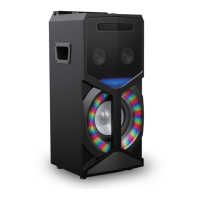
mode. “SP-AD85” will appear on your Bluetooth®
device list.
1. Select “SP-AD85” and enter “0000” for the
password if necessary. If connect successful, the
ON/OFF button will light up blue.
2. To disconnect the Bluetooth® function, press and
hold
button to disable the function from your
Bluetooth® device.
SP-AD85-x_IB_Final191104V3.indd 28 04/11/2019 15:18


 To Next Page