EasyManua.ls Logo

JVC SP-UXGN9V - User Manual

JVC SP-UXGN9V
72 pages
Print Icon
To Next Page IconTo Next Page
Loading...
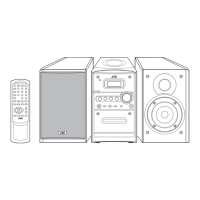
MICRO COMPONENT SYSTEM
UX-GN9V
Consists of CA-UXGN9V and SP-UXGN9V
LVT1991-006B
[A, US, UB]
INSTRUCTIONS
English
UX-GN9V[A]-frontcover.fm Page 1 Wednesday, May 13, 2009 11:38 AM

Table of Contents

Questions and Answers

  • J
    Jennifer BryantAug 18, 2025
    Why is my JVC Stereo System remote control not working?
    • T
      Todd TerryAug 18, 2025
      Your JVC Stereo System remote control might not be working because something is blocking the path between the remote control sensor and the remote itself. Ensure nothing obstructs the sensor. Also, the batteries might be low, so try replacing them.
  • C
    Cheyenne BraunAug 21, 2025
    What to do if my JVC Stereo System produces no sound?
    • D
      David NelsonAug 21, 2025
      If your JVC Stereo System isn't producing any sound, make sure the speakers are connected correctly. Also, check if headphones are connected; if so, disconnect them.
  • R
    Raymond PhillipsAug 23, 2025
    Why does my JVC Stereo System have no picture?
    • J
      Jonathan StoneAug 23, 2025
      If your JVC Stereo System shows no picture, the issue might be an improper connection. Ensure all cables are connected properly.
  • C
    Casey HillAug 26, 2025
    Why is the HDMI CEC function not working on my JVC Stereo System?
    • P
      patricia87Aug 26, 2025
      The HDMI CEC function might not work if the connected TV is not compatible with it. Refer to your TV's manual. Alternatively, check the “CEC” setting on your JVC Stereo System and make sure it is set to “ON 1” or “ON 2” instead of “OFF”.
  • C
    Casey AndrewsAug 28, 2025
    What to do if no picture or sound is produced via the HDMI MONITOR OUTPUT terminal on my JVC Stereo System?
    • A
      Amy FitzgeraldAug 28, 2025
      If you're getting no picture or sound via the HDMI MONITOR OUTPUT terminal, it could be due to several reasons. First, the disc or file you're playing might be in a format incompatible with the main unit or TV. Check the playable disc/file types. Second, the connected TV might not be compatible with HDCP, so connect a TV that is. Third, the main unit might not recognize the TV; try disconnecting and reconnecting the HDMI cable. Finally, using an HDMI cable longer than 5 m (15 feet) can cause issues, so use a shorter cable.
  • N
    Nicole SmithAug 30, 2025
    How to fix a distorted picture on my JVC Stereo System?
    • D
      Daniel SinghAug 31, 2025
      If the picture is distorted on your JVC Stereo System, the video signal type setting may not be appropriate. Select the video signal type suitable for your TV.
  • D
    Derrick TorresSep 2, 2025
    How do I fix an abnormal screen size on my JVC Stereo System?
    • T
      travisdavisSep 2, 2025
      If the screen size is abnormal on your JVC Stereo System, the screen size setting may not be appropriate. Select the display method suitable for your TV.
  • D
    Dana DunnSep 4, 2025
    Why won't my JVC Stereo System play a disc?
    • J
      Jason SmithSep 4, 2025
      If your JVC Stereo System won't play a disc, and “RG ERROR” appears on the display, the region code number of the disc is not compatible with the system. Confirm the compatible region code. Also, make sure the disc is placed on the disc tray with the printed surface facing up.
  • Y
    ycookSep 7, 2025
    What to do if a certain point on the disc cannot be played back properly on my JVC Stereo System?
    • G
      Gina JamesSep 7, 2025
      If a certain point on the disc cannot be played back properly on your JVC Stereo System, the disc may be scratched or dirty. Clean or replace the disc.
  • R
    Ray DelgadoSep 9, 2025
    What to do if the HDMI CEC function on my JVC Stereo System doesn't work after reconnecting the HDMI cable?
    • C
      courtneypattersonSep 9, 2025
      If the HDMI CEC function doesn't work properly after reconnecting the HDMI cable, the previous connection setting might be stored on the main unit. Select “OFF” for the “CEC” setting, and then select “ON 1” or “ON 2” again.

Summary

Warnings and Safety Information

General Cautions and Laser Safety

Essential warnings regarding electrical safety, laser product handling, and environmental precautions.

Installation and Placement Guidance

Ventilation and Placement Requirements

Guidelines for proper ventilation and positioning of the main unit and speakers to ensure optimal performance and safety.

System Setup and Operations

Introduction, Preparation, and Core Controls

Covers system overview, component connections, and fundamental operational controls.

Media Playback and Advanced Features

Media Playback, Connectivity, Recording, and Support

Details playing various media, connectivity, recording, karaoke, timers, troubleshooting, and system specifications.

JVC SP-UXGN9V Specifications

General IconGeneral
BrandJVC
ModelSP-UXGN9V
CategoryStereo System
LanguageEnglish

Related product manuals