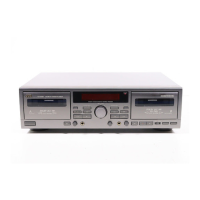
TROUBLESHOOTING
What appears to be trouble is not always real trouble. Make
sure first....
1. Cassette cannot be loaded.
•
Is the cassette positioned correctly?
2. When PLAY button is pressed, tape does not move.
•
Is the tape too loosely wound?
3. Tape runs, but no sound is heard.
•
Are all connections properly and securely made?
•
Is the MONITOR switch of the stereo amplifier set to the
TAPE position?
•
Is the VOLUME control of the stereo amplifier set to MIN?
4. Sound quality is poor.
•
Is the DOLBY NR button set to the right setting?
•
Is the head section dirty?
•
Is the record/playback head magnetized?
•
Is the tape worn out?
5. Recording cannot be performed.
•
Are the safety tabs of cassette tape broken?
•
Are all connections properly and securely made?
•
Is the head section dirty?
6. Previous recording is not completely erased.
•
Is the erase head dirty?
7. Since tape speed is irregular, wow and flutter occur.
•
Is the pinch roller or capstan dirty?
•
Is the tape rewound too tight?
8. MUSIC SCAN operation does not function properly.
•
Are the non-recorded sections too short (3 sec. or less),
or do they contain high level noise or hum?
–14–
id8/i10371/ 09/23/99 Page 14



 To Next Page
 Loading...