29
English
Special Picture Playback
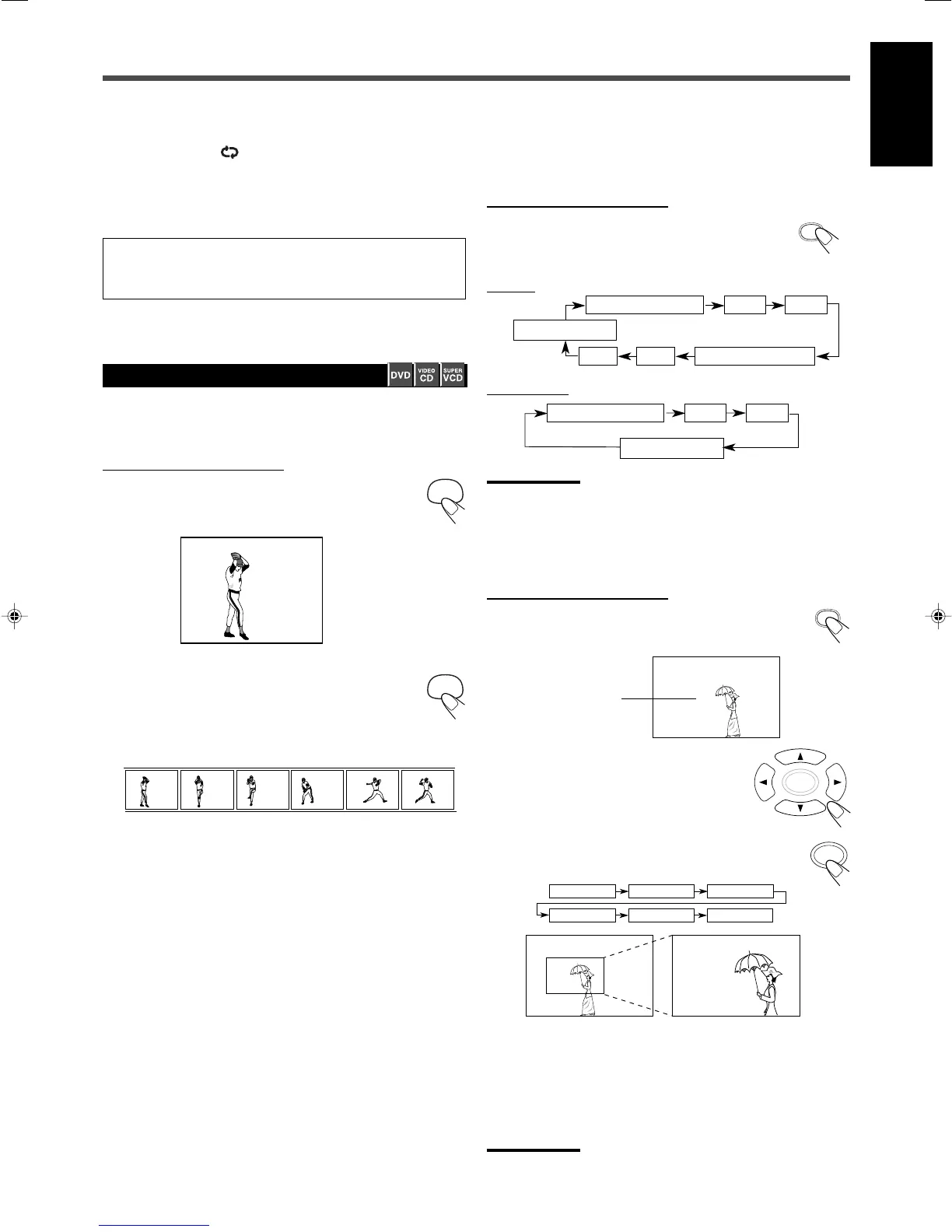
7 Still Picture/Frame-by-Frame Playback
You can advance the motion picture frame by frame.
From the remote control ONLY:
1
Press STEP once during playback.
Playback is paused and “STEP” appears on the TV
screen
.
2
Press STEP repeatedly to advance the
picture frame by frame.
• Each time you press the button, the picture advances
frame by frame.
To resume normal play
Press 3/8.
STEP STEP STEP STEP STEP STEP
7 Slow Motion Playback
You can enjoy slow motion playback while playing a DVD, VCD, or
SVCD.
From the remote control ONLY:
Press SLOW repeatedly during playback or pause.
• Each time you press the button, slow motion speed
changes and is shown on the TV screen as follows:
For DVD:
For SVCD/VCD:
Notes:
Reverse slow playback does not work with SVCD/VCDs.
7 Zoom
You can zoom in on the picture while playing back a DVD, VCD, or
SVCD.
From the remote control ONLY:
1
Press ZOOM.
The zoom indicator and “SELECT ZOOM POSITION”
appears on the TV screen.
2
Press 3/2/5/∞ to move the area
you want to watch.
3
Press ENTER.
• Each time you press the button while the indication
appears, the magnification changes as follows:
• You can move the zoomed area with pressing 3/2/5/∞
repeatedly.
To cancel the ZOOM
Press ZOOM again.
Notes:
You cannot zoom a JPEG picture.
PLAY
(Normal play)
1/2
1/4 1/8
1/8 1/4 1/2
SF(Slow Forward)
SR(Slow Reverse)
SF SF
SR SR
PLAY
(Normal play)
1/2
1/4 1/6
SF(Slow Forward)
SF SF
To cancel A–B Repeat
Press 5/∞ to select “ OFF” in step
3
, then press ENTER.
“REPEAT A-B” disappears from the display and “REPEAT:OFF”
appears on the TV screen.
On some DVDs, A–B Repeat may not be used even within the
same title. This is due to their disc structures, and not a
malfunction of the unit.
ZOOM x1.5
ZOOM x1.5
ZOOM x2
ZOOM x2
ZOOM x3
ZOOM OFF
Zoom indicator
22_29TH_A25[USUB].p65 03.9.11, 3:48 PM29


 To Next Page
 Loading...