EasyManua.ls Logo

JVC UX-M3R - User Manual

JVC UX-M3R
24 pages
Print Icon
To Next Page IconTo Next Page
Loading...
For Customer Use:
Enter below the Model No. and Serial No.
which are located either on the rear, bot-
tom or side of the cabinet. Retain this
information for future reference.
Model No.
Serial No.
LVT0808-005A
[A]
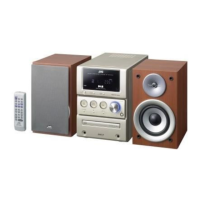
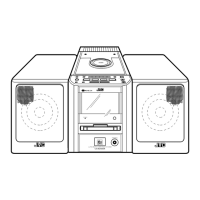
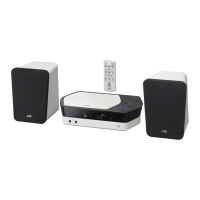
UX-M3R — Consists of CA-UXM3R and SP-UXM3.
MICRO COMPONENT SYSTEM
INSTRUCTIONS
DISPLAY
MODE
PHONES
PROGRAM
REC
STOP/CLEAR PLAY/PAUSE
PRE EQ
/HBS
VOLUME
REPEAT
SEARCH/TUNING
RANDOM
CD
TUNER TAPE
BAND
MICRO COMPONENT SYSTEM UX-M3R
FULL LOGIC DECK
CD SYNCHRO RECORDING
TIMER
ON/OFF
SET
REMAIN
/RDS MODE
EJECT
INTRO/RDS
SEARCH
PRESET
OPEN
/CLOSE
STANDBY
/ON
CD/RANDOM TAPE
DISPLAY
MODE
PROGRAM
REC
SLEEP PRE UP
TIMER
BEAT CUT
STANDBY/ON
+
VOLUME
TUNER
/BAND
REPEAT
/PRE DOWN
INTRO
/RDS SEARCH
REMAIN
/RDS MODE
RM-SUXM3R REMOTE CONTROL
MUTING
PRE EQ
/HBS
00_FCV_UXM3R_A.p65 02.1.9, 3:42 PM1

Other manuals for JVC UX-M3R

Questions and Answers

  • S
    Sabrina ReidJul 30, 2025
    How to fix no sound on my JVC Stereo System?
    • D
      Daniel PowellJul 30, 2025
      If there is no sound coming from your JVC Stereo System, there could be several reasons. First, check the speaker connections to ensure they are properly connected. Make sure the correct function is selected on the system. Adjust the volume control to a suitable level. If using earphones, the earphone jack may be defective and need replacement. Additionally, there might be a defect in IC601 or IC301, which would require checking the voltages and replacing them if necessary.
  • R
    Richard BrownAug 5, 2025
    What to do if my JVC Stereo System has no sound from the disc?
    • M
      Mary JacksonAug 5, 2025
      If your JVC Stereo System isn't producing sound from a disc, the disc may be dirty; wipe it with a soft cloth. It could also be scratched or warped, in which case you should use a new disc. Ensure you are using a brand name disc, as non-standard discs can cause issues. If moisture has formed inside the CD deck, wait 20 to 30 minutes. In some cases, the issue may be due to a defective IC701, IC704, or TA2092N, which would require checking the voltages and replacing if necessary.
  • E
    Emma BradshawAug 11, 2025
    Why does my JVC Stereo System have no sound or weak sound?
    • K
      kgibsonAug 11, 2025
      If your JVC Stereo System has no sound or weak sound, it could be due to several factors. Try rotating or repositioning the unit. There might be a defect in IFT101, which requires checking resistance, voltage, and current, and replacing as needed. Also, the AM antenna coil or oscilloscope coil might be defective and need replacement. The intermediate frequency tuning or RF tracking could be faulty, requiring readjustment. Other potential causes include defective IC101 or IC102, which would require checking voltages and replacing if necessary, or poor contact in the antenna circuit, which can be resolved by checking resistance and resoldering.
  • A
    Amy ReynoldsAug 16, 2025
    What to do if my JVC Stereo System has weak sound and no sound?
    • T
      Tara CastanedaAug 16, 2025
      If your JVC Stereo System is producing weak or no sound, ensure the FM antenna is properly connected, either the built-in or an external one. A defective band selector switch could also be the cause, requiring replacement or repair. Another potential issue could be defective IC101 or IC102, which would need their voltages checked and replacement if necessary. The intermediate frequency tuning may also be faulty, needing readjustment. Finally, check for poor contact in the FM antenna circuit and resolder or repair as required.
  • C
    cortezjayAug 23, 2025
    How to resolve no sound or unsteady tape sound on JVC Stereo System?
    • P
      Pamela WalkerAug 23, 2025
      To address the issue of no sound, unsteady tape sound, or weak sound on your JVC Stereo System, start by cleaning the capstan or head with alcohol, as they might be dirty. If the cassette tape winding is irregular, replace the tape. A defective IC202 could also be the cause, requiring you to check voltages and replace it if necessary. Lastly, if the cassette erasure prevention tabs are broken, replace the tape or cover the tab openings with adhesive tape.

Summary

Warnings, Cautions and Others

Laser Product Safety

Covers critical safety warnings related to laser product operation, including label placement and beam exposure.

General Cautions and Warnings

Provides essential safety advice regarding electrical shock, fire, ventilation, and exposure to water or heat.

Introduction and Manual Overview

Installation and Safety Precautions

Details critical installation requirements, power source handling, moisture risks, and other essential safety tips.

Remote Control Functions

Getting Started Guide

Initial Setup: Unpacking and Connections

Guides users through unpacking, installing batteries, and making initial system connections like speakers, antennas, and power.

Common Unit Operations

Power, Volume, and Clock Settings

Explains how to turn the unit on/off, adjust volume, set the clock, and check the time display.

Radio Operations

Tuning and Presetting Radio Stations

Details how to tune into FM/MW stations, save them as presets, and select preset stations.

Playing Back CDs

Playing Back Tapes

Recording Audio

Timer Functions

Troubleshooting Common Issues

JVC UX-M3R Specifications

Amplifier Specifications IconAmplifier Specifications
output power24 W (12 W + 12 W) at 8 Ω (MAX.)
output power at THD20 W (10 W + 10 W) at 8 Ω (10% THD)
audio output level800 mV/32 Ω
speakers impedance8 Ω - 16 Ω
Tuner Specifications IconTuner Specifications
FM tuning range87.50 MHz - 108.00 MHz
MW tuning range522 kHz - 1 629 kHz
CD Player Specifications IconCD Player Specifications
dynamic range60 dB
signal-to-noise ratio60 dB
wow and flutterUnmeasurable
Cassette Deck Specifications IconCassette Deck Specifications
frequency response for normal tape100 Hz - 10 000 Hz
wow and flutter0.35% (WRMS)
General Specifications IconGeneral Specifications
power requirementAC 240 V, 50 Hz
power consumption (operation mode)30 W
power consumption (standby mode)1.5 W
dimensions160 mm × 269.5 mm × 300 mm
mass4.3 kg
Speaker Specifications IconSpeaker Specifications
speaker unit (woofer)10.2 cm cone × 1
speaker unit (tweeter)5.1 cm cone × 1
impedance8 Ω
dimensions160 mm × 269.5 mm × 192 mm
mass2 kg/each

Related product manuals