EasyManua.ls Logo

JVC UX-M5R - User Manual

JVC UX-M5R
63 pages
Print Icon
To Next Page IconTo Next Page
Loading...
SERVICE MANUAL
No.21110
Jul. 2002
COPYRIGHT 2002 VICTOR COMPANY OF JAPAN, LTD.
UX-M5R
UX-M5R
Contents
Safety precautions
Preventing static electricity
Important for laser products
Disassembly method
Adjustment method
Flow of functional operation
until TOC read
1-2
1-3
1-5
1-6
1-15
1-18
1-19
1-19
1-20
1-21
1-36
Maintenance of laser pickup
Replacement of laser pickup
Trouble shooting
Description of major ICs
Wiring connection
Area suffix
B ------------------------------- U.K.
E ----------- Continental Europe
EN ------------ Northern Europe
EV -------------- Eastern Europe
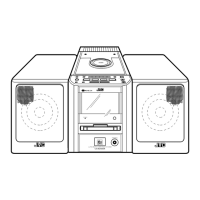
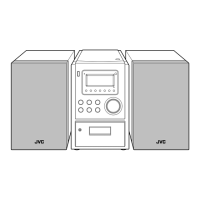
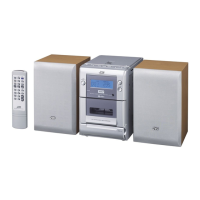
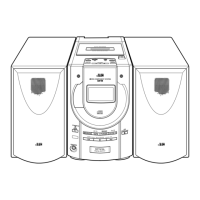
MICRO COMPONENT SYSTEM
CA-UXM5R SP-UXM5SP-UXM5

Questions and Answers

  • M
    Mary SchultzAug 2, 2025
    Why is there no sound coming from my JVC Stereo System?
    • S
      Stephen ButlerAug 3, 2025
      If your JVC Stereo System has no sound, several things could be the cause. First, make sure the speakers are properly connected. Next, verify that you've selected the correct function on the system. Also, check that the volume control is set to an audible level. If you're using headphones, the earphone jack might be defective and need replacement. Finally, there could be an issue with IC402 or IC301; in that case, check the voltages and replace if necessary.
  • K
    Kara FuentesAug 10, 2025
    What to do if my JVC Stereo System has no sound or recording and the tape sound is unsteady or weak?
    • G
      gutierreznathanAug 10, 2025
      If your JVC Stereo System is experiencing issues like no sound or recording, unsteady tape sound, or weak sound, start by cleaning the capstan or head with alcohol. Also, check the cassette tape itself, and replace it if the winding is irregular. If the problem persists, there might be a defect with IC201 or IC202, so check the voltages and replace if necessary. Finally, make sure the cassette erasure prevention tabs aren't broken out; if they are, replace the tape or cover the tab openings with adhesive tape.
  • H
    howardkyleAug 17, 2025
    What to do if my JVC UX-M5R has no sound or weak sound (low sensitivity) on FM?
    • L
      Lisa GreenAug 17, 2025
      If your JVC Stereo System has no sound or weak sound (low sensitivity) specifically on FM, ensure the FM antenna is connected, either the built-in or an external one. A defective band selector switch could also be the problem, so consider replacing or repairing it. Additionally, check for defective IC101 or IC102 by checking voltages and replacing if necessary. Poor contact in the FM antenna circuit could also be to blame; resolder or repair as required.
  • D
    David JohnsonAug 25, 2025
    What to do if my JVC Stereo System cannot read the table of content and there is no sound?
    • A
      Alexis MartinezAug 26, 2025
      If your JVC Stereo System cannot read the table of contents and there is no sound, first ensure the disc is inserted correctly. If it is, check if the disc is dirty and, if so, wipe it clean with a soft cloth. If the disc is scratched or seriously warped, use a new disc. Also, make sure you are using a brand name disc and not a non-standard one. If moisture has formed inside the CD deck, wait about 20 to 30 minutes. Finally, there could be a defect in IC701, IC704, or IC703, so check voltages and replace if necessary.

Summary

Safety Precautions

General Safety Guidelines

Essential safety rules for operation, maintenance, and design integrity.

Electrical Shock Hazard Testing

Procedures for performing leakage current checks after product reassembly.

Preventing Static Electricity

Grounding and Handling Procedures

Guidelines for grounding, handling the optical pickup, and traverse unit.

Laser Product Safety Information

Laser Radiation Warnings

Critical warnings about Class 1 laser product hazards and safety precautions.

Disassembly Method

Main Body Section Disassembly

Procedures for disassembling the main unit's components.

Replacing Fuses and Power Amplifier IC

Detailed steps for replacing fuses and the power amplifier IC.

Removing Side Panels

Instructions for removing the right and left side panels from the main body.

Removing Top Cover and Front Panel

Steps for removing the top cover and the front panel assembly.

Removing CD Mechanism Assembly

Procedure to remove the CD mechanism assembly from the main unit.

Removing Power Board and Main Board

Instructions for removing the power board and the main board.

Front Panel Assembly Disassembly

Detailed steps for disassembling parts of the front panel assembly.

CD Mechanism Section Disassembly

Removing CD & MCU Board

Steps to remove the CD & MCU board from the CD mechanism.

Removing CD Pickup Assembly

Procedure to remove the CD pickup assembly.

Removing Tray Motor

Instructions for removing the tray motor from the CD mechanism.

Replacing the CD Pickup Unit

Adjustment Method

Adjustment Measurement Requirements

Lists necessary measuring instructions, instruments, and conditions for adjustments.

Cassette Amplifier Adjustments

Procedures for adjusting cassette amplifier settings like head azimuth and tape speed.

Tuner Section Adjustments

Procedures for adjusting AM and FM tuner tracking and IF.

Location of Adjusting Parts

Diagrams showing the physical locations of adjustment points.

Functional Operation Flow

Operation Until TOC Read

Describes the sequence of operations until the Table of Contents is read.

Laser Pickup Maintenance & Replacement

Laser Pickup Maintenance

Includes cleaning the lens and identifying symptoms of laser diode end-of-life.

Laser Pickup Replacement

Step-by-step guide for replacing the laser pickup unit.

Troubleshooting Guide

Description of Major ICs

ITC9462 F (IC701): Digital Servo Processor

Details of the digital servo single chip processor, IC701.

Microcontroller IC Details

ITMP87 EP26 F (IC601): MCU Pin Function

Details the pin functions for the ITMP87EP26F microcontroller IC.

Audio Amplifier ICs

AN7312 (IC202): Pre-amplifier Pin Function

Details the pin functions for the AN7312 dual recording/playback pre-amplifier IC.

BA4558 N (IC401,IC403): Operational Amplifier Pin Function

Details the pin functions for the BA4558N dual operational amplifier ICs.

Power Amplifier and Regulator ICs

LM1876 TF (IC402): Power Amplifier Pin Function

Details the pin functions for the LM1876TF audio power amplifier IC.

NJM7812 A (IC302): Regulator Pin Function

Details the pin functions for the NJM7812A regulator IC.

Driver and Head Switch ICs

TA2092 N (IC703): Power Driver Pin Function

Details the pin functions for the TA2092N power driver IC.

UPC1330 (IC201): Head Switch Pin Function

Details the pin functions for the UPC1330 REC/PB audio head switch IC.

Tuner IC Details

TA2104 BN (IC101): Tuner System Pin Function

Details the pin functions for the TA2104BN AM/FM tuner system IC.

Servo IC Details

TA2153 FN (IC704): RF Amplifier for Digital Servo Pin Function

Details the pin functions for the TA2153FN RF amplifier for digital servo IC.

Bridge Driver IC Details

TA7291 S (IC702): Bridge Driver Pin Function

Details the pin functions for the TA7291S bridge driver IC.

Volume Control IC Details

TC9422 F (IC301): Electronic Volume Pin Function

Details the pin functions for the TC9422F system electronic volume IC.

PLL Synthesizer IC Details

TC9257 F (IC102): PLL Synthesizer Pin Function

Details the pin functions for the TC9257F PLL frequency synthesizer IC.

RDS Decoder IC Details

BU1923 F (IC602): RDS Decoder Pin Function

Details the pin functions for the BU1923F RDS decoder IC.

Wiring Connection Diagram

Block Diagram

Standard Schematic Diagrams

CD & MCU Section Schematics

Key Section Schematics

Power Section Schematics

Printed Circuit Board Layouts

Main Board PCB Layout

Shows the component layout on the main board's circuit board.

CD & MCU Board PCB Layout

Shows the component layout on the CD & MCU board.

Key Board PCB Layout

Shows the component layout on the key board.

Power Board PCB Layout

Shows the component layout on the power board.

Parts List Overview

Exploded View of General Assembly

Illustrates the physical assembly and lists parts by block number.

Electrical Parts List

Lists electrical components used in the device.

Packing Materials and Accessories

Lists packaging and accessory items included with the product.

Exploded View of General Assembly

Visual representation of the product's assembly with numbered parts.

General Assembly Parts List

Detailed list of general assembly parts with part numbers and descriptions.

Main Board Electrical Parts

Comprehensive list of electrical components for the main board.

CD & MCU Board Electrical Parts

Detailed list of electrical components for the CD & MCU board.

Power Board Electrical Parts

List of electrical components specific to the power board.

Key Board Electrical Parts

List of electrical components for the key board.

Packing Materials and Accessories

Lists all packing materials and accessories for the product.

Packing List Details

Specific items included in the product's packaging.

Accessories List Details

Specific accessories provided with the product, like manuals and remote.

JVC UX-M5R Specifications

General IconGeneral
TypeMicro Component System
Disc PlaybackCD, CD-R/RW
TunerFM/AM Tuner
Speakers2-Way Bass Reflex Speakers
Remote ControlYes
Cassette DeckSingle Cassette Deck
Power Output30 Watts RMS (15W x 2)

Related product manuals