14
3
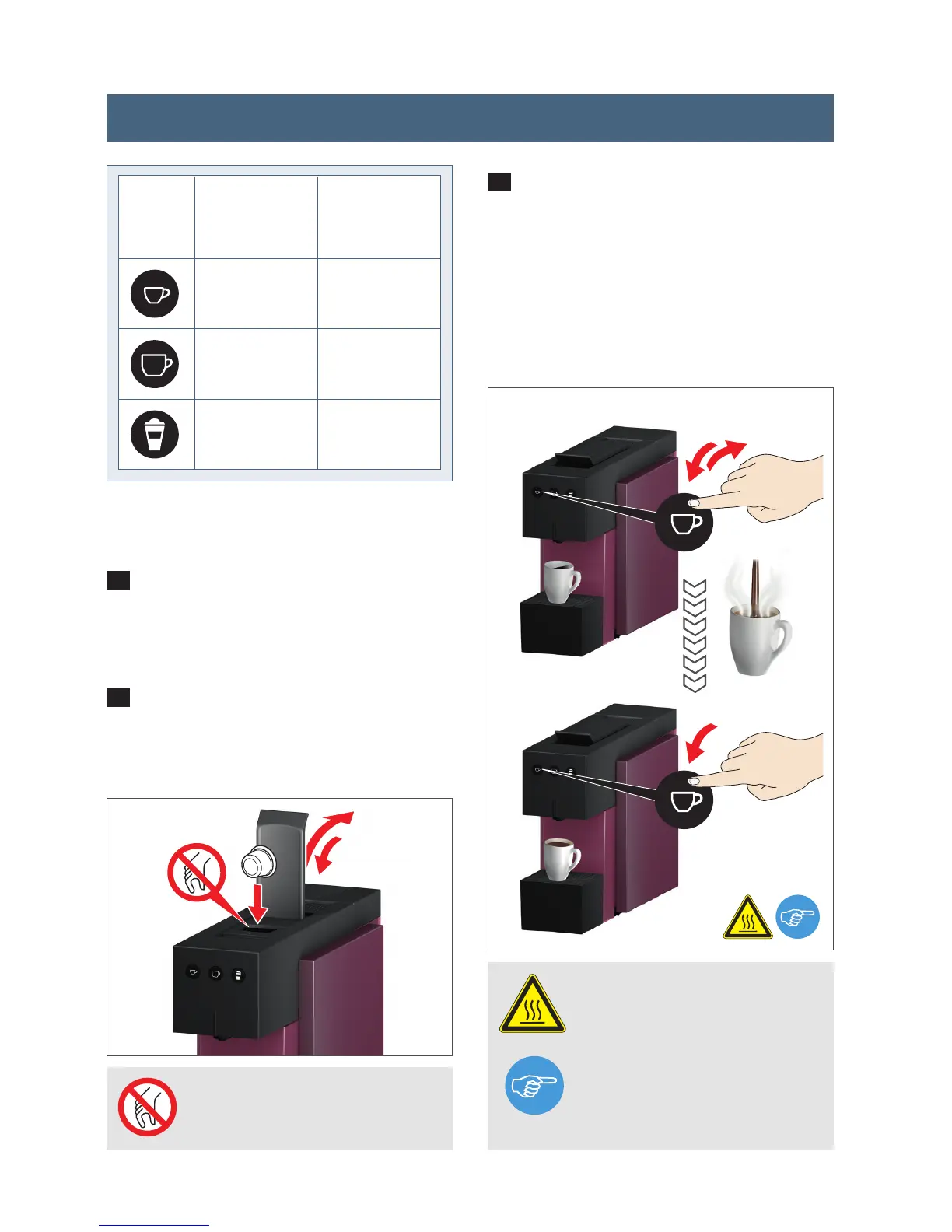
Now press the button for the required
cup size for at least 3 seconds to activa-
te programming. Release the button. The
button will blink rapidly during program-
ming. Water will commence dispensing.
Once required quantity has been reached,
press the button again to automatically
save this new setting.
1
Complete steps 1-5 outlined in the
initial start up. Then place the required
cup under the spout.
2
Open the lever and insert the required
capsule. Now close the lever completely
again.
Buttons
30 - 100
80 - 200
/
45
105
65
setting range
[ml]
factory setting
[ml]
PROHIBITED Do not reach
inside – injury hazard.
WARNING Very hot water –
scalding hazard.
NOTE It is possible to reset
the appliance to the factory
settings (see P. 15).
min. 3 sec.
Stop
3
2
Programming cup capacity




 To Next Page