Page 14
Instruction manual - G95
Kivex Biotec Ltd
UNIT
In the UNIT option the displayed temperature unit can be selected to be either
degrees Celsius or Fahrenheit.
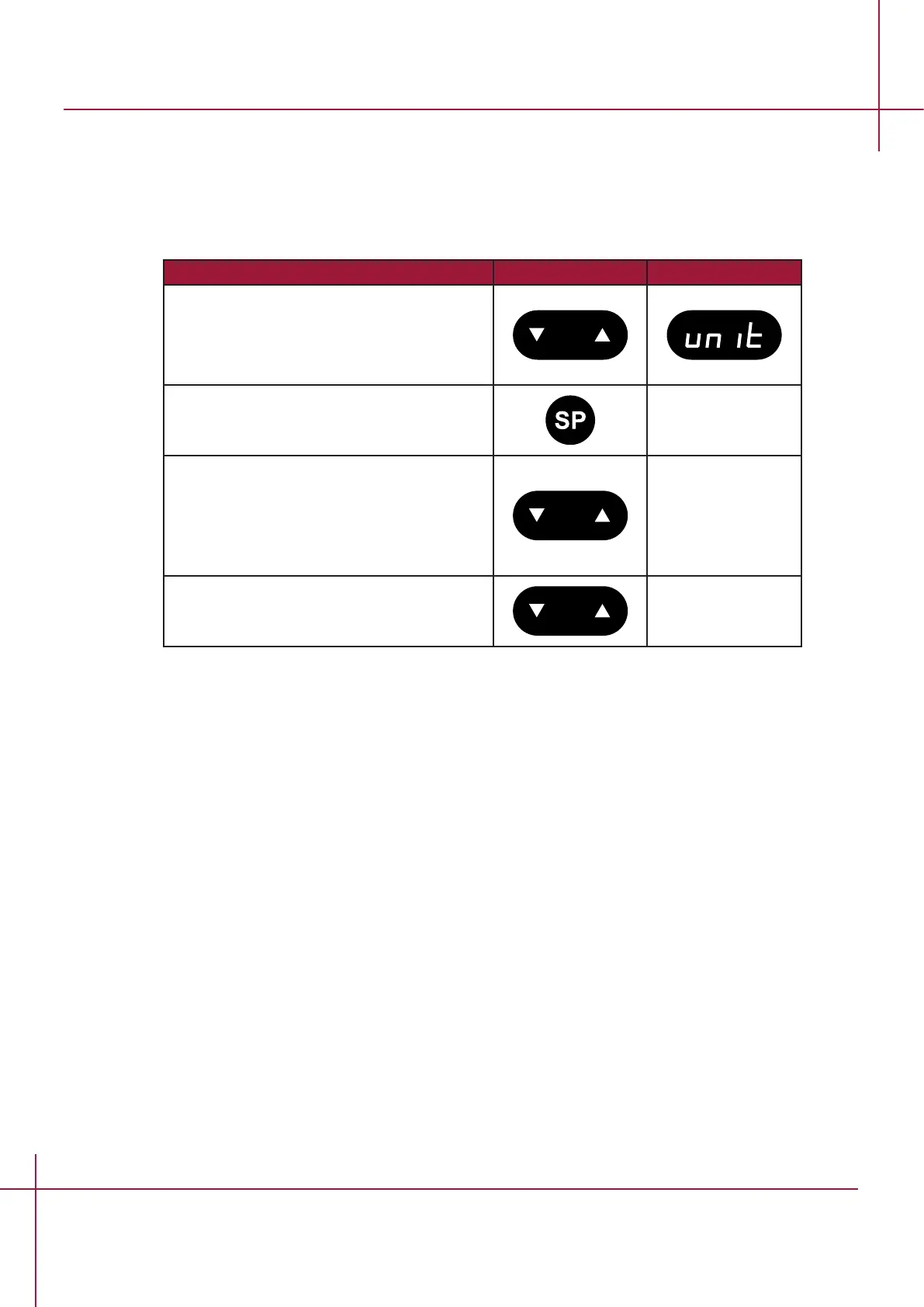
Follow these steps to navigate in the UNIT option.
Action Key Display
Press and hold UP+DOWN key for 3
seconds to enter the the menu.
The option "UNIT" will appear in the
display.
Press and hold setpoint key to change
values.
While holding the setpoint key in, press
either the arrow UP or arrow DOWN key to
select the required type of unit.
When the required type has been selected
let go of the setpoint key.
Press and hold UP+DOWN key for 3
seconds to exit the the menu.


 To Next Page