Page 19
Instruction manual - G95
Kivex Biotec Ltd
HEAT
The HEAT option is used for the heater to turn on at a time.
Note This function only works in conjunction with St.St.
If St.St is set to 8.00 and heat function is on, the heater will automatically
turn on at 8.00 using 24 hour clock.
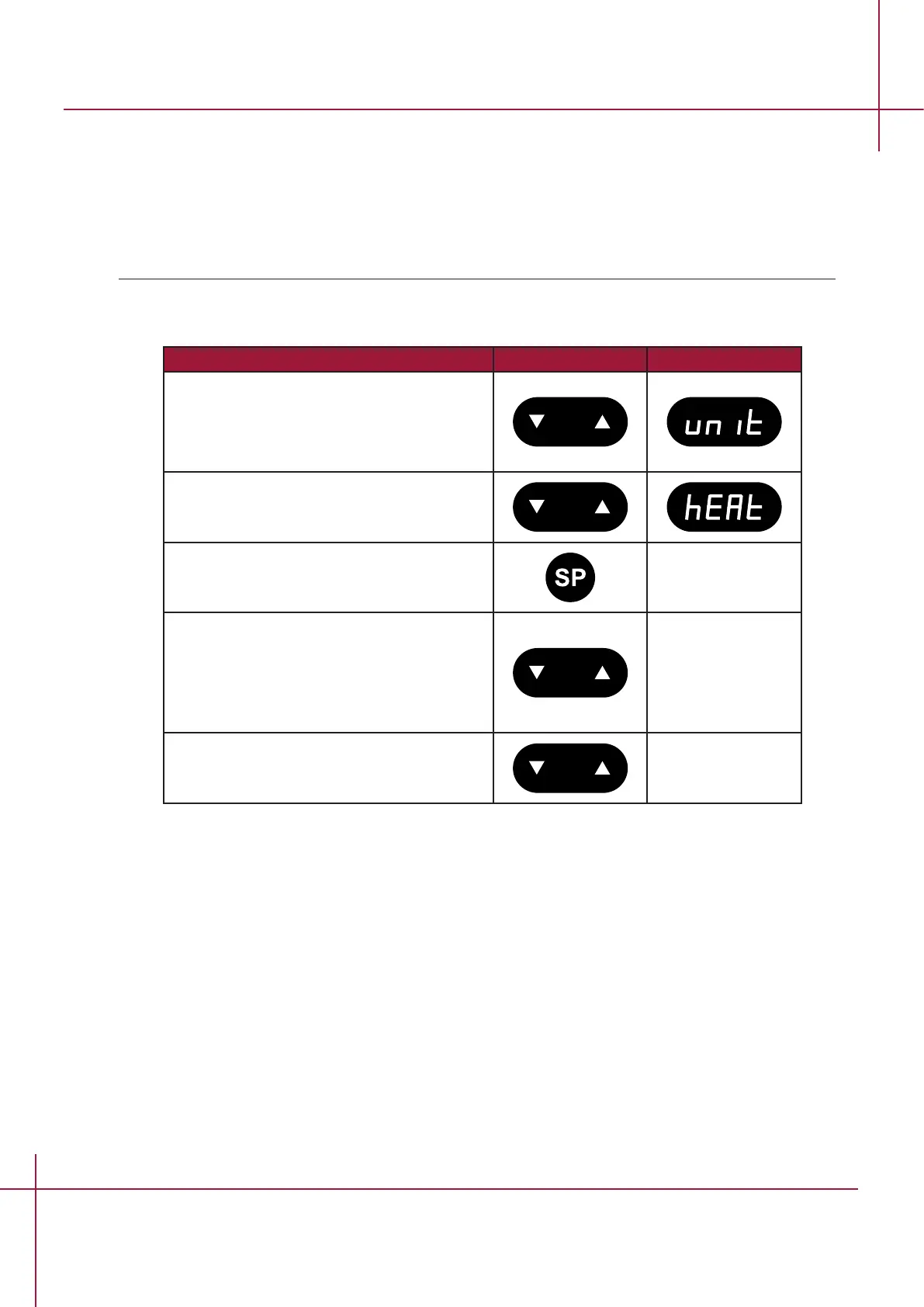
Follow these steps to navigate in the HEAT option.
Action Key Display
Press and hold UP+DOWN key for 3
seconds to enter the the menu.
The option "UNIT" will appear in the
display.
Press DOWN key until the option "HEAT"
appears in the display.
Press and hold setpoint key to change
values.
While holding the setpoint key in, press
either the arrow UP or arrow DOWN key to
select between "ON" and "OFF".
When the required setting is activated, let
go of the setpoint key.
Press and hold UP+DOWN key for 3
seconds to exit the the menu.


 To Next Page