MT5000-0200-1 Rev f (10-2010) DCN0528 20
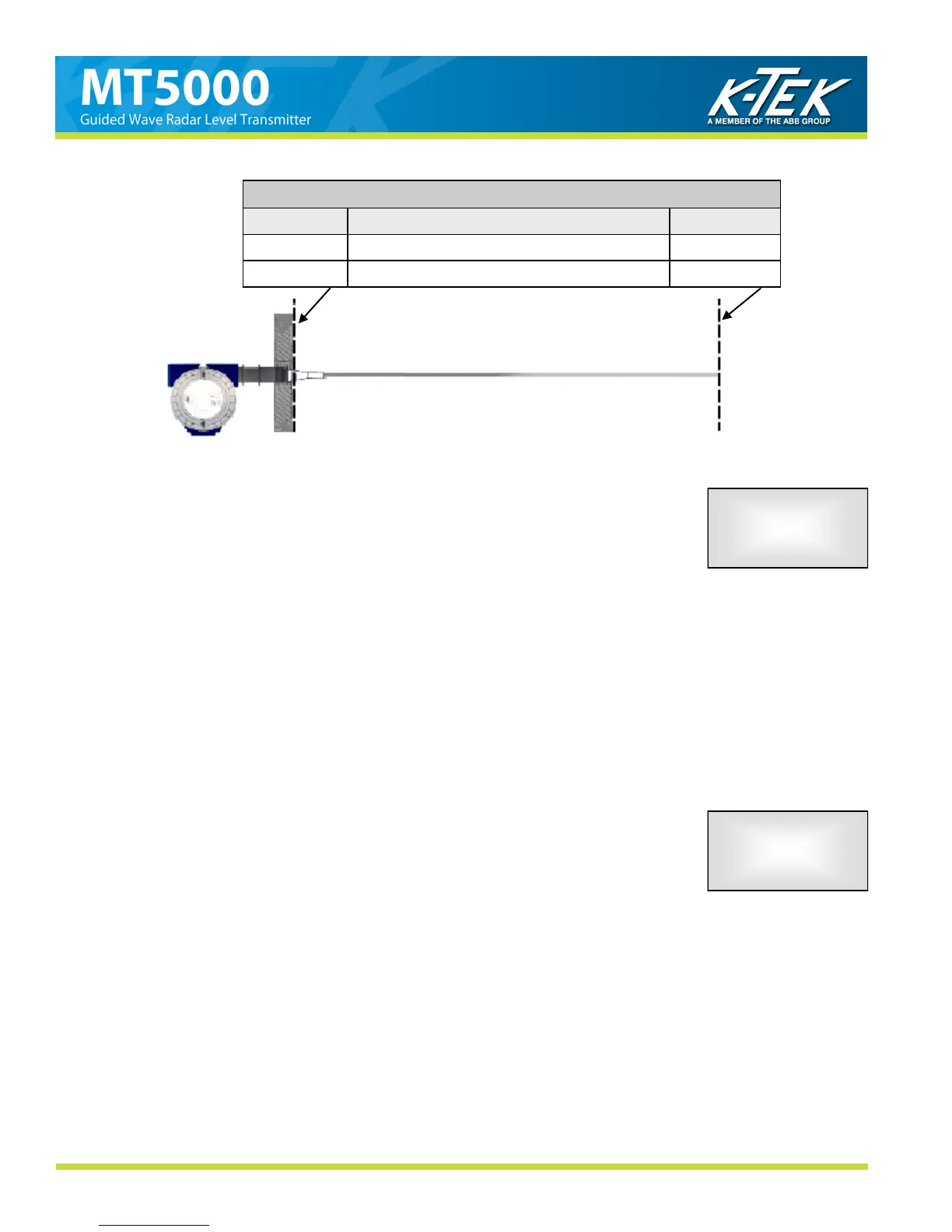
Figure 15
Typical Settings for Range Values
URV 20mA =
MEASURE MODE = LRV 4mA =
Probe Length MEDIA LEVEL 0 inches
0 inches ULLAGE Probe Length
DAMPING is a setting designed to delay the mA OUTPUT response to a change in
measured level. It is a value set in seconds at .5 second intervals. If the process is agi-
tated or splashing of the liquid is possible, a higher DAMPING value may be required. If
the process changes rapidly, a lower DAMPING value may be needed to increase the
response time to a level change. The highest DAMPING allowable is 36 seconds.
To change the DAMPING:
1. Press the SELECT button.
2. Scroll UP or DOWN to select each digit.
3. Press the SELECT button to set the digit and move to the next digit in sequence.
(The last digit will scroll between .0 and .5)
4. After the last digit is set, press the SELECT button to set the new DAMPING.
5. Scroll UP or DOWN to END MENU.
6. Pressing the SELECT button now will return you to the main screen.
DAMPING
0.5 sec
LVL: XX.XX in XX.XX mA
4.5.4. DAMPING
If the MT5000 does not pick up a return signal crossing the threshold it will return an
ALARM signal (Section 4.1.1) In an application where the surface of the product may be
subject to a change in physical state (such as flashing,) the return signal from the product
will appear and disappear as the product boils. To prevent the mA OUTPUT from spiking
to ALARM in these conditions, an ALARM DELAY may be set. This delay time will allow
the MT5000 to hold the last good value it received for a given time before returning an
alarm indication. From the factory the ALARM DELAY will be set to 2 seconds.
To enter the ALARM DELAY:
1. Press the SELECT button.
2. Scroll UP or DOWN to select each digit.
3. Press the SELECT button to set the digit and move to the next digit in sequence.
4. After the last digit is set, press the SELECT button to set the new ALARM DELAY.
5. Scroll DOWN to END MENU.
6. Pressing the SELECT button now will return you to the main screen.
ALARM DELAY
2 sec
LVL: XX.XX in XX.XX mA
4.5.5. ALARM DELAY



 To Next Page